Hello,
I am having a display issue with the Social Share element => https://prnt.sc/7OnCP4vLUCJl
I would like to remove the arrow on the left of each block and increase the size of the social media icons.
Thank you for your assistance.
Solved
SP Page Builder
Locked
Social Share, removing the arrow
Accepted answer
Marked as the solution
Paul Frankowski Senior Staff
1 year ago
· edited
Hi,
All you need is that to remove ">" from FA icons.
#sp-bottom .sp-module ul > li > a::before {
  display: none;content: none; }
And to make those icons boxes more square use:
#sp-bottom .sppb-social-share-style-custom ul li a i {width: 38px;}After using my CSS 1 and CSS 2, you should get:
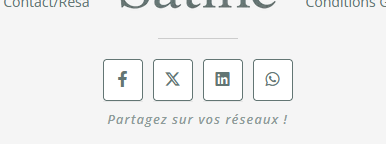
Is a new building website? If yes, why you used old Helix3? It doesn't make sense in 2025/26.
0 more replies
This question is locked, so it takes no new replies. Have a similar problem? Ask a new question.