

Manufacturer - Setup A Custom H1-H6 And Paragraph
K
Kamil
I can't setup a global parameters for H1-H6 and paragraph. settings on template didn't work. now I must to setup every one module manually for every display (laptop, mobile and other), that is nightmare..
8 Answers
Order by
Oldest

Mehtaz Afsana Borsha
Accepted AnswerHi,
Thank you for reaching out to us. We apologize for any inconvenience you may be experiencing. To assist you more effectively, could you please create a complete backup of your site? Additionally, we would appreciate it if you could provide us with super admin access, allowing us to thoroughly investigate the matter.
Thank you for your cooperation.
-Regards.
Mehtaz Afsana Borsha
Accepted AnswerHi
You can use custom CSS on that. Using custom CSS is a robust and highly effective way to enforce global styles.
K
Kamil
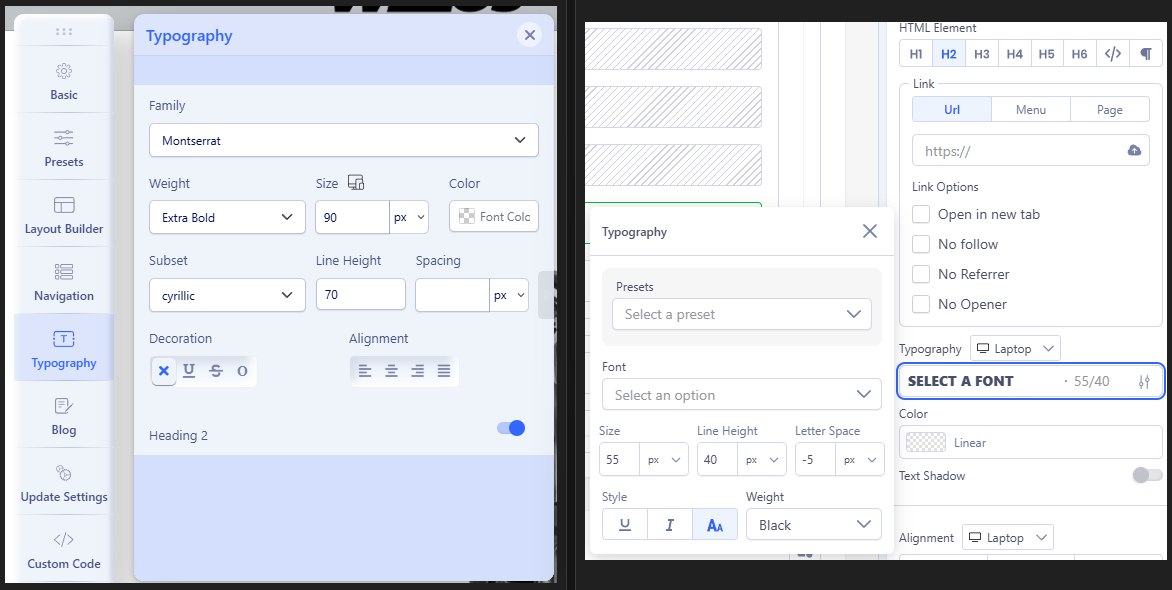
Accepted Answerand one additional thing. in template options is line height but is it on px, percent or what? and second thing, here I can;t set a upper letters for H like it is on modules. and.. how I can set a global fonts for all responsive options? like laptop, mobile and other.
here is from template options.

Paul Frankowski
Accepted AnswerYes, in Template Settings Line-Height is based on "px" as I remember.
In some templates, some header are defined by template styles. You can create custom.cssfile with your own styles that will be used in whole site, it's very simple process.
Example syntax:
h1, h1.sppb-addon-title {font-size: 2.4rem; font-weight: 900;}
h2 {font-size: 2rem;  font-weight: 600;}
h3 {font-size: 1.3rem;}
h4 {font-size: 1.2rem;}

@media screen and (max-width: 760px) {
h1 {font-size: 2rem; }
h2 {font-size: 1.8rem; }
}
I hope you read at least one book about CSS so you know the basics.
Remember that if you used Font settings inside SPPB addon it will be "stronger" and it will override template styles.
K
Kamil
Accepted AnswerYes, I know CSS, but I thought that when I buy a template, it would be ready-made, tested, and fully functional. So far, it seems that many things need to be fixed and recreated because they don't work.
Paul Frankowski
Accepted AnswerFrom what I saw on your site, it's how I wrote. If you choose font-size in addon, it overrides styles from template. Component styles are loaded later and they "stronger".
I think if you want to make it easier - just in template settings definine font styles for headers , and extra styles - and "clean" settings from addons, then it should work.
K
Kamil
Accepted AnswerI already mentioned that the template style settings don't work.
I set the parameters I wanted there, but there was no effect. Then I tried adding styles in Page Builder to give them higher priority, but that didn't work either. Only modifying each module individually on the page makes a difference.
However, as I wrote, editing each page, module, and page version separately is a nightmare.