URGENT - SP PB 6 - Contact form does no longer send emails - No error shown - Forum | JoomShaper
Staff replied SP Page Builder

URGENT - SP PB 6 - Contact form does no longer send emails - No error shown

Asked by Peter Hunkeler 8 months ago Last activity 8 months ago

Hello
I've got two distinct websites both running:

  • Joomla 6.0.1
  • SP Page Builder 6.2.2
  • Helix Ultimate 2.2.3
    Both sites use contact forms (SP PB). On one site the forms work as usual sending out a mail. The other site does not longer send out mails. (I don't have a clue since when). There is neither the "Success" nor "Failed" message uppon pressing the submit button.

It is important to get that working again immediately, but I don't have a clue what to check or how to debug. Any hint? thanks

11 replies

Peter Hunkeler Asked this

Additional information: All form fields are immediately cleared upon clicking in the submit button.

Peter Hunkeler Asked this

In the meantime, I have uninstalled SPPB and resinstelled. No change. Forms don't send out mails with no error message.

Toufiq Senior Staff

Hi there,

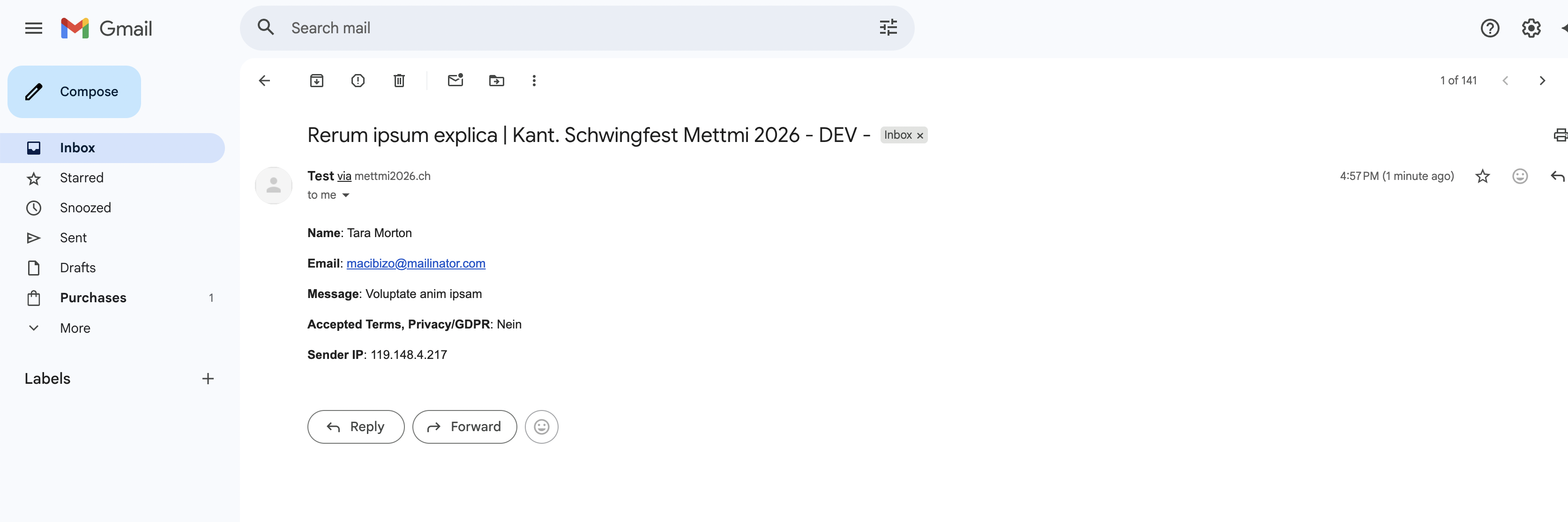
Thank you for reaching out, and I apologize for any inconvenience caused by this oversight. I just created a Test page and it works fine.

Screenshot at Feb 09 16-59-24.png

Best regards,

Toufiqur Rahman (Team Lead, Support)

Peter Hunkeler Asked this

Thank you. But, may I kindly ask you to test the form from the Footer "Kontakt zum Webmaster". Also, I had defined a new test form before contacting you: https://dev.mettmi2026.ch/component/sppagebuilder/page/26
Neither of those do work.

Ahh, I just recognizie that you were using "Contact Form" whereas my forms are using "Form Builder" add on. My bad I didn't realize that difference when initially posting.

Thanks for checking again

Toufiq Senior Staff

I have checked your issue. But, no clue found. Allow me time.

Peter Hunkeler Asked this
8 months ago · edited

Not sure how much this will help, but here is what I did yesterday:

  • Created a new subdomain on the same hosting / server
  • Installed Joomla 6.0.2 from scratch
  • Installed Helix Ultimate 2.2.4
  • Copied Helix settings from prod site (export/import)
  • Copied /images from prod site (logos, background, etc)
  • Installed SP Page Builder 6.2.3
  • Created new page with form builder addon and default (math) captcha. => Email was sent and confirmation popup shown
  • Copied all SP PB pages and dynamic content from prod site (export / import)
  • Invoked the "Kontakt zum Webmaster" form page. => Error since Cloudflare Turnstile plugin was not found.
  • Installed the plugin V1.5.2
  • Invoked the "Kontakt zum Webmaster" again. => Email was sent and confirmation popup was shown
  • Installed JCE Editor Core 2.9.98, and made this the default.
  • Created Joomla Categories, and all ~25 Joomla articles (by copying the html source).
  • Created Menu entries
  • Tried the "Kontakt zum Webmaster" for once more. => Bommer! No email sent, no messages shown.
  • Uninstalled JCE, sind this is the only component change done after the last successfull form email sent.

This is so strange.

Toufiq Senior Staff

I think the JCE editor conflict with the Page Builder.

Peter Hunkeler Asked this

But this did work. JCE was one if the first components I installed back when that site was built.

I just

  • Installed old JCE release 2.8.3 => doesn't help
  • Uninstalled all elements of JCE => doesn't help

How can JCE interfere with SPPB form handling? It must be something that happens at the press of the submit button.

Toufiq Senior Staff

Provide me FTP access. Thanks

Toufiq Senior Staff

Waiting for your response. Thanks

Peter Hunkeler Asked this

I'm sorry I'm not allowe to do this. There are other sites on the same hosting and you would have access to any data, not only the site with the problem.

What exacly do you need? I may be able to investigate for you and send lists, of files.

Toufiq Senior Staff

okay, Just rename the x.htaccess to .htaccess file on your root directory.

Peter Hunkeler Asked this

Ok. I'm sorry but not having given FTP access, I saw you installed Phoca Commander. If you install software, I no longer know the exact state of my system. Apologies for my previous comment. I have deleted it.

Please go ahead with your inverstigation, but please report any software that you have or will install, as well as all settings in Joomla that you have changed (configuration, plugins, modules, etc. etc.. From experience, uninstalling components in Joomla often leaves files behind. The login is active again.

Peter Hunkeler Asked this

Some hidden comment.

Toufiq Senior Staff

I think your hosting server occurred the problem. Thanks

Log in to reply.