

Access To Library Area
J
Jürgen
Hello, I have this contract:
Personal Access to Templates & Extensions for three accounts.
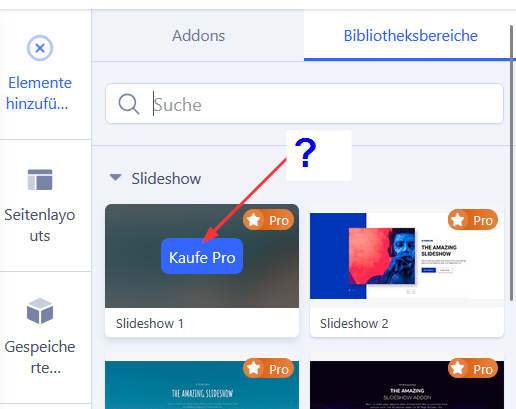
I am in the administration section of an SP Page Builder page. Under Add Elements, there are two buttons: Add-ons and Library Areas. Now I click on Library Areas and select Slideshow, for example. A selection appears there. But every option is marked with “Purchase Pro.”
I think I had access to this a few years ago. The contract has never changed.
On your website: https://www.joomshaper.com/pricing?plan=templates under “Personal” it says: SP Page Builder Pro
Why don't I have access?
Best regards, Jürgen
2 Answers
Order by
Oldest

Atick Eashrak Shuvo
Accepted AnswerWe apologize for any inconvenience this may have caused. Please ensure that you have correctly entered your license information in your SP Page Builder settings and registered your domain in your Joomshaper dashboard. If you have completed these steps and are still encountering the issue, we kindly ask you to refer to this documentation for further assistance:
www.joomshaper.com/documentation/sp-page-builder/troubleshooting#i-have-the-pro-version-but-with-locked-pro-features