Remove The Number Display On Menu On Wimble Template
KS
Kenlefack Serge
I just want to know how i can remove the number display on menu on Wimble template and in the slider too. And how to change the default color of the slider. Thank you for your help
3 Answers
Order by
Oldest

Ariba
Accepted AnswerHello,
Thank you for your query. I will look into it and get back to you, kindly allow me some time.
Ariba
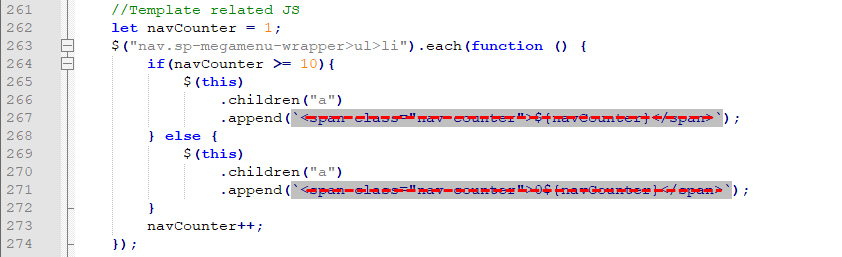
Accepted AnswerPlease use the following code in Custom CSS to remove the number over the menu items:
.nav-counter {
    display: none;
}
And, regarding the slider can you kindly provide a screenshot showing which part are you talking about? Also, please provide your site URL. That would be helpful.