

Josel-sppagebuilder Table Blocked
CB
Christine Bucher
Hello, I'm using PageBuilder and I was doing the update to Joomla version 5.4.4. Unfortunately since then my homepage doesn't show up anymore (error 1615). My webdesigner told me that the josel-sppagebuilder table is blocked and can't be deblocked. Can you help me? Thank you in advance. Christine
3 Answers
Order by
Oldest

Paul Frankowski
Accepted AnswerHi Christine,
If somehow that table was blocked(?), take the same table from website database backup. Your hosting provider has it, or should have from yesterday. Then using PHPMyAdmin rename current table, and upload a "old" one. The last step 3, if 1 and 2 will fail.
You can reinstall component - just install it again, the same version that you had. It may help. Use that tip as 1st step on your list to do.
Error 1615 in Joomla typically points to a MySQL database issue: Prepared statement needs to be re-prepared.
This occurs when the MySQL server's definition of a table changes (due to an ALTER, REPAIR, or OPTIMIZE command) while a session is trying to execute a prepared statement against it. In the context of Joomla, this is often triggered during updates, heavy caching, or when database tables are being automatically optimized.
You can usually resolve this by increasing the table_definition_cache or table_open_cache in your MySQL configuration. You need to contact your hosting provider's support and ask them to change it. It should be your 2nd step, if 1st (reinstallation) didn't help.
Paul Frankowski
Accepted AnswerBefore you will follow step 1-3 from above post, try below quick change:
In Global Configuration (J! Admin) > Server (tab) > Database > Database Type : MySQL (PDO) > Save & Close
Set Mysql PDO instead of MySQLi - that you may have.
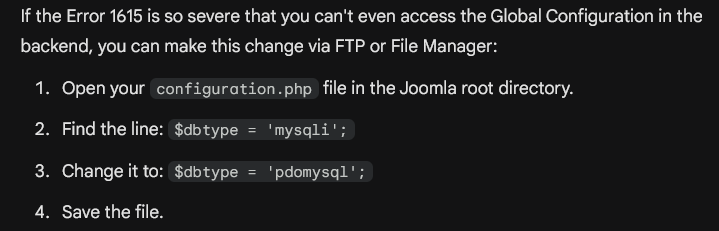
By switching to PDO, Joomla changes the underlying mechanism it uses to execute queries, which can bypass the specific way MySQLi triggers the "re-prepare" error. But if switching to PDO doesn't stop the error, it confirms that your database server's table_definition_cache is critically low for the number of tables your Joomla installation (and its extensions) uses.