

Image Layout - Component does Not Render Properly On Mobile View (smartphones) Since Update On Version 6.6.2
RD
Robert Deutschmann
Hi
I updated Joomshaper to version 6.6.2 today. Since the update, however, the image layout components are no longer displayed correctly in the mobile view.
I'm using the second layout option and the image layouts look quite good in design mode. On smartphones, however, they appear to be optimized for the laptop view.
Any idea what's going wrong since the update?
Br, Robert
Website
https://www.mfv-altach.at
3 Answers
Order by
Oldest

Paul Frankowski
Accepted AnswerHi Robert,
but last four/five updates didn't touch that addon at all. You can check changelog. From what version you made update?
Paul Frankowski
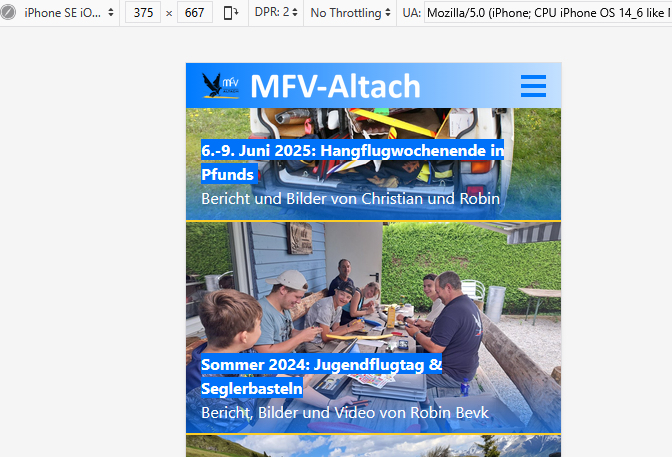
Accepted AnswerIf we talk about those on your home page, looks OK on iPhone view, but I see that text is cropped.
- In SPPB Settings - click "Purge Cached CSS" button in Advanced section.
- Then clear Joomla cache, and check again.
- I don't know how it looked before, in your old version to make comparsion.
RD
Robert Deutschmann
Accepted AnswerHi Paul
Many thanks for your fast response, great.
My apologies – I have now checked various web browsers on my phone and found that the "Desktop site" option was enabled in the settings of the default browser (Chrome). After removing the flag, the website now looks as it should.
My problem is solved. :-)
br, Robert