Anobiz Template And CSS - Question | JoomShaper

Anobiz Template And CSS

T

Tim

Template 1 month ago

Hello, I uploaded the Anobiz template onto an existing site. Then imported an SP Pagebuilder page from the Anobiz.

The problem is that the text box CSS class is not working.

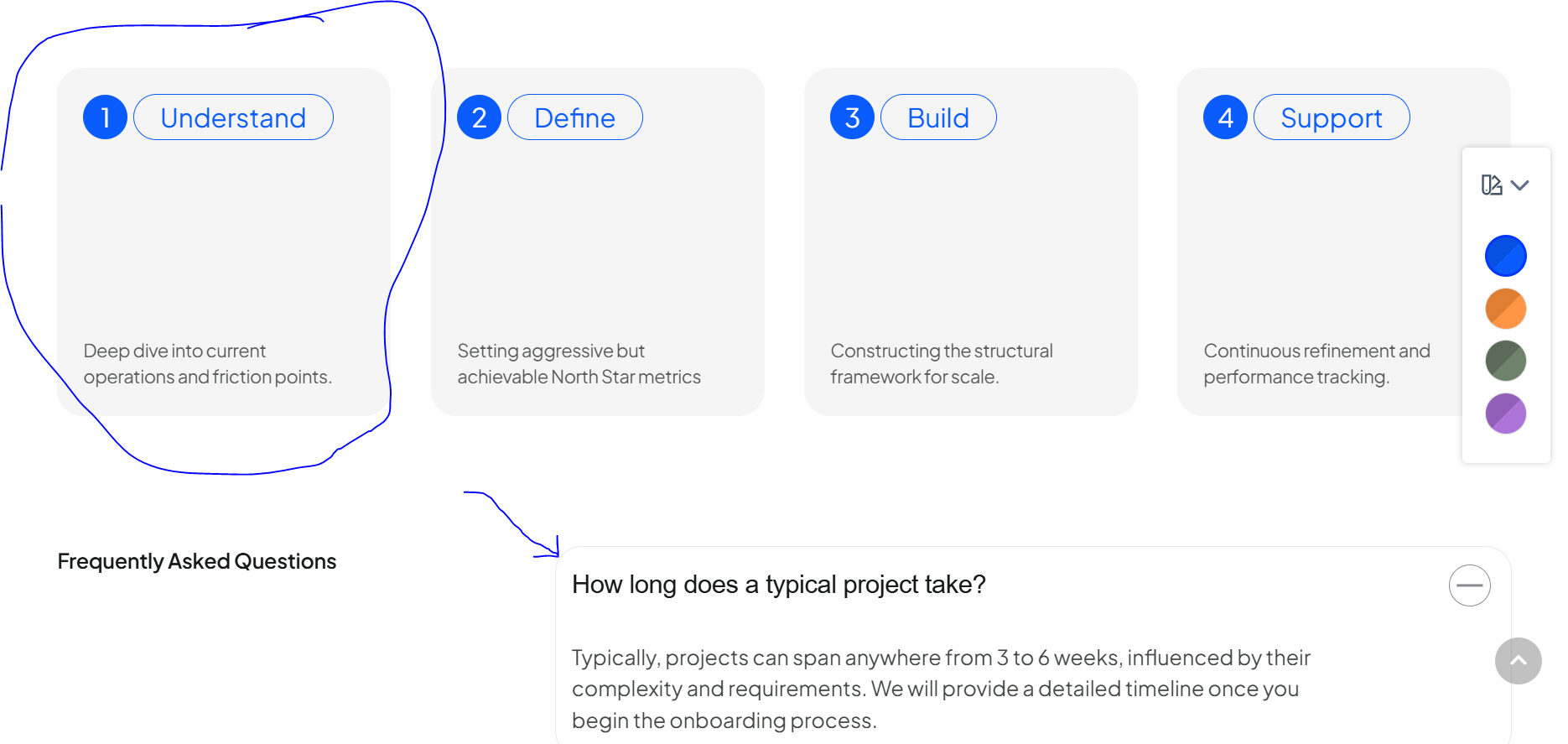
For example: Under service details - there are four boxes for process that have been stylized to look a certain way. That format/style is not working.

0
8 Answers
Ofi Khan
Ofi Khan
Accepted Answer
Support Agent 1 month ago #228343

Hello Tim,

Thank you for reaching out to our technical support forum. I’m sorry to hear about the trouble you’re experiencing. Rest assured, I will look into this issue for you and work to resolve it as quickly as possible.

If you could kindly provide any additional information regarding the issue, it would greatly help me investigate and address it more efficiently. Please share your administrator access here to check the issue. Use the Hidden Content box to share the credentials. Make sure that you have a full site backup before sharing.

Best regards

0
T
Tim
Accepted Answer
1 month ago #228438

Alright. Infor below. Thanks

0
Ofi Khan
Ofi Khan
Accepted Answer
Support Agent 1 month ago #228625

Sorry, the credentials you provided do not match. Please check and share it again.

0
T
Tim
Accepted Answer
1 month ago #228713

Sorry, try below

0
Ofi Khan
Ofi Khan
Accepted Answer
Support Agent 1 month ago #228940

You have install the font. Please upload this on your directory:

templates/anobiz/webfonts/webfonts.json

You need to unzip the file and then replace.

webfonts.json.zip

Then let me know. I will continue the work.

0
T
Tim
Accepted Answer
1 month ago #229235

Thank you for the font file; it was exactly what we needed to get the site looking right.

The issue we seem to be running into here is a CSS problem.

The first issue is that we're trying to change the background color of the menu to black. We've made adjustments in the presets in the template style, but that doesn't seem to work.

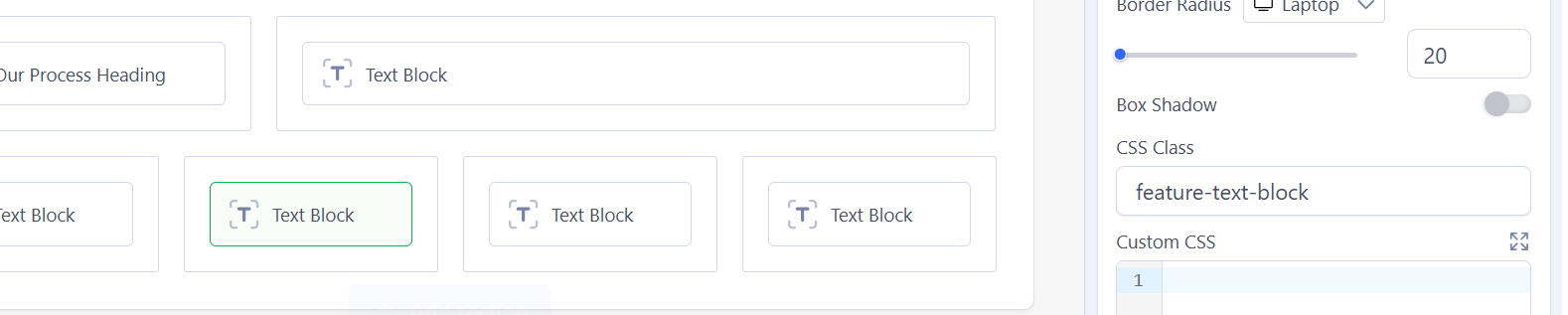
The other issue that I may not have explained well enough is that we're trying to get certain formatting that exists in the template, such as a circle around the number, to work. We have the right CSS, we believe, in the block style; we believe that's the correct CSS, but it's not changing the CSS on the page. Please refer to the images below for more detail
0
Ofi Khan
Ofi Khan
Accepted Answer
Support Agent 4 weeks ago #230739

Apology for the delayed response. I found the issue. SP Page Builder Color Library is missing from the quickstart. This is the reason styling is not applied like demo. I will ask the developer team to provide a fix.

0
Ofi Khan
Ofi Khan
Accepted Answer
Support Agent 3 weeks ago #230876

Sorry for my misunderstanding. It seems like you did not install the quickstart. You have installed the template on the site. This is why the color library was not installed on SP Page Builder. I have exported it from the quickstart and imported on your site. Now, you will see the color correctly.

0
