Broken Animations In Keynote Template
SL
Santiago Laplagne
Hello! I am installing the Keynote template in this page: http://moebius.dm.uba.ar/teresaFest
I am using the Business Home page, which uses some beautiful animations, but suddenly the animations stop working. I did some changes in the main page and other pages, and I am not sure exactly what causes it to stop working. I tried to undo some changes but still not working.
Can you check? I am getting this error in the console, I am not sure if it is related.
Thank you very much!
Best regards, Santiago
Uncaught TypeError: Cannot read property 'top' of undefined at a (sppagebuilder.js:1) at sppagebuilder.js:1 at Array.map (<anonymous>) at HTMLDocument.<anonymous> (sppagebuilder.js:1) at u (jquery.min.js?60f12f094c5350f14786107313f5b522:2) at Object.add [as done] (jquery.min.js?60f12f094c5350f14786107313f5b522:2) at a.fn.init.d.fn.ready (jquery.min.js?60f12f094c5350f14786107313f5b522:2) at sppagebuilder.js:1
Website
http://www.dm.uba.ar
17 Answers
Order by
Oldest

Ofi Khan
Accepted AnswerHello Santiago Laplagne
Please share your administrator access here to check the issue. Use the Hidden Content box to share the credentials.
Best regards
Ofi Khan
Accepted AnswerYour SP Page Builder version is outdated. Please update it and then check. Also you must take a backup before updating for safety. You can try Akeeba Backup for taking backups. Follow this tutorial if needed.
SL
Santiago Laplagne
Accepted AnswerDear Ofi Khan, thank you for your answer. How do I update SP Page Builder Pro? I don't have a license for that.
I have bought a Personal license for JoomShaper template and extensions, and used it to install this site moebius.dm.uba.ar/teresaFest. I downloaded and installed the quickstart package for the Keynote template, and I expect this to work without having to pay any other license. Can you provide me a solution that does not require an extra payment?
Thank you! Santiago
Ofi Khan
Accepted AnswerIt looks like there is no issue on your site now. Please check and confirm this.
SL
Santiago Laplagne
Accepted AnswerDear Ofi Khan, yes, I realized that the problem was that I updated Joomla to 3.9.27, so I rolled back the update. Is it nos possible to update Joomla and have the template stil working without buying a SP Pro license? Thank you! Santiago
Ofi Khan
Accepted AnswerGood finding. Please take a full site backup with Akeeba Backup in ZIP format and share here. Follow this tutorial. So that I will investigate the issue with the latest Joomla version.
SL
Santiago Laplagne
Accepted AnswerHello! Sorry, I thought it was the Joomla version but now I didnt update and the animations are broken again. Can you please check?
Thank you! Santiago
SL
Santiago Laplagne
Accepted AnswerJust in case you want to check the live site, we moved it to https://teresafest.dm.uba.ar/
Ofi Khan
Accepted AnswerThanks but you have shared jpa file. Please share the backup in ZIP format. First, go to Akeeba Backup configuration and set file type as zip. Then take the full site backup and share in the hidden content.
Ofi Khan
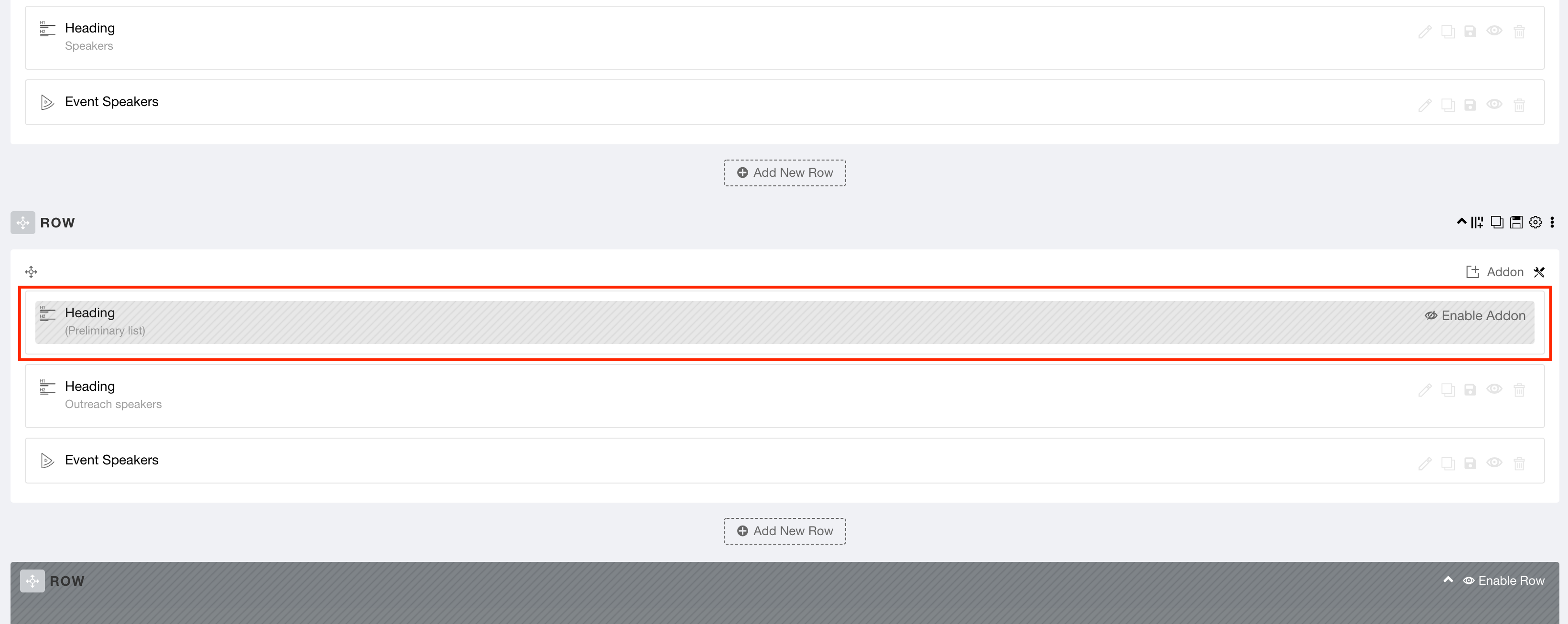
Accepted AnswerPlease unzip the file and you will get a JSON file in it. Then import this page and check your issue. There was a disabled addon which created the console error. Please follow this documentation to know about Export/Import pages.
SL
Santiago Laplagne
Accepted AnswerAh, yes, thank you very much! It is working now. Which was the disabled add-on? Is there something I should not modify in the new page you sent me?
And I have another issue with this page. If I am for example at the botton of the page, and I refreshe the browser (f5) then the menu will change to transparente background, which doesnt look good if I am not at the top of the page. It is not ver troublesome because most people will not need to refresh, but is there a way to fix it?
Thank you!
Ofi Khan
Accepted AnswerThere was a text block or heading addon that I don't clearly remember. It will not create any issue. For the new issue, please share a screencast with me. I will check how much I can help.
SL
Santiago Laplagne
Accepted AnswerHello! Sorry, the animations stopped working again. This time I can identify the problem, is the row "Outreach speakers". I have created a test page https://teresafest.dm.uba.ar/index.php/test where I only added the speakers rows to the page you sent me, and when I disable that row the animations start working again. I send you a new akeeba backup to check it. I need a solution that does not require checking everytime that I modify something if the animations are still working or not. Thank you!
Best, Santiago