

Custom Css Code Not Working

Massimiliano
Good morning,
Using Shaper_melvin, I made some modifications to the template using the Custom Code - Custom CSS section. Unfortunately, whatever code I write is not being recognized or applied by the template.
Here is an example: To change the font size of the top menu, I inserted the following CSS code: .sp-megamenu-parent > li > a, .sp-megamenu-parent > li > span { display: inline-block; padding: 0 20px; line-height: 90px; font-size: 14px; letter-spacing: 1px; color: #fff; margin: 0; font-weight: 500; }
I have tried making other color changes, but to no avail; none of the CSS overrides are being applied. Could I please ask for your help to understand why this is happening?
9 Answers
Order by
Oldest

Paul Frankowski
Accepted AnswerYour "Custom CSS" was empty. I put code and now works, are you sure that you clicked "Save & Close" ?
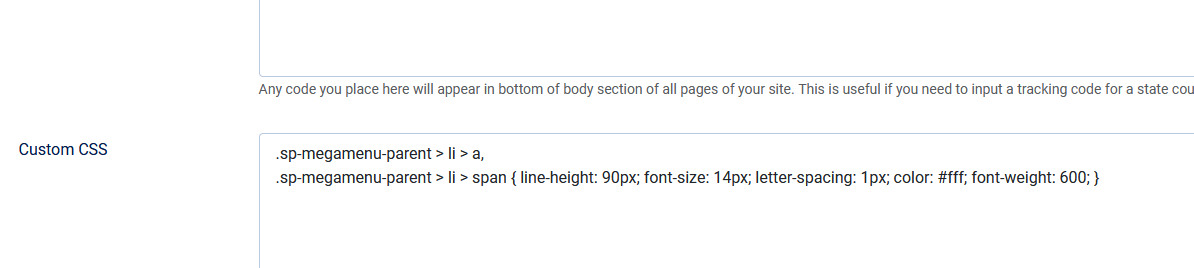
Massimiliano
Accepted AnswerThe problem isn't writing and saving; the problem is that the changes aren't being applied.
In the code you wrote, if you change the font size from 14 to 20, once you save, you'll notice that it doesn't change on the front-end... the font remains at 14.
Paul Frankowski
Accepted AnswerAre you sure, when I used 15px was bigger.
anyway you can always use font-size: 20px !important;
Massimiliano
Accepted AnswerPaul, believe me... I still see the top menu at 14px.
I cleared the Joomla cache, I cleared the cache in Firefox and Chrome, and I still see it at 14px.
Paul Frankowski
Accepted AnswerI set 18px becuase only then all menu items fits to menu row, and it works
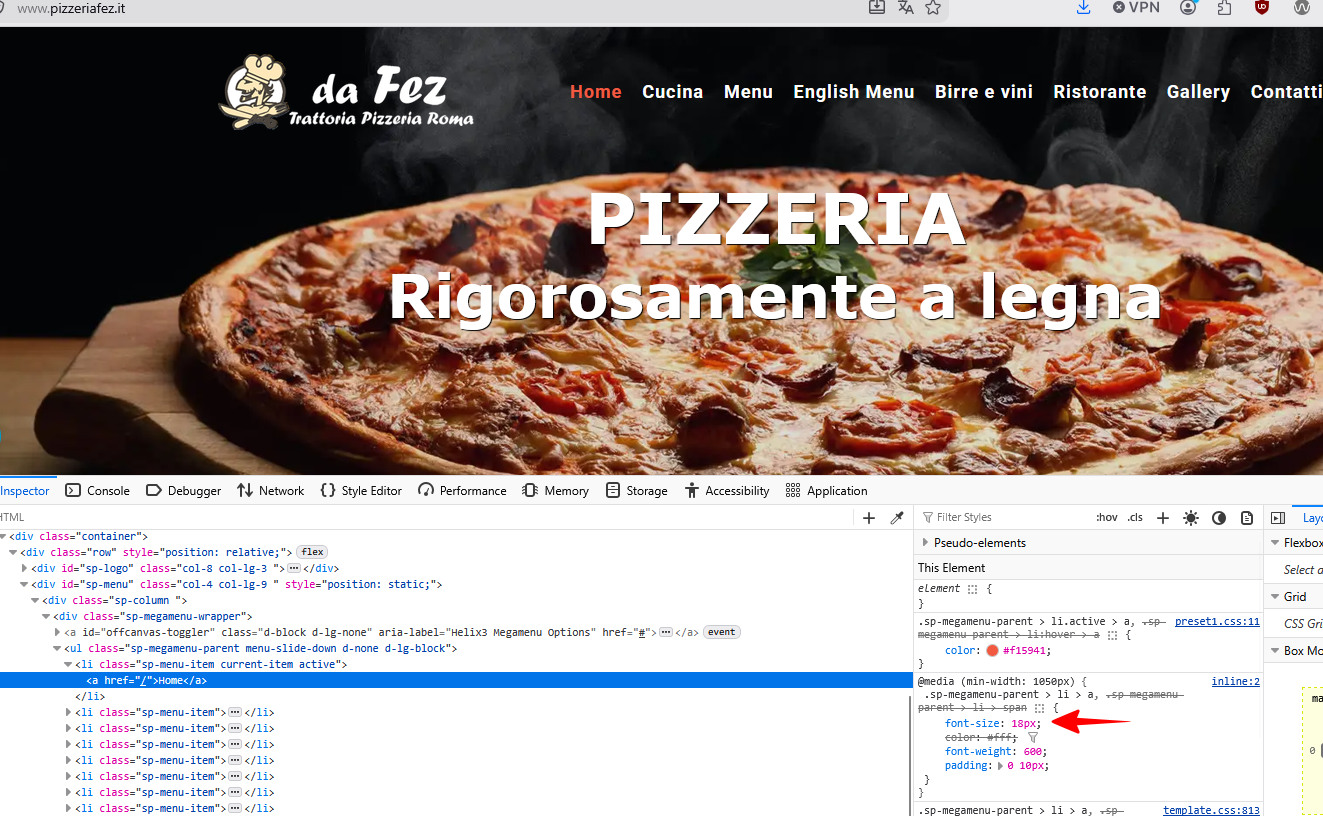
use 2 browsers