Hi all,
I am using the Accordion Addon, with a long text. I like to split that with a standard Joomla read more function. This button is missing if I use the system editor (JCE in my case).
Also, if I try to enter the code <hr id="system-readmore" /> manually, the button is not shown, even if the code is there.
Are there alternatives?
Solved
SP Page Builder
No Read More Button Fuction
Accepted answer
Marked as the solution
Paul Frankowski Senior Staff
Example (view & settings)
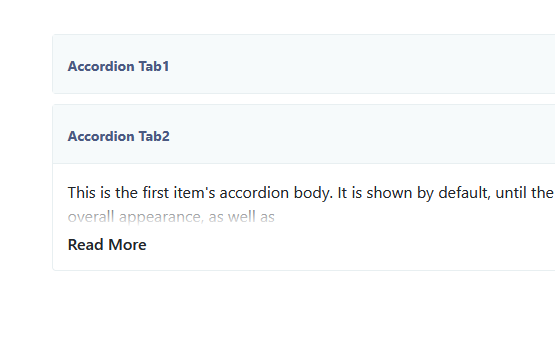
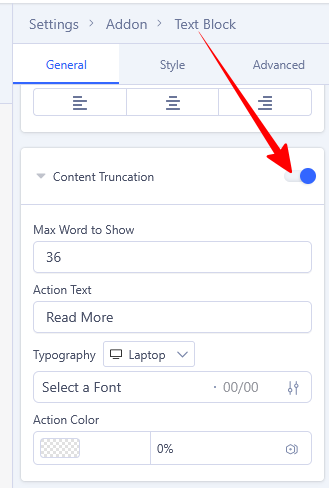
You can also find ready one or build your own module that will display selected articles as Accordion with read more etc.
4 more replies
Paul Frankowski Senior Staff
1 month ago
· edited
Hi Matthias,
Read more by default is used only in Articles (Joomla core), and can be enabled by settings in Text addon (look for "Content Truncation").
But that's all as I know.
Matthias Heymann Asked this
Thanks Paul. That works, but looks a bit strange. I will have a look at the css and work on it.
Paul Frankowski Senior Staff
To remove white gradient use:
.sppb-btn-container.sppb-content-truncation-show { background: none;}
Matthias Heymann Asked this
Using the original Joomla button for that would be nice ;-)
Paul Frankowski Senior Staff
1 month ago
· edited
Just add extra button styling (border, color, padding) for used class name:
.sppb-addon-accordion .sppb-btn-show-more { }
Log in to reply.