

Startup Landing Template: Article Details View is To Small
K
kriss
Hi
I try to make the Startup Landing Template to work for me. I dont need the right Column, so disabled all the modules in this position. But the width of Article is still the same. "col-md-8" . It should be "col-md-12". How can i make it work?
Thank you Regards Christoph
14 Answers
Order by
Oldest

Ofi Khan
Accepted AnswerPlease go to this location: templates/startuplanding/html/com_content/article and replace default.php file with the attached file. You need to unzip the file and then replace.

Anne
Accepted AnswerHello Kriss,
Thanks for contacting with us. Can you give me a screenshot for better understanding?
-Regards
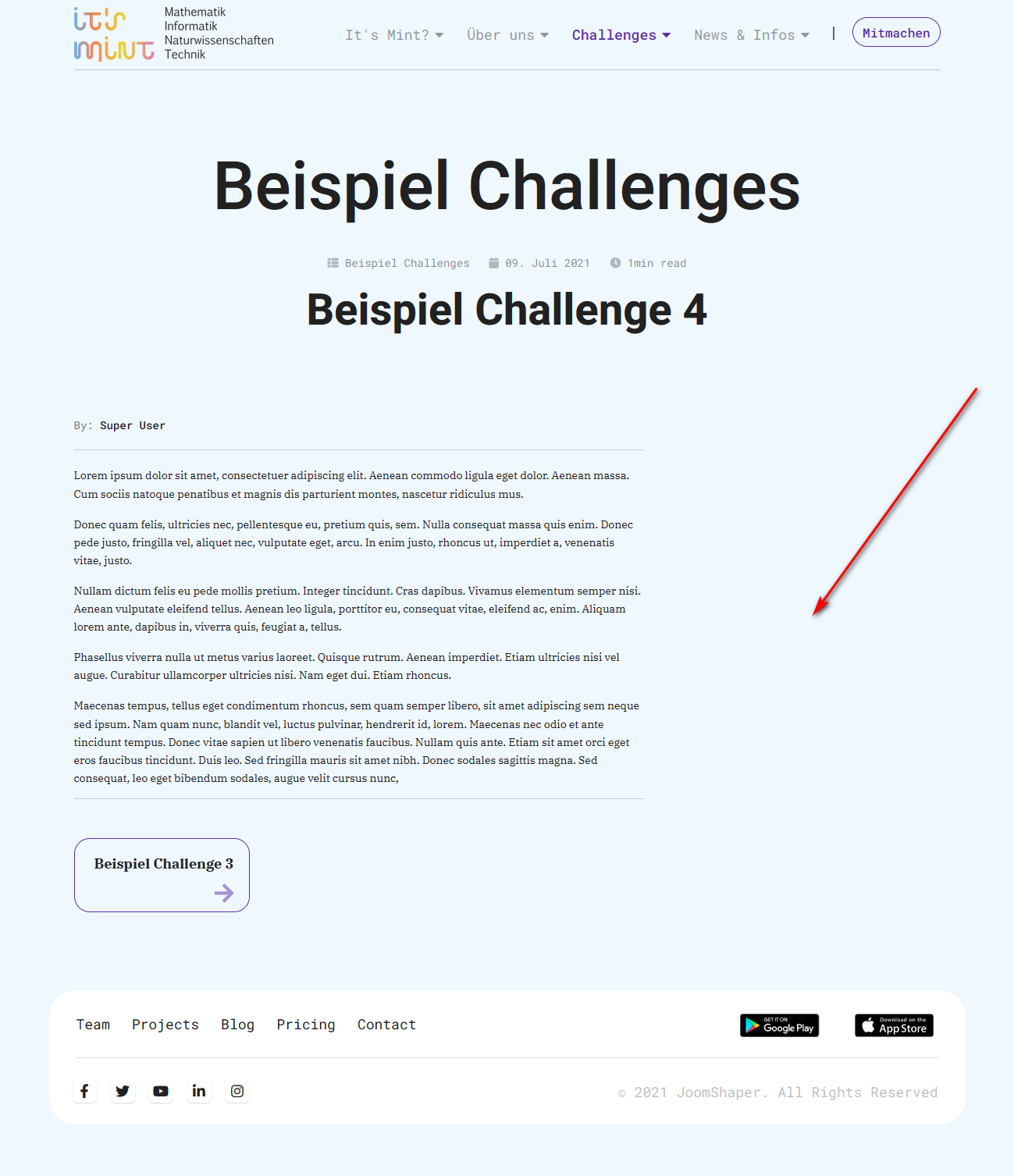

Mehtaz Afsana Borsha
Accepted AnswerHi, We said give us a screenshot of your issue so that we can understand it better. You can use this https://imgur.com/upload for screenshot upload
Ofi Khan
Accepted AnswerHello kriss
Please share your administrator access here to check the issue. Use the Hidden Content box to share the credentials.
Best regards
Mehtaz Afsana Borsha
Accepted AnswerHi, Could you please give me your site URL so that I can check?
K
kriss
Accepted AnswerHi Mehtaz Afsana Borsha
Thanks for answering. Can't you see my screenshot i posted serveral hours before?
@Ofi Khan @Mehtaz Afsana Borsha
At the moment i use the installation on localhost. I'll try to give acces to a online Version on Monday ...
Regards Christoph
K
kriss
Accepted AnswerHi It's me again. The task seems really simple and straightforward. I want the text (of an joomla Article) to run across the entire width of the article page. I don't need the modules on the right
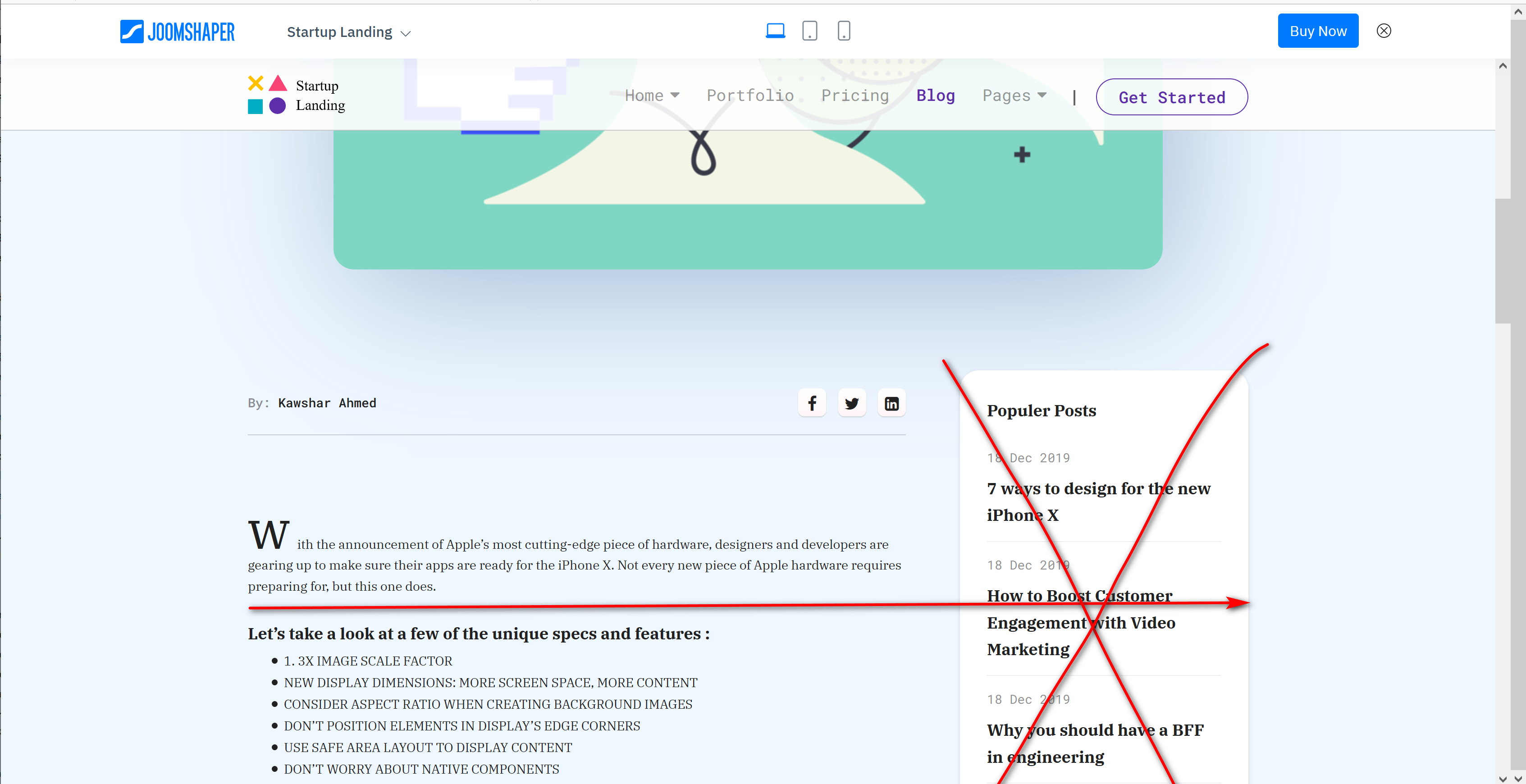
Please let me know if you really need a live site or credentials to solve this issue.
Thank you very much Regards Christoph
K
kriss
Accepted AnswerHi
Sorry for my late response, i was in Holiday. Now, with the new default.php it works as it should. Thanks a lot.
Regards Christoph
Anne
Accepted AnswerHello Kriss,
Thanks for contacting with us. I am glad that your site is working. Have a nice weekend !!
-Regards
Ofi Khan
Accepted AnswerYou are welcome. Please accept the answer that helped you. It will be then easier to find the solution for the other users with the same issue. There is a button to accept answer after each comment.
Ofi Khan
Accepted AnswerI have a humble request. It would be very kind of you if you can manage some moment to give us feedback here: