

Logo Placement Both Desktop And Mobile
DS
DMG Support
New site struggling with the logo placement on both desktop and mobile.
Site is http://www.agentraesprofitforum.com/
- Desk Top, it's ok but I would like it to sit over the green below if possible right at maybe her waist. This way the header top doesn't need to be so darn tall.
- Mobile, can't get that one to work at all, it is stretched.
Pics attached of both. Also giving site login for you to help me.
5 Answers
Order by
Oldest

Ariba
Accepted AnswerHello
Thank you for your query & providing all the necessary information.
Let me have a look
Ariba
Accepted AnswerPlease have a look at the following pictures:
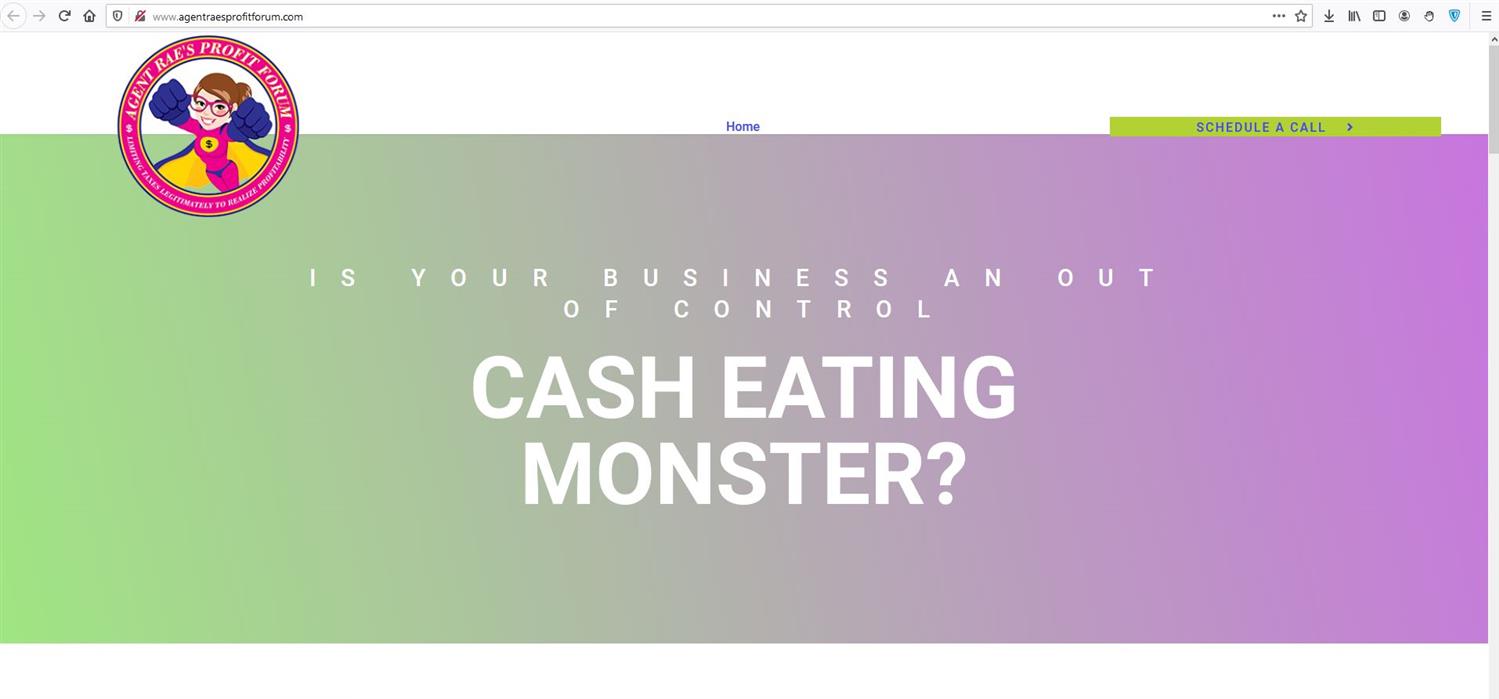

Do you want to show the logo this way?
DS
DMG Support
Accepted AnswerWOW you are good and fast!! Looks great! She may be down a little lower than wanted but it works. Can the home button and the Schedule a call button be centered up up now?
Ariba
Accepted AnswerThank you for the appreciation :)
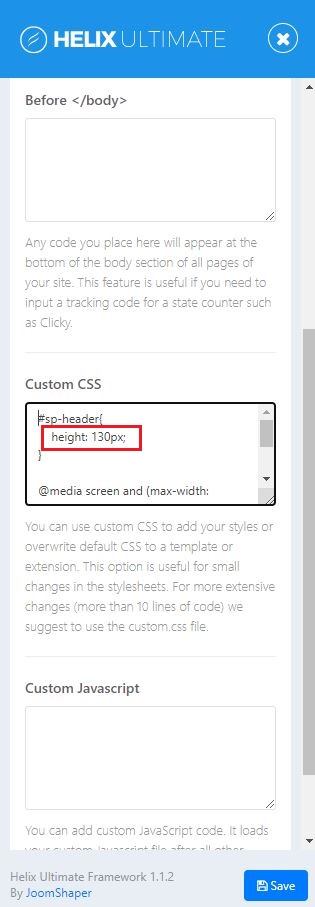
Please go to Extensions -> Templates -> Styles, then click on Template Options. From there you can go to Custom CSS and i have already added the code there. You can change the height value according to your needs.
You can follow the screenshot below:
Please do let me know if that works