I use Gantry 5 as a base template, in the Home I have created with SP Builder a very nice footer with the item navigator. How can I make it appear in all the pages of the template?
Where it says "information", "soporte"....
Best Regards
I use Gantry 5 as a base template, in the Home I have created with SP Builder a very nice footer with the item navigator. How can I make it appear in all the pages of the template?
Where it says "information", "soporte"....
Best Regards
Hello Gabriel,
You have several ways to workaround. Such as,
If you would like to think out of the box, you can do it in the following way-
On this same website save that page as copy page
Remove Rows that you don't need
Export Page
On 2nd website - create Empty Page
Import page (3)
Save Row by Row (To Custom Sections)
Then just use Rows that you need. Add one by one.
You can even have a look at the tutorial. That will work too.
Hopefully, you got your answer.
Thanks!
Hello GABRIEL NB
You can follow Muntasir's way. In this way, you can use the footer in all SP Page Builder pages. But if you want it in other than SP Page Builder pages, then you can check this way.
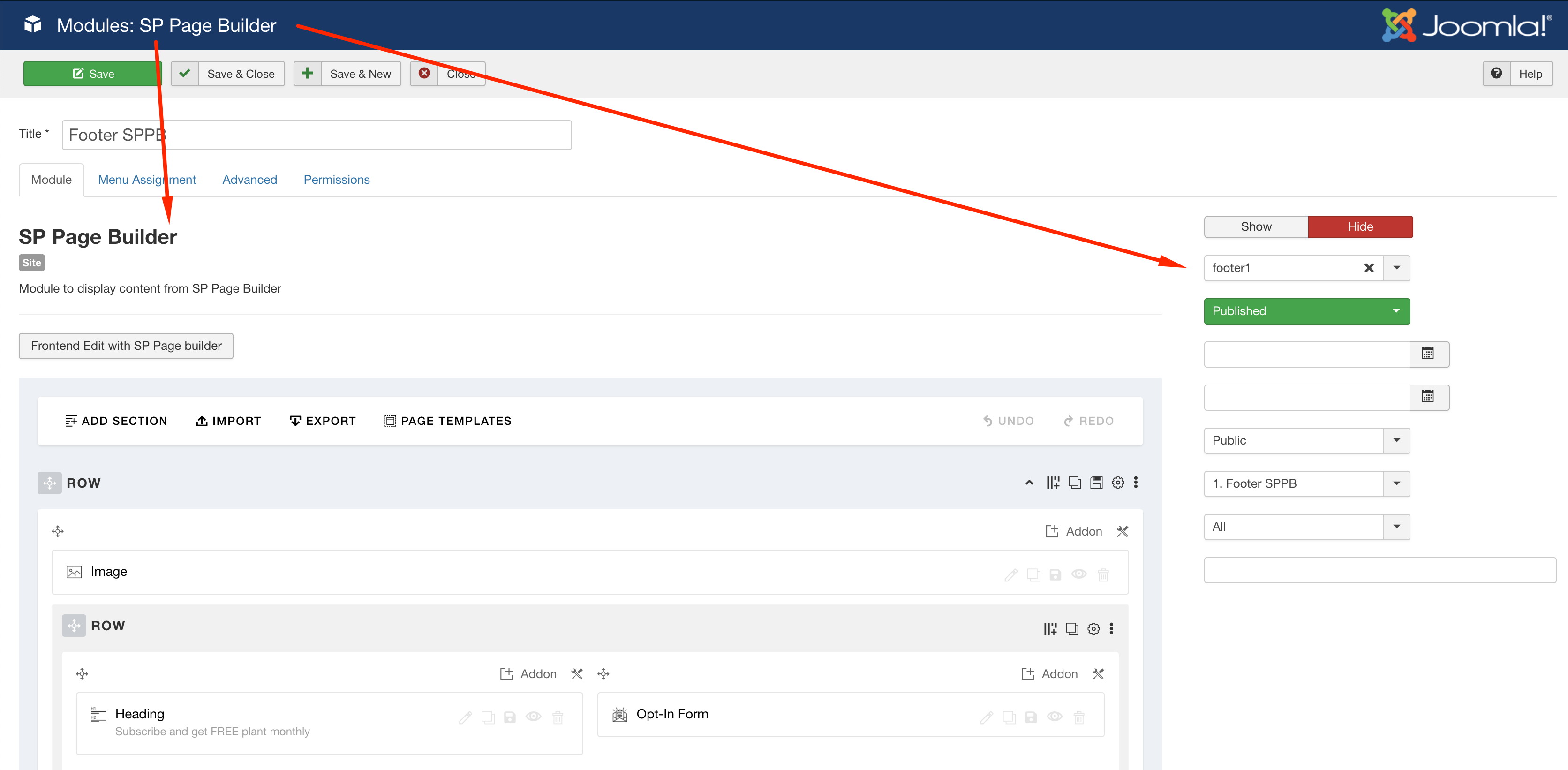
For example, if you have a menu item type Article -> Featured Article, then you would need this way to show the footer. You can show your footer to every page of your site if you use it as a module. Take an SP Page Builder module and assign a position to it. Then in the menu assignment set to it show for all pages. You also need to check that the position is enabled in your template and in the footer position.
The footer SP Page Builder module:
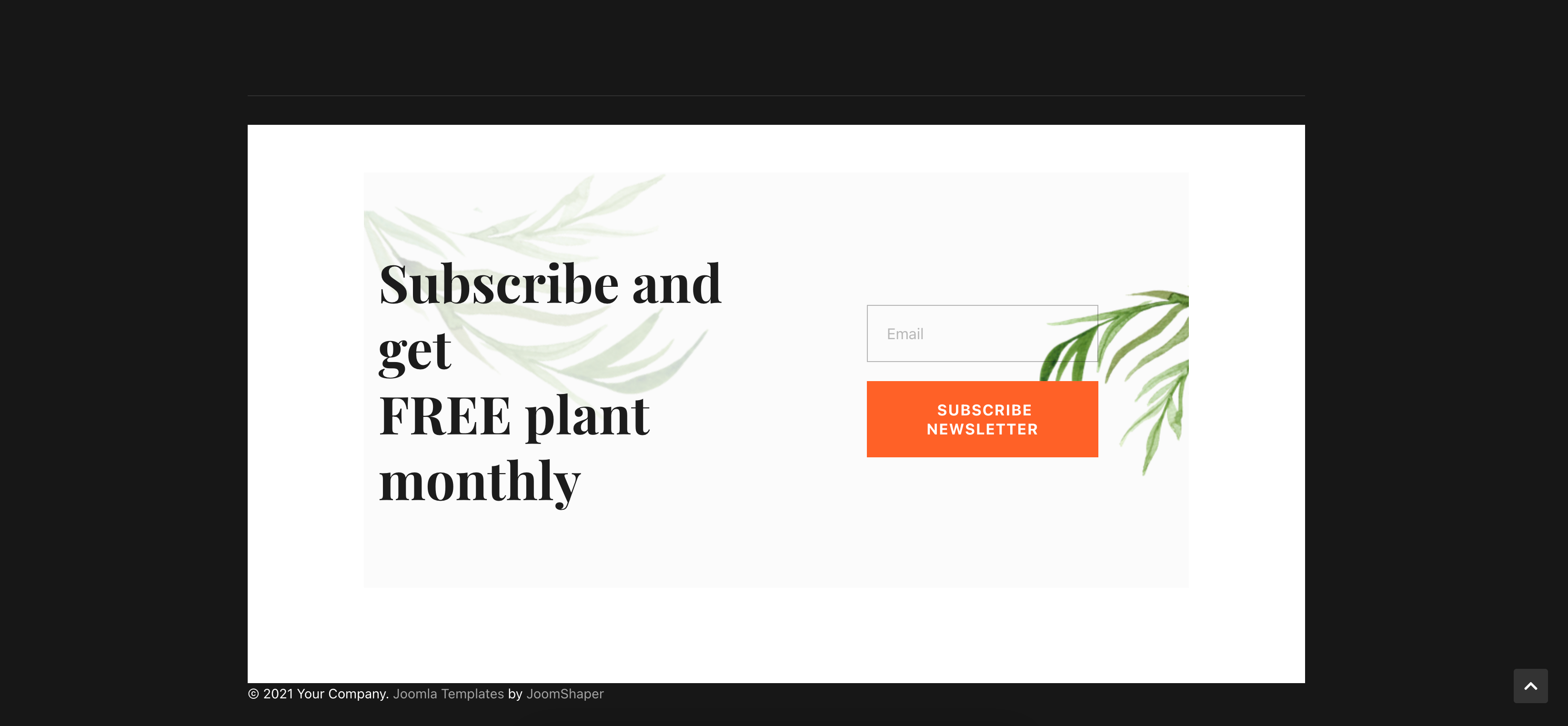
The footer on live page:
Best regards
Hi Ofi. There is one small nuance against this method. The SP Page Builder module creates a very dirty code, because it has a style tag inside itself. I have long paid the attention of your team to this problem.
Thank you very much for mentioning it @Pavel. We will look into it and consult with our Dev-team ASAP.
Good day!
Hi @Muntasir. You are wellcome
Hello, thank you all.
Ofi, your method is the one I need. Because I need it on pages that do not have SP Builder. However, I don't know how to insert my footer in a module. I have saved my "row" and named it through the frontend of SP Page Builder, but then how do I get it into a module from the module menu? or should I re-create the footer from the module menu starting from scratch?
This is the part I want use as footer, its a row in the SP Builder. Información, soporte....
and this is where I am stucked in the menu module manager
best regards
okay, click on add section and then go to my section. There you will find your saved section. Then drag your section in the center.
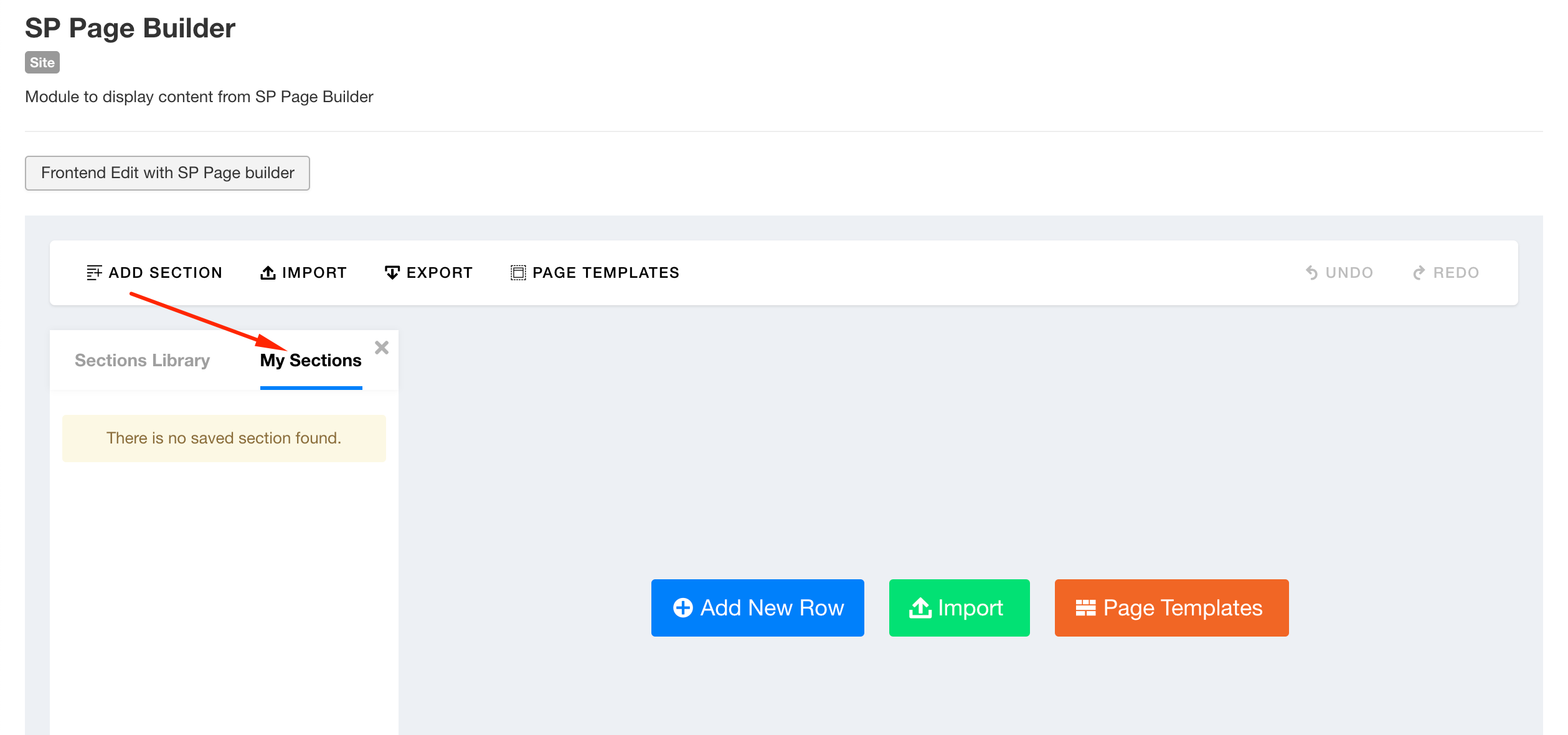
Hi Ofi, ok solved
Could I delete the original row in my front? or would this delete the row I have added from this one? cheers
You are welcome. Please accept the answer that helped you. It will be then easier to find the solution for the other users with the same issue. There is a button to accept answer after each comment.
Yes, it will stay. You can delete the orginal saved section. No problem.
I have a humble request. It would be very kind of you if you can manage some moment to give us feedback here: