Module position in Sp Page Builder - Forum | JoomShaper
Staff replied SP Page Builder

Module position in Sp Page Builder

Asked by AJCS 5 years ago Last activity 2 years ago

Hello

A doubt. We have created a page with a partition of 4 + 4 + 4
The intention is to put a module in each of them.
But we see that when entering from a mobile device, it shows us one next to another.
Shouldn't I show them one below the other?
Can we put some CSS code to do this?

Thank you

7 replies

Ofi Khan Staff

Hello AJCS

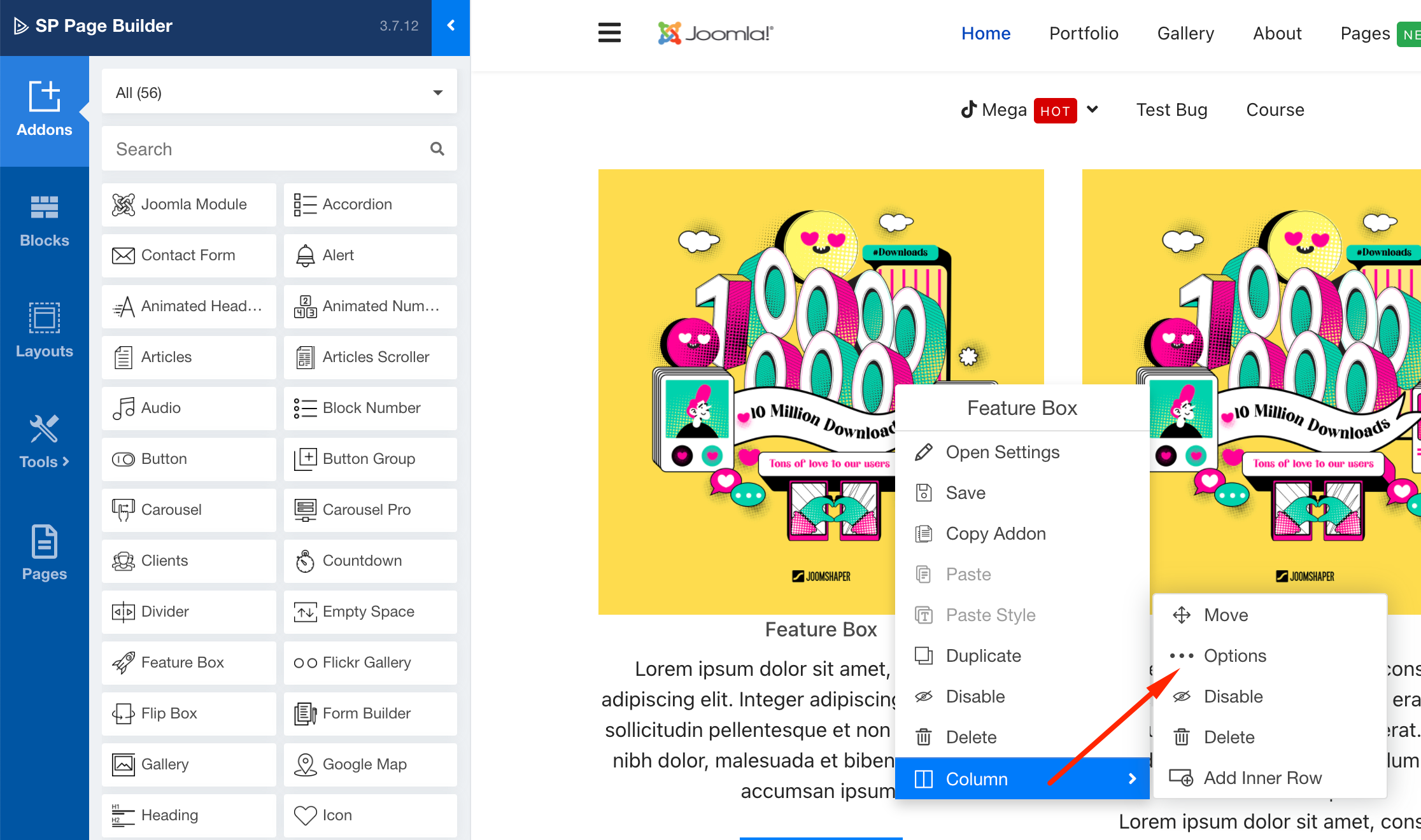
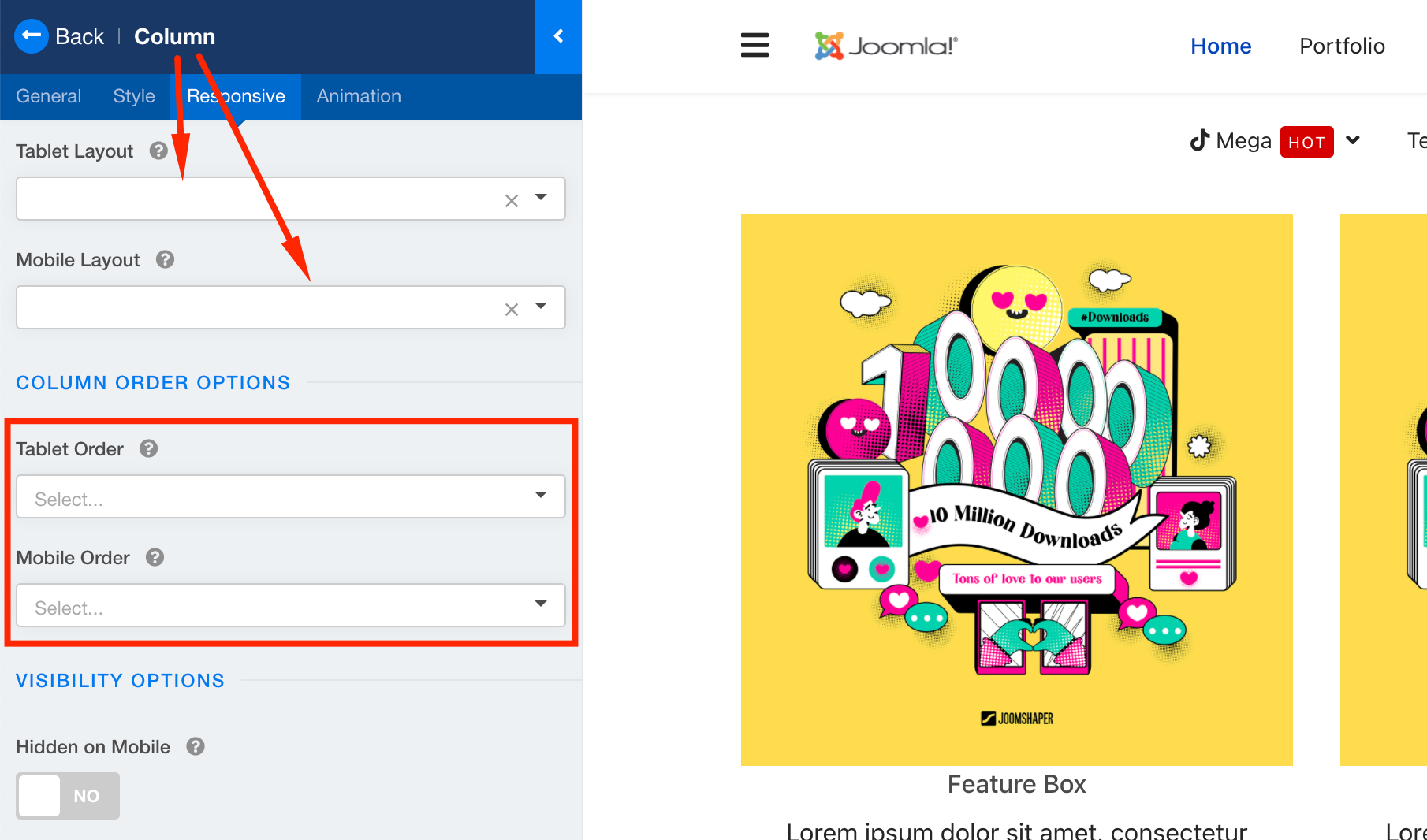
You can set the column size for tablet and mobile separately. On the front end editor, right click(on windows) or two-finger tap(on mac) and the context menu will open. Then go to coliumn options and set the column size. You can also set the order of the items in the column.

Screenshot at Jul 22 16-18-06.png

Screenshot at Jul 22 16-19-01.png

Best regards

Ofi Khan Staff

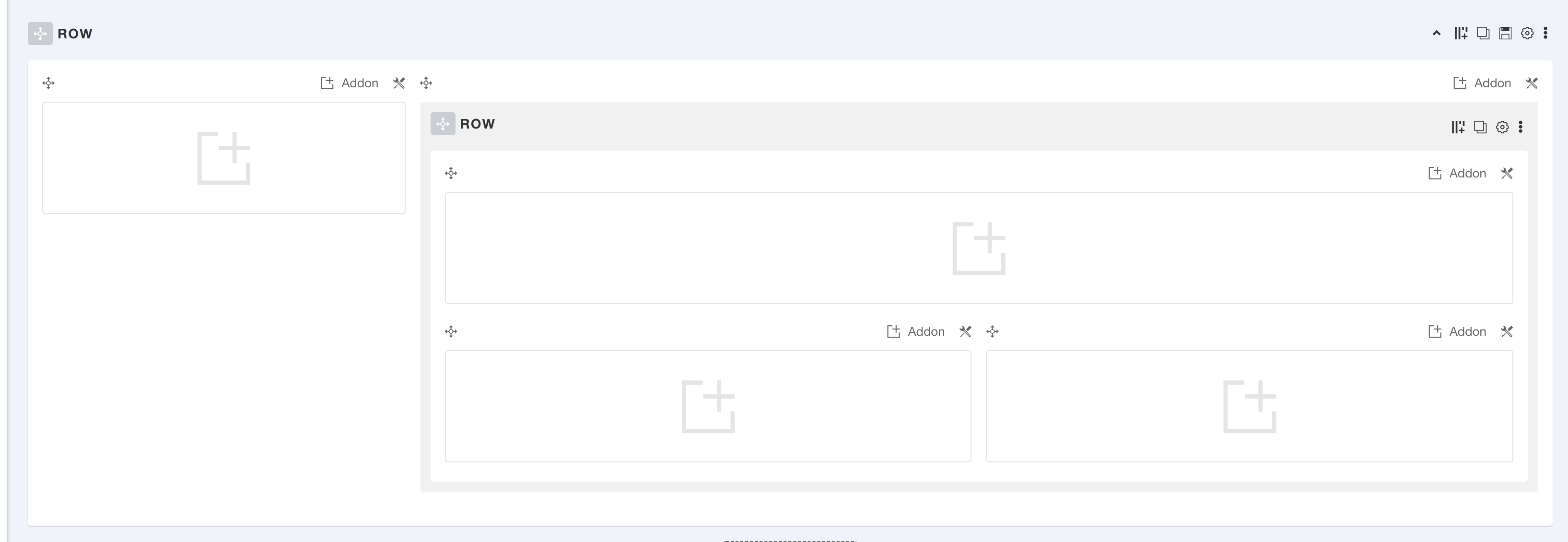
You are welcome. You need to take an inner row and then you can do layout like this.

Screenshot at Aug 27 17-55-33.png

AJCS Asked this

Hello

Sorry, I don't see how to add a ROW inside another.
If we create a row of 3 columns, when creating another, it is shown below.
Thanks

AJCS Asked this

Hello,

I hope you can respond to this same thread.

In this new version can you add two columns in one as I show in the image?

I don't see the option to add a new column.

https://prnt.sc/S7bde-3n7L_B

Log in to reply.