

My Svg Files Many Pixels Larger Than Yours In The Same Section/position
SC
Sean Carney
The first image is my .svg image uploaded to replace yours in the Quickstarter. It appears on the homepage at https://HealthReboot.com I thought that svg images expanded to their allotted space available. So, I expected my image would be the same size as yours. But, mine displays much larger at a Rendered size of 234 x 141 pixels. I am wondering if there is something somewhere in the template configuation that controls this sizing or is this somehow inherent in the .svg image? I created the .svg files in Illustrator at your suggestion yesterday and that worked great.
This is your quickstarter image as visible at https://dev2.carneycorner.com in your Helix Ultimate 2 quickstarter. The Rendered size is 56 x 56 pixels. Is this controlled by your code or somehow inherent in the image itself?
BTW, this is in the row that contains Passion, Purpose and Team.
Website
https://healthreboot.com
6 Answers
Order by
Oldest

Pavel
Accepted AnswerHi. This is outside the joomla, template and SP PB. You need to prepare an image before uploading. If you need a certain static size, but not responsive, open the source code of your svg images in any HTML editor and add to the <svg> tag the width and height attributes that you need.
Exemple
<svg some-other-attributes-not-delete-them width="50" height="50">
....
</svg>
If the width and height attributes already exist, simply change their values.
Another way - you can set the size through your own CSS code. Add your class to the addon css class field and use following code with value that you need
.your-custom-addon-class img {
    height: 50px;
}Pavel
Accepted AnswerHi. Adjust the height of the logo in the template settings to get the desired size
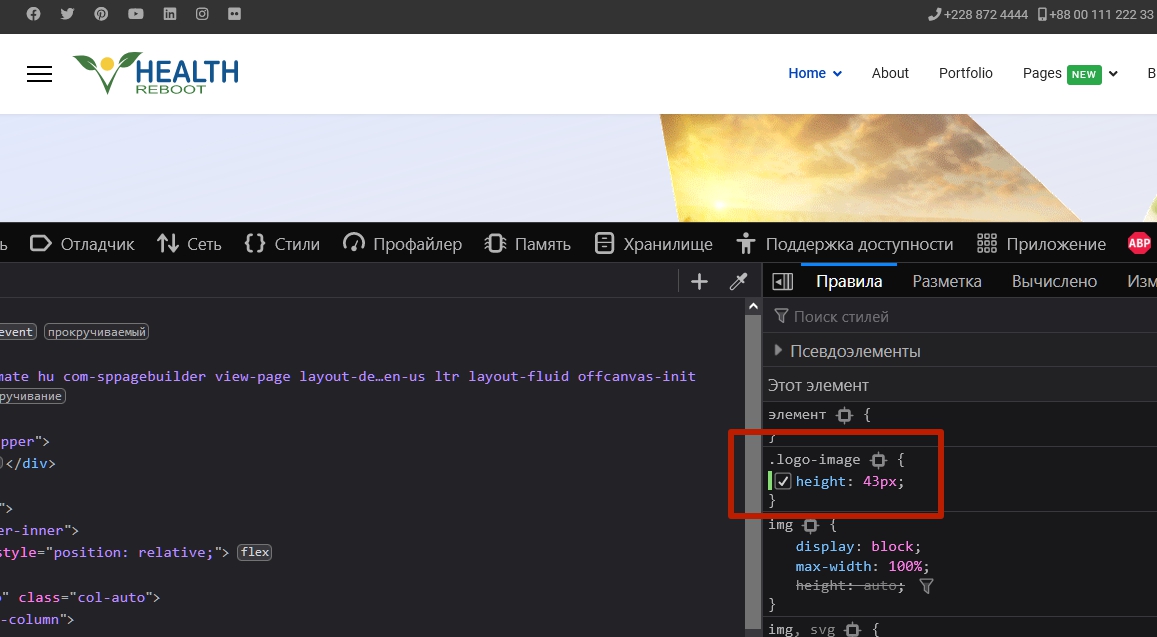

Ariba
Accepted AnswerHello
Thank you for creating the .svg files in Illustrator and I am glad to know it worked out well. And regarding this issue, you can follow Pavel's instruction here, it will help you.
Thank you Pavel.
SC
Sean Carney
Accepted AnswerThat information won't help because I am not writing about the logo. I am writing about three images on the homepage of the Quickstarter default page that are titled Passion, Purpose and Team. These images are .svg images and are very small on your site. When I replaced them with my .svg image they became much larger.
In this next image you can see the upload area for the image and there is no option to control the height of the image.
I have uploaded a .svg image, which is also what you have uploaded. So, I am very curious why mine is large and yours is small.
Also, to be clear this is being done through SP Page Builder Pro and not through the Helix Ultimate 2 template.
SC
Sean Carney
Accepted AnswerWow. THE TRICK YOU JUST SHARED IS WAY COOL!
Thanks. I really appreciate the education. :-)