

Query Conflict That's Disabling The Action Button.
OP
Olga Purzycka
Hello,
I started having problems with adding, editing and saving new/existing articles in Content.
Waseem from Joomlatools.com had a look at it and said this: Save buttons are disabled with all editors, even the default "none". The only active javascript with the "none" editor is being added to the page by Helix ultimate (the template's underlying framework).
Could you help, please?
Website
http://ameagaru.co.uk
11 Answers
Order by
Oldest

Ofi Khan
Accepted AnswerHello Olga Purzycka
Please share a screenshot of your issue to understand it better. Also share more details.
- Which type of Article is having the issue? Joomla Article or SP Page Builder article?
- What is your Joomla version?
- What is your Helix version?
Best regards
OP
Olga Purzycka
Accepted AnswerHello. I am using
JCE Pro 2.9.14 Joomla! 3.10.2 Helix Ultimate Framework 2.0.5
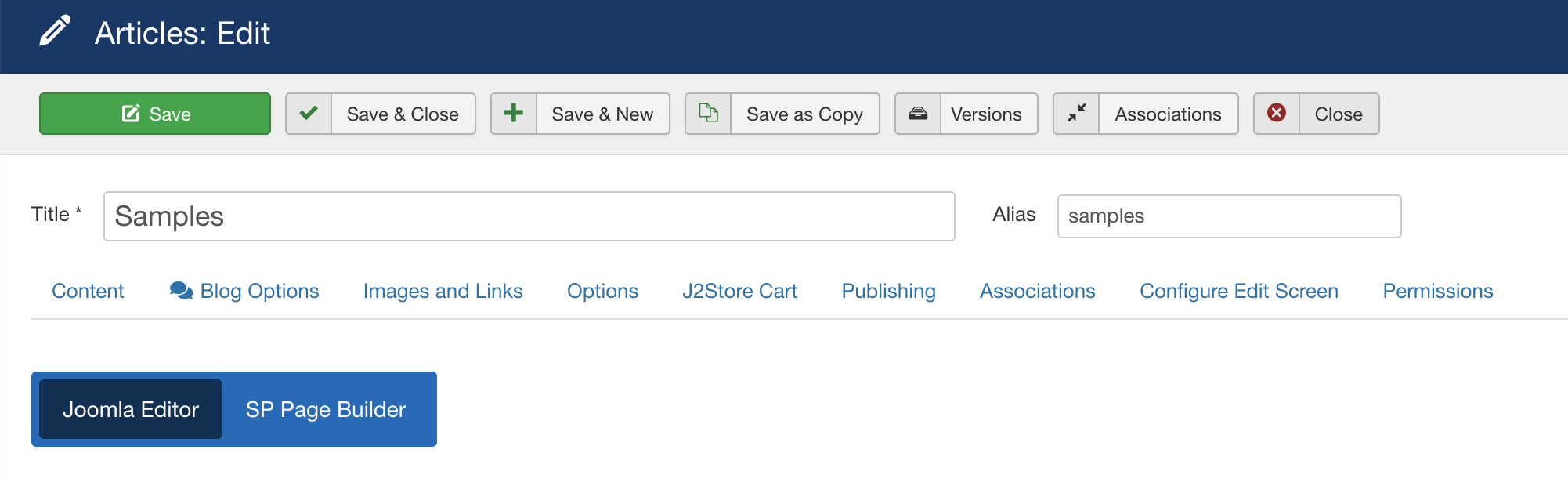
I have installed all the updates that have been coming up since the previous week and as you can see at the moment I cannot even access the "Sample" article. Another screen is of an article I can open, but neither of the save etc button work, only "close" button works. Layout is missing plenty options (that is Content, Publishing, Images and links, j2 cart https://ibb.co/WDNPzfX https://ibb.co/rfnWj2Z https://ibb.co/6YBZqf0
Not sure if this is relevant however this appeared just a day or two after I have published new type of product. So far I have only publishing Simple products, then published Flexi variable product.
Ofi Khan
Accepted AnswerPlease share your administrator access here to check the issue. Use the Hidden Content box to share the credentials.
OP
Olga Purzycka
Accepted AnswerHello, thank you.
Now I can access all the articles however I still cannot even open SAMPLES and MANGO BODY MOUSSE. They are both flexi variable products I have created most recently whereas the rest is just simple products ,not sure if that matters. I get the error notifications for both products when I try to open them.
Error Check-out failed with the following error: The user checking out does not match the user who checked out the item. You are not permitted to use that link to directly access that page (#88).
Error Check-out failed with the following error: The user checking out does not match the user who checked out the item. You are not permitted to use that link to directly access that page (#89).
Olga
Ofi Khan
Accepted AnswerSorry, I don't get your issue. Please share a screenshot of your issue to understand it better.
OP
Olga Purzycka
Accepted AnswerHello,
Please check that screen. Same error pops up when I try to open SAMPLES or MANGO BODY MOUSSE
Ofi Khan
Accepted AnswerHard reload your administrator and clear your Joomla cache and Browser's cache and then check. If possible, then check with a different browser.
Ofi Khan
Accepted AnswerYou are welcome. I have a humble request. It would be very kind of you if you can manage some moment to give us feedback on Joomla Extension Directory