

Make Image A Link With Text (Caption) In The Middle Of It
D
dimitris
Hello there,
I am trying to find a way to have an image on the homepage, be a link to another page from the menu! i would like that image to have caption (text) in the middle (center) of it but not in a form of a button! I tried all the image adons in SPPB Pro and none of them seems to allow me to do that! Is there any custom CSS or any other way i can have images on the homepage which can be links (with caption and not a button) in order tnlead to other pages from the menu?
I am using Helix Ultimate Template SPPB PRO latest version Joomla 3.10.2
Thank you in advance!
8 Answers
Order by
Oldest

Pavel
Accepted AnswerHi. Very simply using image addon.
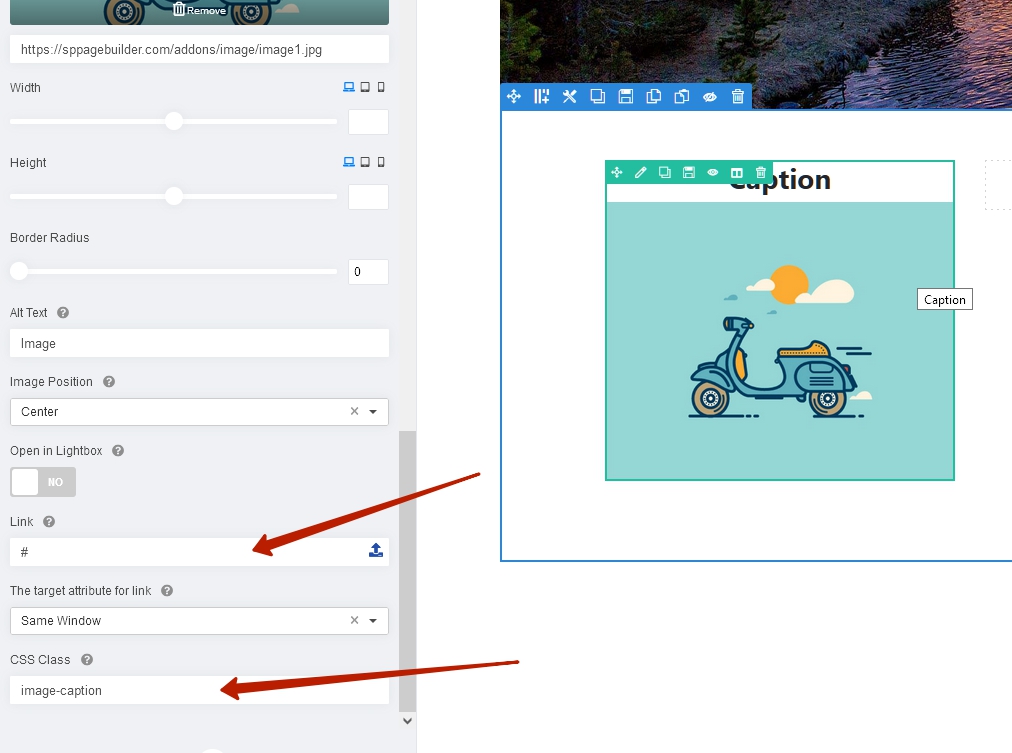
.image-caption {
    position: relative;
}
.image-caption .sppb-addon-title {
    position: absolute;
    z-index: 1;
    left: 50%;
    top: 50%;
    transform: translate(-50%, -50%);
}

Muntasir Sakib
Accepted AnswerHello there,
You can do that using image addon as Pavel instructed you.
Thank you for your understanding.
D
dimitris
Accepted AnswerHello Pavel,
I had the chance to try the custom CSS at the bottom of the image addon where is says CSS Class and has a box below (As shown on the screenshot you sent me), and it did not work.
I made sure to copy paste the following:
.image-caption { position: relative; } .image-caption .sppb-addon-title { position: absolute; z-index: 1; left: 50%; top: 50%; transform: translate(-50%, -50%); }
I am not sure what I am doing wrong. The Caption still remains on the top of the image.
Any help is much appreciated.
Dimitris
Pavel
Accepted AnswerHi @dimitris. If you did everything right, it can't not work. Provide a public link and screenshot where you paste the code and I'll look. I am not a member of the Joomshaper team, so I can't see hidden content.
Muntasir Sakib
Accepted AnswerHello there,
Please a screenshot of exactly where you added the code and make sure the code is also shown as @Pavel said.
Thanks!