

Dropdown Menu Under Account Menu
A
Addington
I would like to add to the account menu options as they appear on the right of the megamenu in desktop. The aim is for a series of options to appear in the drop-down menu after a user logs in (in the same way that you have various options on the account menu in Joomshaper.com)
When i try to modify menu.php, even just duplicating the link to the user profile, the site crashes.
Please could you tell me where to modify this menu?
(I asked once before and the reply was to modify the off-canvas menu but I think my question must have been misunderstood as I am talking about the options that appear on the desktop menu).
Thanks, in advance for your help.
Website
https://www.bizequals.com/
7 Answers
Order by
Oldest

Pavel
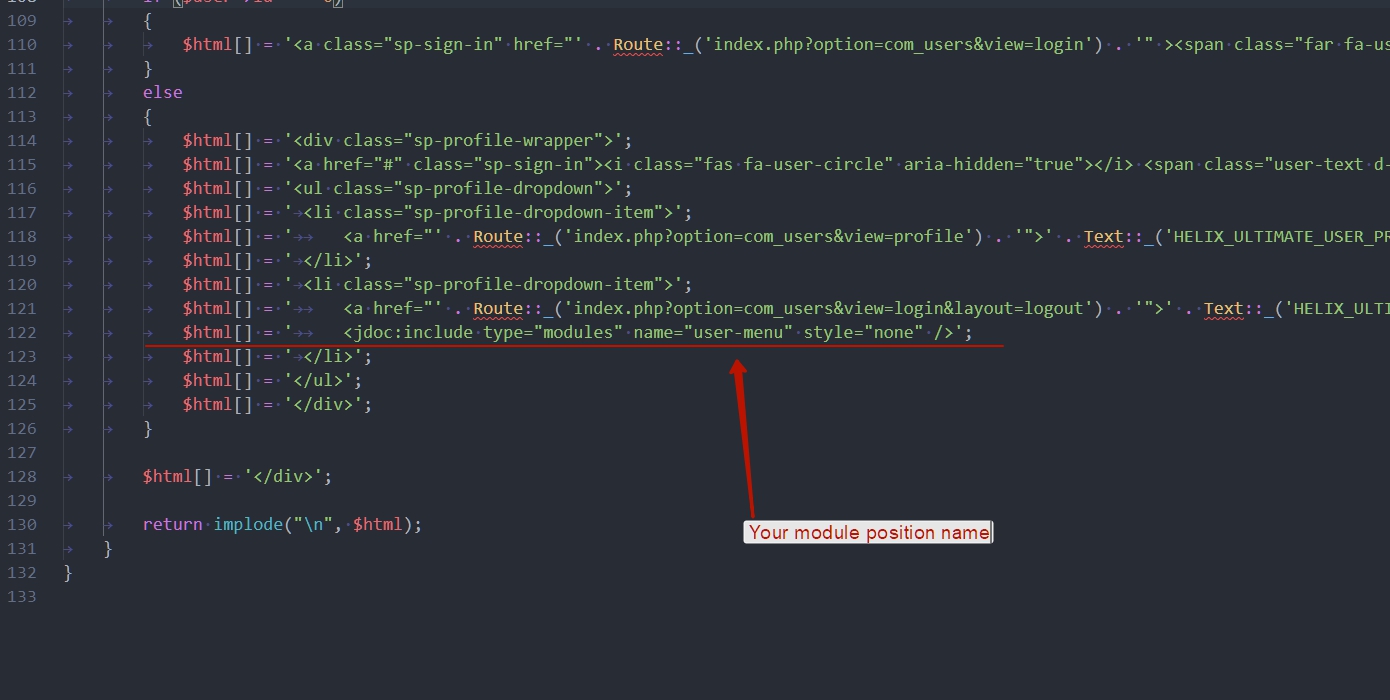
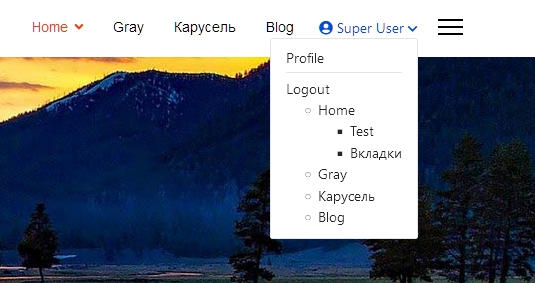
Accepted AnswerHi. You can add a module position there by first creating it in templateDetails.xml. And use in this position a standard menu module with access for registered users. The additional CSS code will also need.
But all changes in menu.php will be erased after updating the template. If you are ready for this, then try.
You need to add this line of code with your module position name.
A
Addington
Accepted AnswerThis is what I have versus what I am trying to achieve. Can you help?
<link removed>

Anne
Accepted AnswerHello Charles Southgate
Thanks for contacting with us. You can follow Pavel's instruction. And @Pavel thanks for the details explanation.
-Regards
A
Addington
Accepted AnswerIt works! Thank you Pavel.
If anyone is reading this looking to do the same thing and wondering how to get the CSS to look like the rest of the drop down menu, you need to change the style="none" to style="html5" in the extra line in the menu.php.
Then you need to go to the module and add " nav" as a menu class suffix under the Advanced tab.
Pavel
Accepted AnswerYou are wellcome
you need to change the style="none" to style="html5" in the extra line
It is default, so it is better not to change in the extra line. It can also be selected in the module settings.
A
Addington
Accepted AnswerThank you again, Pavel.
I have changed it back to none as you suggest.
I am trying to work out now how to make the drop down box wider and get it all into a column rather tha flex-wrap. Any suggestions?