Instagram Token Generator Gives"An Error has Occurred. 0 Class 'Facebook\Facebook' Not Found"
R
richardsblake
I simply can not get my instagram to work through pagebuilder. I've followed EVERY step and tutorial from every link and YouTube video on the forum. Please assist as soon as possible as I can't get the frontapage error thats generated on my new wesbite.
I used the template "folium - Musician" with demo data installed.
I appreciate the time in advance!
Richard
6 Answers
Order by
Oldest

Ofi Khan
Accepted AnswerHello richardsblake
Please make sure that you have followed each step in the tutorial on How to setup Instagram Gallery Addon. Then check the pinned comment and follow these instructions. Also check this solution. Hopefully, your issue will be solved.
Best regards
R
richardsblake
Accepted AnswerOfi,
Thank you for the reply, but I DID follow your detailed instructions (multiple times. They were very good. Everything works fine until I click "generate key". In fact, I have to hit "save" before that button even shows. Then when clicked, the error pops up.
So, as of now, it still gives the error sadly.
I looked at the other link you sent, just not sure how or where to make that change to see if that fixes the issue.
Ofi Khan
Accepted AnswerYou are welcome. Please check this screenshot: https://prnt.sc/116b38f
In this place, add you site URL following this topic
R
richardsblake
Accepted AnswerOfi,
Did exactly as you say above and still nothing. I've followed every step and still get error.
(https://rstevenblake.com/screencap1.jpg)
Is there something in the template I'm missing? I diabled the add-on thru builder so it's not throwing the error on my live site, but I really wanted to get this operational.
I don't know what to do...
I even tried the "alternate" link for the Oauth you posted on the youtube comments three weeks ago. Which is different from the thread you said to view from years ago: For a live site, you have to do 2 more things.
-
Enable SSL/HTTPS for your site. You may follow this blog: https://www.joomshaper.com/blog/how-to-enable-ssl-https-on-a-joomla-site
-
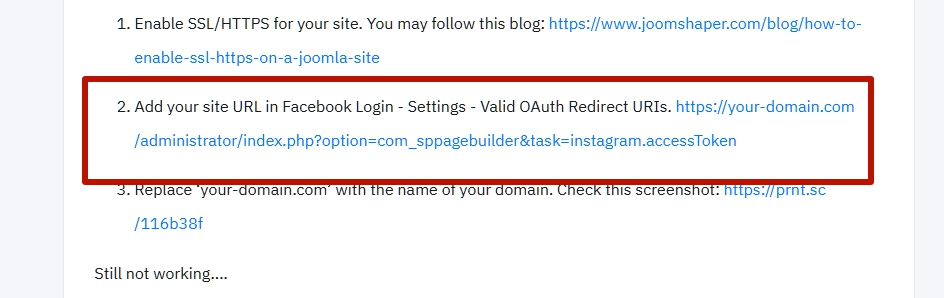
Add your site URL in Facebook Login - Settings - Valid OAuth Redirect URIs. https://your-domain.com/administrator/index.php?option=com_sppagebuilder&task=instagram.accessToken
-
Replace ‘your-domain.com’ with the name of your domain. Check this screenshot: https://prnt.sc/116b38f
Still not working....
Also, I have the latest version: SP Page Builder Pro Version: 3.7.15
Ofi Khan
Accepted AnswerApology for the inconvenience. Please share your system information ( Joomla version, Database version, PHP version). I will share it with the developers to re-check.