

Template Update
I
Igor04
Hello. When I updated the template, it now doesn't show me articles in the same order as the photo. But it shows a photo and below it the title and date. It should all be in the same line.
Website
https://dobrenavade.si/
17 Answers
Order by
Oldest

Pavel
Accepted Answer@Pavel can i give you admin info to check? :)
Hi. I'm not a member of the joomshaper team. But besides this, access is not needed. It is enough to use the code inspector. And I see that you did not correctly add this code. The CSS class field in the addon is not intended for the code, but simply for the name of your unique class. Add something like my-news-carousel there and use this name in the code.
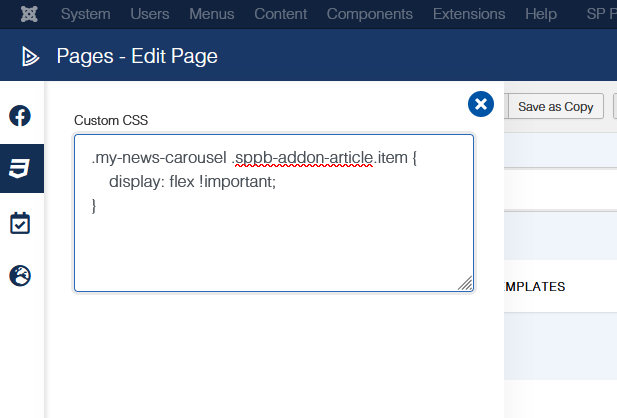
.my-news-carousel .sppb-addon-article.item {
    display: flex !important;
}
The code should be inserted into the custom.css file. Check the Helix documentation on this.

Toufiq
Accepted AnswerHi there,
Thanks for contacting us. Sorry for the inconvenience. I tried to login administrator area. But, no success.
-Thanks

Paul Frankowski
Accepted AnswerI had this same message:
Warning! Username and password do not match or you do not have an account yet.
Paul Frankowski
Accepted AnswerAbout Dates from articles - in general they are displayed correctly, but you made common SEO mistake and you added few articles using this same day. Don't forget that you have there two different Article addons. So the right side may show article from Sep not Oct. If you thought about something else - just share link or screenshot.
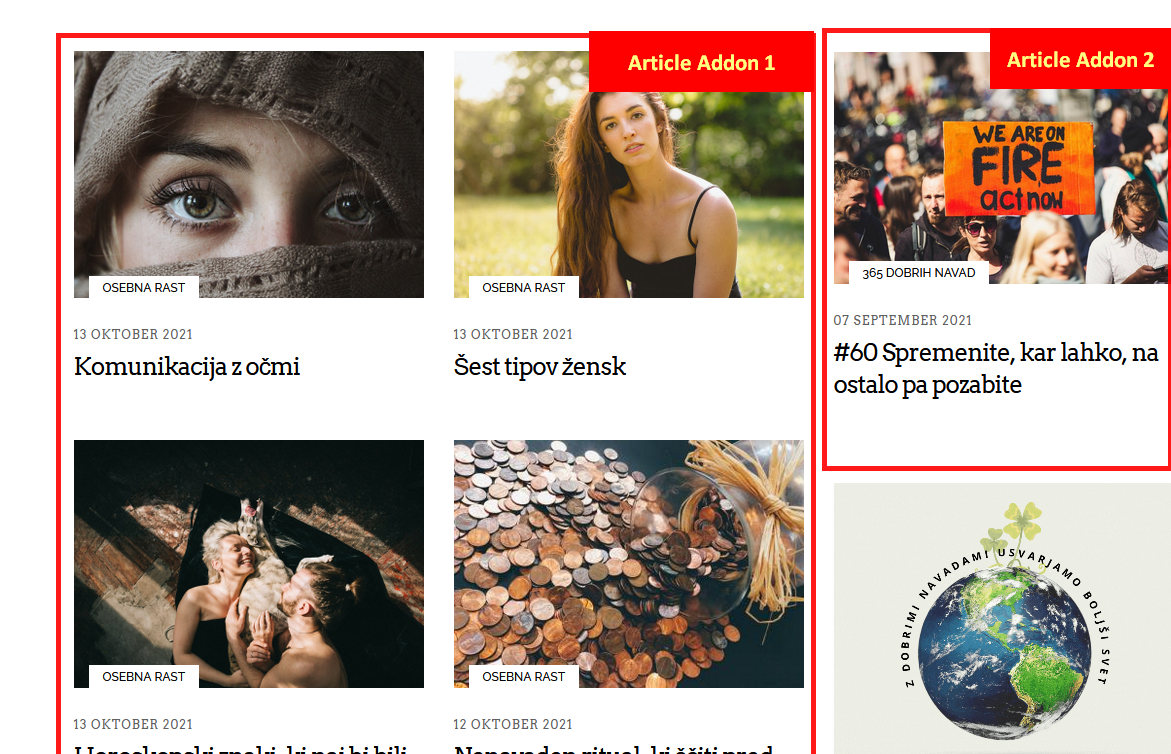
I
Igor04
Accepted Answer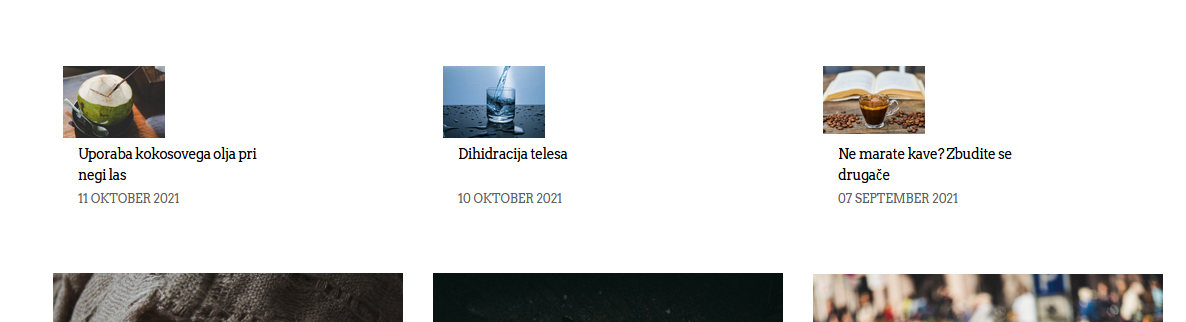

I
Igor04
Accepted Answer:) No. Picture, headlines and date must be in same line (horizontally). Look my last pictures.
Pavel
Accepted AnswerHi. Turn OFF JCH, clean its cache, joomla cache and your browser cache. Add your class to addon and use the following code.
.your-class .sppb-addon-article.item {
    display: flex !important;
}
Paul Frankowski
Accepted AnswerCustom CSS you can add inside Page - if you work in admin area on the left side there is CSS3 icon - click it and paste the code.
I
Igor04
Accepted AnswerPavel & Paul still not work. :(
@Pavel can i give you admin info to check? :)
Paul Frankowski
Accepted Answerevery addon has this field - use it - for custom class name
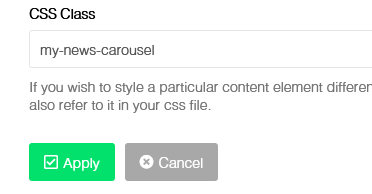
then use CSS code mentioned by Pavel, for example, here:
I
Igor04
Accepted AnswerWow, great. There is the same problem in the right column.
I inserted the same code but it doesn't work.

Paul Frankowski
Accepted AnswerIn custom CSS add also this code to fix that module (right):
.popular-travel-story .latestnews > div {padding: 15px;}Paul Frankowski
Accepted AnswerI saw that everything looks now correct, I am happy with you.
I agree, I didn't fully understand what what wrong after reading your question by first time, please next time use screenshot with arrows it will help all of us.