
Hello! I want to remove the French and Arabic languages from my site, but I get a message saying that these languages are part of a package and can't be remved. How do I get rid of them? I'm using the Mega quickstart for Joomla 4.
Staff replied
Templates
Removing unneeded languages from Qiuckstart package
Asked by Paul Srch
5 years ago
Last activity 5 years ago
8 replies

Rashida Rahman Staff
Hi there!
Sorry for your issue.
Which template you are using, please?
Paul Srch Asked this
It's Mega.
Rashida Rahman Staff
Hi,
We do not have any template named simply 'Mega'. Here is the search result with Mega keyword:
https://prnt.sc/1xrudcn
Which one among them you used?
May I have screenshots of the area from where you try to remove the languages, including error message too.
Regards

Paul Frankowski Senior Staff
5 years ago
· edited
Hi,
In Joomla every extra language can be disabled and uninstalled, this is not hard-coded, and never was.
It's Joomla core settings, but I guess, it's too hard for you to find a solution, so by way of exception - I can do that.
Paul Srch Asked this
Rashida Rahman - Sorry, it's Mega Inc.
Paul Frankowski - Here's a link to the messages I get when I uninstall the languages I don't need. https://drive.google.com/file/d/1QIqMVJCcqRvWOC2DClKrSDcl52NVYQ5Q/view?usp=sharing. I've included the info in the Hidden Content.
Which Joomla core settings would cause these messages?
Paul Frankowski Senior Staff
5 years ago
· edited
Uninstalled from here as package
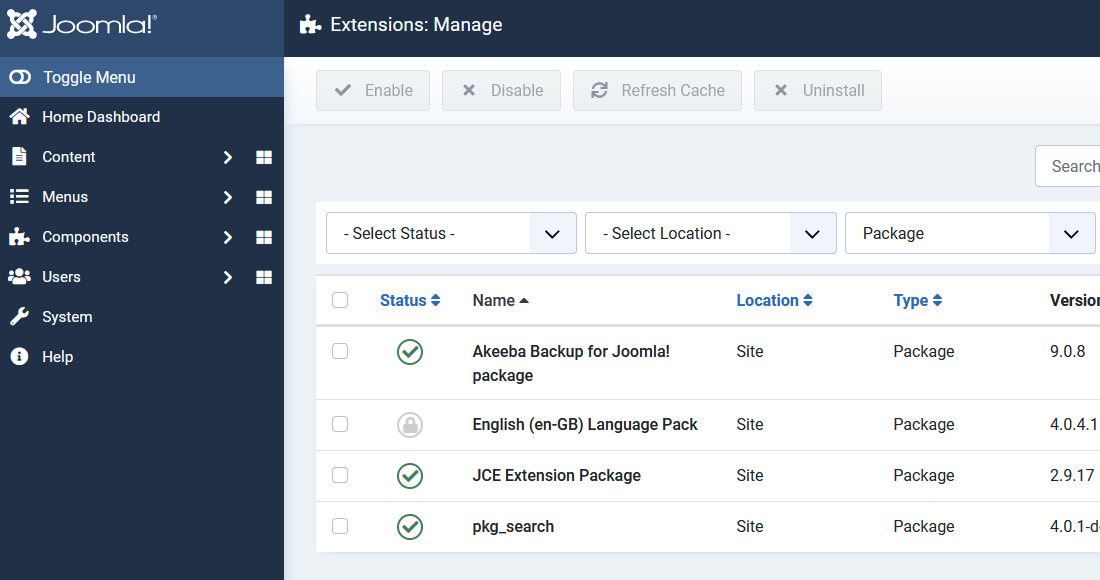
now you have only English.
Paul Srch Asked this
Thank you. I wish I knew what you did that I didn't try...
Paul Frankowski Senior Staff
Now you know and next time you will do it alone, without help of 2nd Paul ;) in less than 60sec.
We all learn whole life.
Log in to reply.