

Open Tabs Addon By Button Link
JC
John Celano
I have a site where I would like a button (or navigation item) to trigger the tabs addon in the same window. For example button #1 would open the tabs addon directly underneath it. The tabs contains an agenda for a day 1. Button #2 would trigger the tabs addon for day 2 agenda.
(Button#1) (Button #2) | |
Agenda Day 1 (tabs) Agenda Day 2 (tabs) subj1| subj2 |subj3 subj1| subj2 |subj3
Is there another way to achive this with Page Builder? hope this makes sense.
8 Answers
Order by
Oldest

Pavel
Accepted AnswerHi. It's not so difficult if you add a little jQuery and CSS.
Create a similar structure.
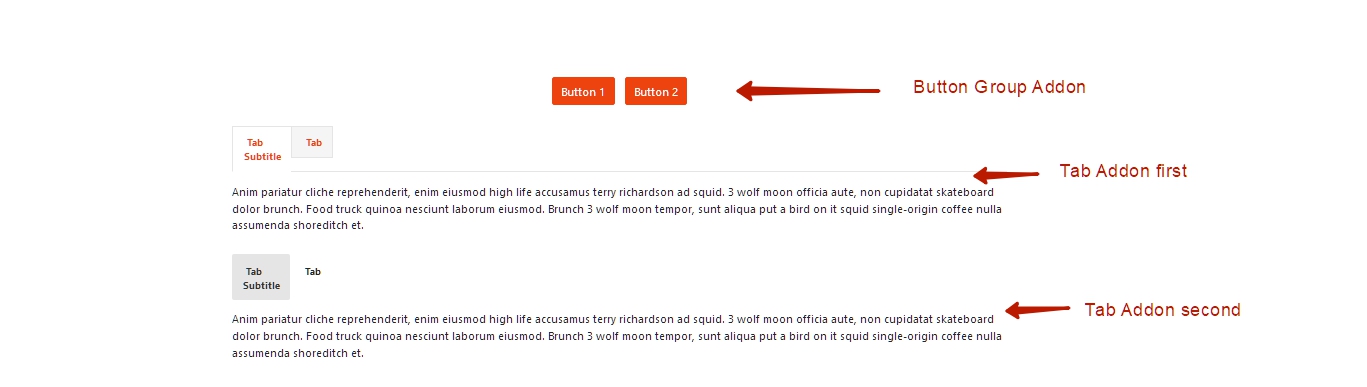
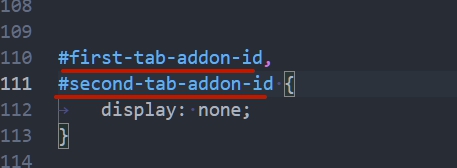
CSS:
#first-tab-addon-id,
#second-tab-addon-id {
    display: none;
}
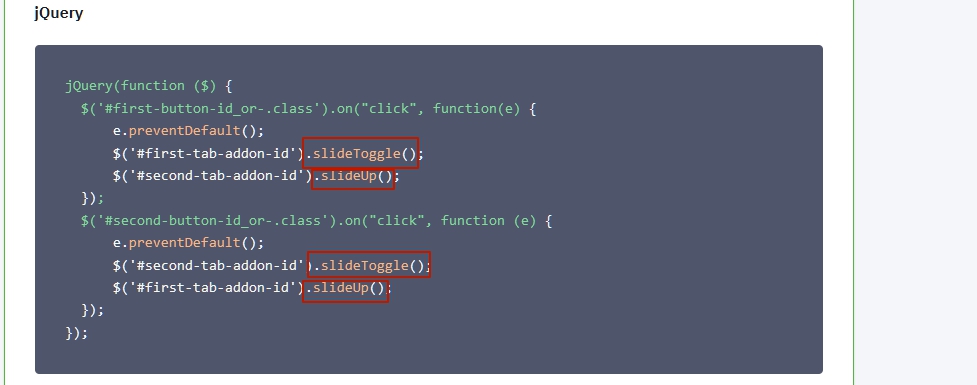
jQuery
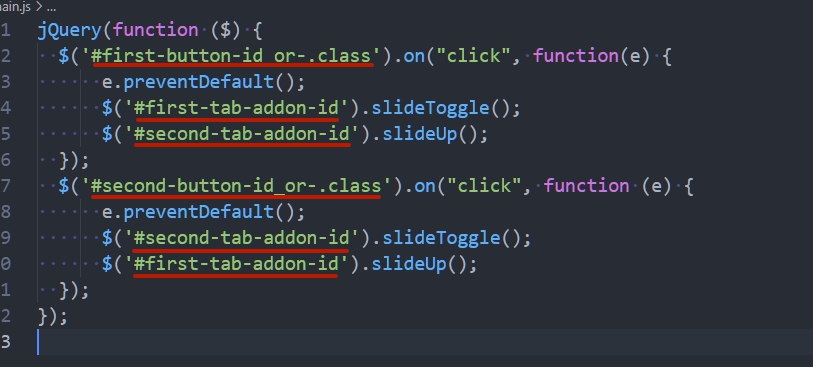
jQuery(function ($) {
  $('#first-button-id_or-.class').on("click", function(e) {
      e.preventDefault();
      $('#first-tab-addon-id').slideToggle();
      $('#second-tab-addon-id').slideUp();
  });
  $('#second-button-id_or-.class').on("click", function (e) {
      e.preventDefault();
      $('#second-tab-addon-id').slideToggle();
      $('#first-tab-addon-id').slideUp();
  });
});
Replace it with selectors of your addons

Ofi Khan
Accepted AnswerHello Ralph Gasparello
Sorry, this is not possible. I don't think it is a good way too. If you want to achieve this, then you should use buttons.
Best regards

Paul Frankowski
Accepted AnswerHi,
as Ofi said, few people before asked about this same, and the answer is not possible without extra changes/customization.
If you don't want to touch code You have to use different Tab module (from JED) for this purpose.
JC
John Celano
Accepted AnswerPavel, THANK YOU.. This is nearly perfect. 2 things's I would love this to do:
- When the page load 1st time, have only buttons displayed. No tab addons displayed.
- The 2nd tab addon slides up but leaves a larger gap above than the 1st tab addon. It must be "bumping" into the 1st tab addon's row. Is there anyway to have them appear in the same spot. I'm guessing not.
Again, thanks for the amazing response. Ralph
JC
John Celano
Accepted AnswerJust one more litle thing. I'd also like the only 1 tab addon visible. Tab2 appears below Tab 1. Thx!
Pavel
Accepted AnswerWhen the page load 1st time, have only buttons displayed. No tab addons displayed.
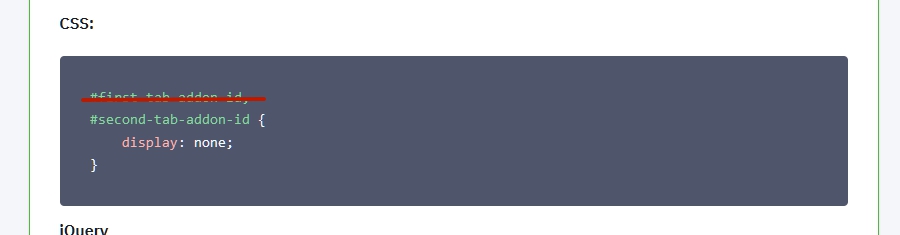
Hi. Yes, in my code it is so conceived. If you need that the first tab addon will be visible when the page is loaded, delete the selector of this addon from CSS.
The 2nd tab addon slides up but leaves a larger gap above than the 1st tab addon. It must be "bumping" into the 1st tab addon's row. Is there anyway to have them appear in the same spot. I'm guessing not.
Looks like you use ID from internal DIV. You should use ID from DIV which has the sppb-addon-wrapper class. Then there will not be a gap.
Just one more litle thing. I'd also like the only 1 tab addon visible. Tab2 appears below Tab 1. Thx!
I'm not sure that I understood this question correctly. I guess I answered it a little higher?
In any case, if you have any questions, provide a public link to the page where you do it and screenshots with an explanation as you want it to be.
The code that I provided is not the only one decision and can be configured differently.
You can use any other jQuery display methods instead of these.
 https://www.w3schools.com/jquery/jquery_ref_effects.asp
JC
John Celano
Accepted AnswerHello Pavel!
Sorry for the very late response, I was called away on some other business and am now back. I was unable to get the javascript to work targeting the DIV ID on sppb-addon-wrapper class. I wound up writing the whole thing in html with javascript. https://app2021.chopcme.com/. It works fine but the page load is very slow. I'm assuming it is due to the my javascript. I wound up adding it to the top of main.js, (which I'm sure is bad practice) but I could not get it to fire anwyhere else (custom code, etc). Any chance you could take a look at it?
Again, thank you for you help. I'm now really sharpening my JS and JQuery skills.
Pavel
Accepted AnswerHi Ralph.
I wound up adding it to the top of main.js
Always add your code below. (basic rule)
(which I'm sure is bad practice)
Yes, it is a bad practice. Create a custom.js file following the Helix documentation.
but the page load is very slow
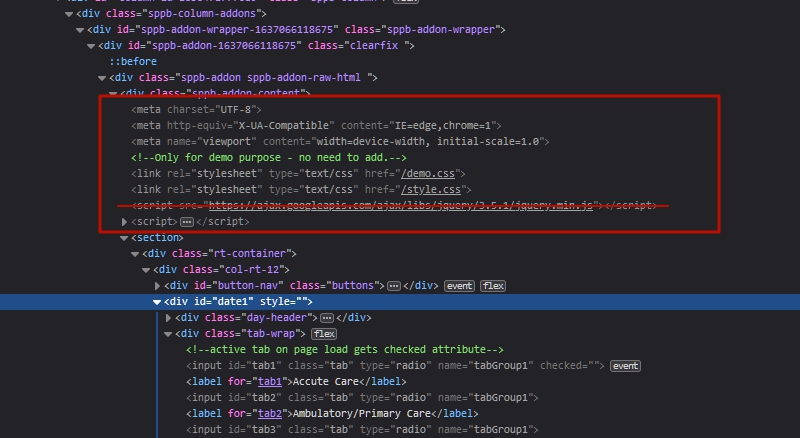
You added things that should not be in body and you have connected another jQuery library. JQuery is already on board, connecting another additional version can cause conflicts and problems with the speed of the page.
All this should not be in body. Meta tags not need at all.
I was unable to get the javascript to work targeting the DIV ID on sppb-addon-wrapper class.
I gave comprehensive instructions so that you succeed with this. Perhaps you make some kind of mistake. Check out everything carefully. This is a very simple thing. It is much easier than you did in HTML.
Note: Addon's IDs will change if you copy this block to another page. Therefore, the code may not work. Check it.