Melvin Template Color Anf High At Bottom Page - Question | JoomShaper
Black Friday sale is live with flat 50% OFF. Sale ends soon! Grab your deal now!

Melvin Template Color Anf High At Bottom Page

RB

Rafael Barba

Template 4 years ago

I need to change the color and high of the bottom page, how can I do that?

Regards

http://proderechoshumanos.org/index.php

0
1 Answers
Ariba
Ariba
Accepted Answer
Support Agent 4 years ago #45777

Hello

Thank you for your query.

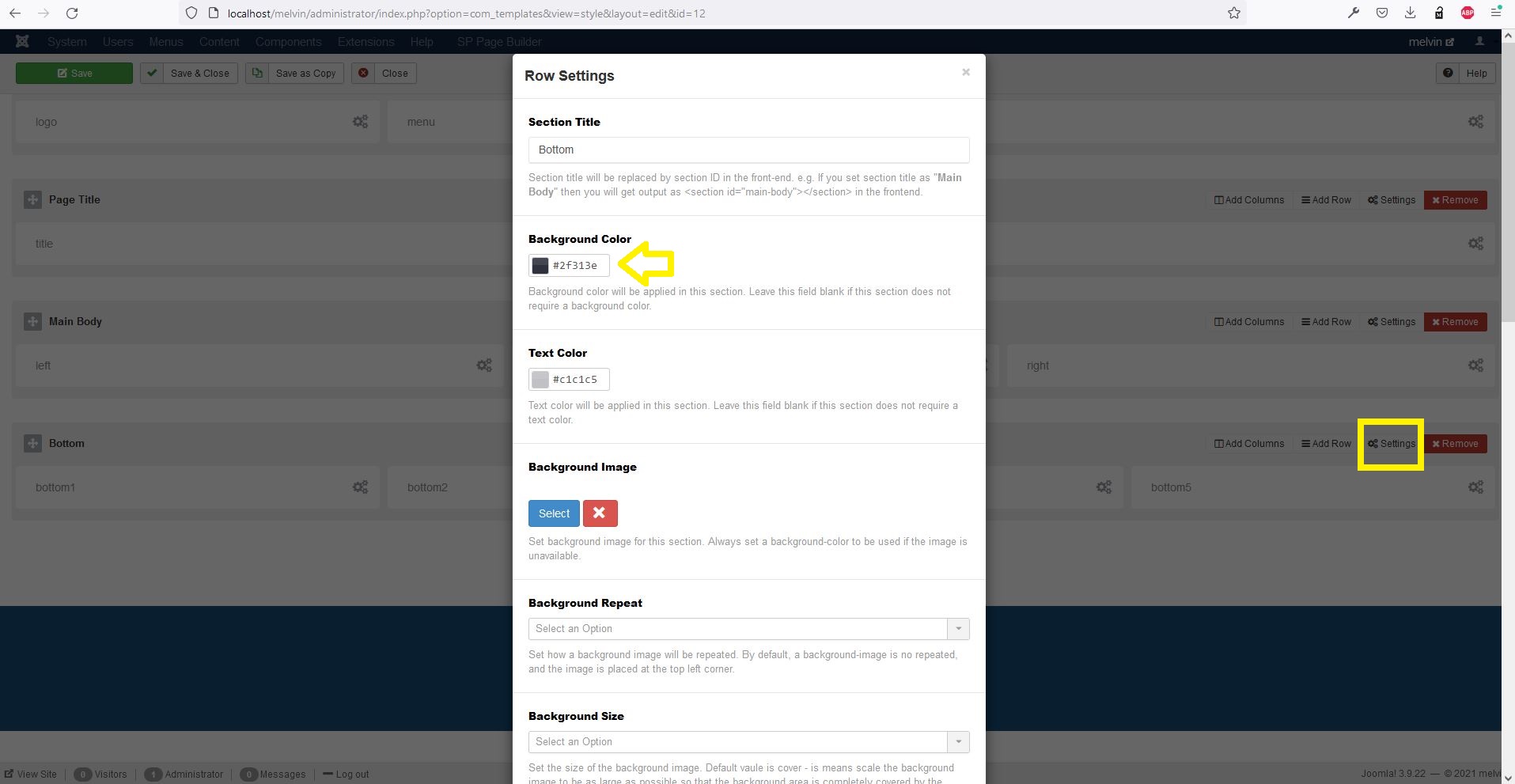
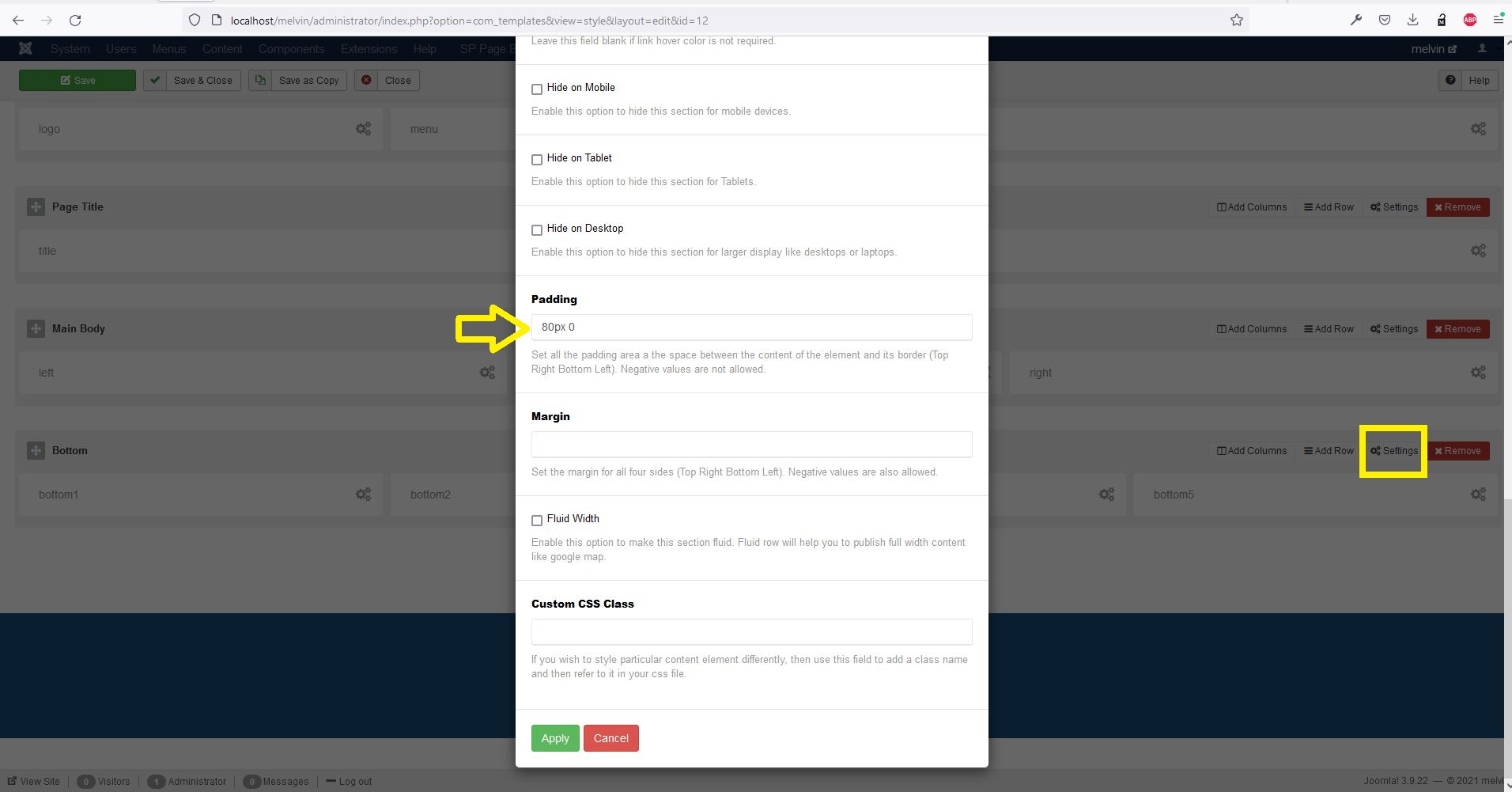
Please go to menu Extensions -> Templates -> Styles. Select the melvin template to open "Templates: Edit Style" window. Then go to "Layout" tab and change settings of the bottom section.

melvin-bottom-color.JPG

melvin-bottom-height.JPG

0