Change the text content of the placeholder fields in contact forms - Forum | JoomShaper
Solved SP Page Builder

Change the text content of the placeholder fields in contact forms

Asked by Jerome Rollet 4 years ago Last activity 3 years ago

Hello,

I am French and I would like to change the "Name" and "Email Subject" placeholder text in French in the contact form generated by sp page builder but I do not find any option for that. Futhermore, I would like also to know how to suppress the "Email Subject" field if I decide to suppress it.

I work with Joomla 4.0.4, SP Page Builder Pro 3.8.1, Helix Ultimate 2.0.5.

Here is my website in construction : https://travailsursoi-web.fr. The contact form is at the end.

Thank you for your help !
Jerome

Accepted answer

Marked as the solution
Ofi Khan Staff

Hello Jerome Rollet

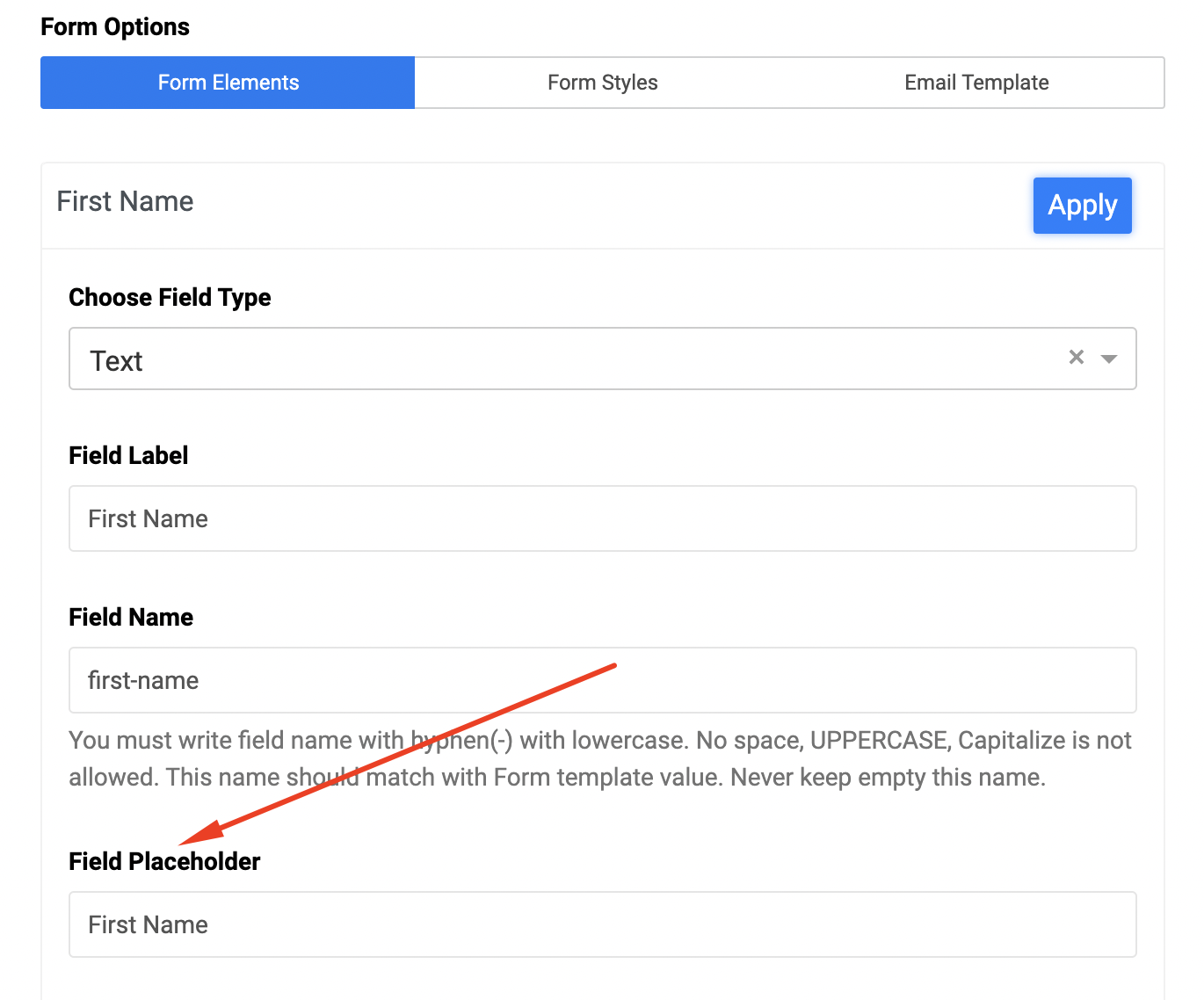
You can change the placeholder in the settings of form elements.

Screenshot at Dec 16 17-28-09.png

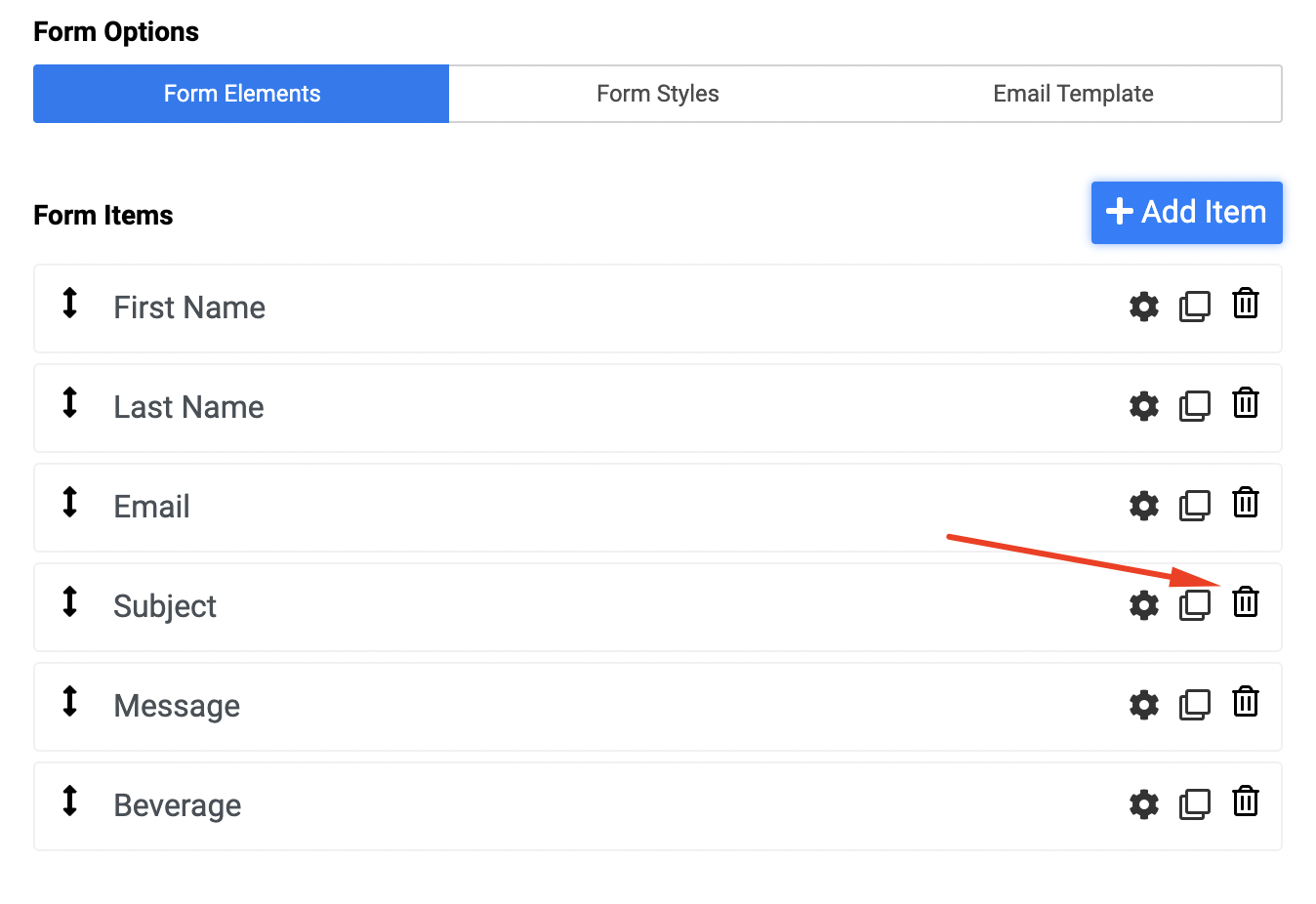
and just delete the subject element if you do not need it. Also delete in from the email template.

Screenshot at Dec 16 17-28-29.png

Please follow this documentation to know more. Also check this tutorial playlist on SP Page Builder

Best regards

4 more replies

Jerome Rollet Asked this

Thank you

Ofi Khan Staff

You are welcome. Thanks for accepting the answer.

I have a humble request too. It would be very kind of you if you can manage some moment to give us feedback on Joomla Extension Directory. This will inspire us to improve.

Ofi Khan Staff

You are welcome. Thanks for accepting the answer.

I have a humble request too. It would be very kind of you if you can manage some moment to give us feedback on Joomla Extension Directory. This will inspire us to improve.

Grégory

Hi
good advice but obviously we can do so, with the "Form Builder" addon, but how to do it with the "Contact Form" addon ?

Ofi Khan Staff

Hello Grégory

Please post a new question regarding your issue. We will check and help you.

Best regards

Log in to reply.