How do I change the 2MB upload limit in Joomla 4 for extensions and components?
I tried most of what I found on Google and nothing worked so far. This means I can not add security extension I want and a lot of templates, extensions, and components will not load.
Staff replied
General
J4 uploading
5 replies

Rashida Rahman Staff
4 years ago
· edited
Hi there!
Would you please check if you have followed this too?
https://ltheme.com/how-to-increase-upload-limit-2mb-issue-in-joomla-cms/
However, this issue is not related to our products but to Joomla itself.
Screenshot from Joomla 4:
Best Regards

Paul Frankowski Senior Staff
Hi,
check also in cPanel in PHP settings, maybe you have 2MB set and you cannot change this limit in Joomla itself. It must be changed there.
Wade Myers Asked this
I know it is not directly related to your products but it is realted to your sales, If I can not up load templates, extensiopns and components I have no reason to buy them, and I seem to be one out of thousands having the same issue.
Yes I saw these online yesterday, I was able to change the media to 15M.
I also went into my host php.ini and set the following yesterday.
memory_limit 102M
Upload_max_size 100M
Post_max_size 100M
However I can not upload a file that is 2386 KB? Which is 2.39 MB Since it is over 2MB it will not load.
Any more ideas Thanks in advance.
Wade
Paul Frankowski Senior Staff
4 years ago
· edited
Sure, If you know Joomla longer than a week, month - that you should know that Joomla offers 4 ways to install extensions. WordPress has only two.
One of old "tricks", since Joomla 1.5.x (at least) is:
- Use FTP tool
- Upload file package to root folder of your Joomla
- Use Install from URL
- Where you should put full URL with https:// to it
https://yourdomain.com/extension-name.zip
OR
https://yourdomain.com/template-name.zip
- and then click "Install" button.
So far this method worked for me in last 15 years.
Paul Frankowski Senior Staff
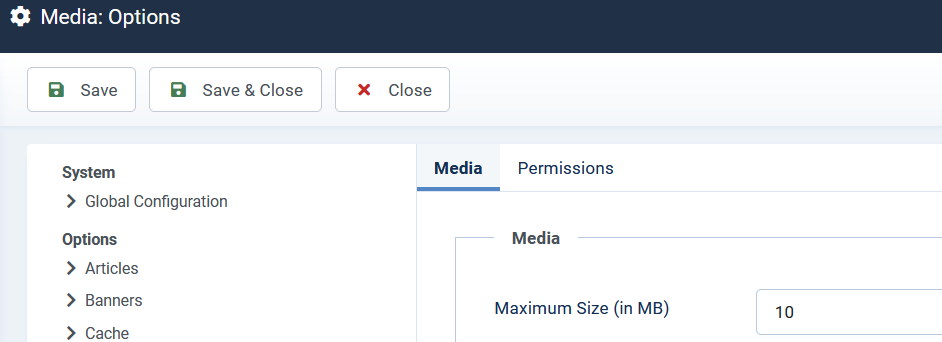
But I recommed you to check what value you have in Joomla Media - Options
Log in to reply.