Hello,
I'm using the feature add-on to display an image on the left and content on the right, how can I get these two items to align?
Kind regards,
John
Hello,
I'm using the feature add-on to display an image on the left and content on the right, how can I get these two items to align?
Kind regards,
John
Hi. Add your custom class name to the addon's CSS Class field and use following code
.your_custom_class_name .sppb-media {
    display: flex;
    align-items: center;
}
Hi. As far as I know, the settings for this does not exist. Therefore, you can only achieve this through custom css code.
Hi,
Give me a screesnshot of your issue please
Hi Mehtaz,
I provided the URL to a page with the issue in my original request.
All I'm trying to do is align the content vertically with the image. This can be done when using two differnt columns, but it doesn't seem possible with the feature addon.
Kind regards,
John
Hello john@gs
You can do this in the section settings. Go to the section settings and turn on Vertical Align and set it to Center.
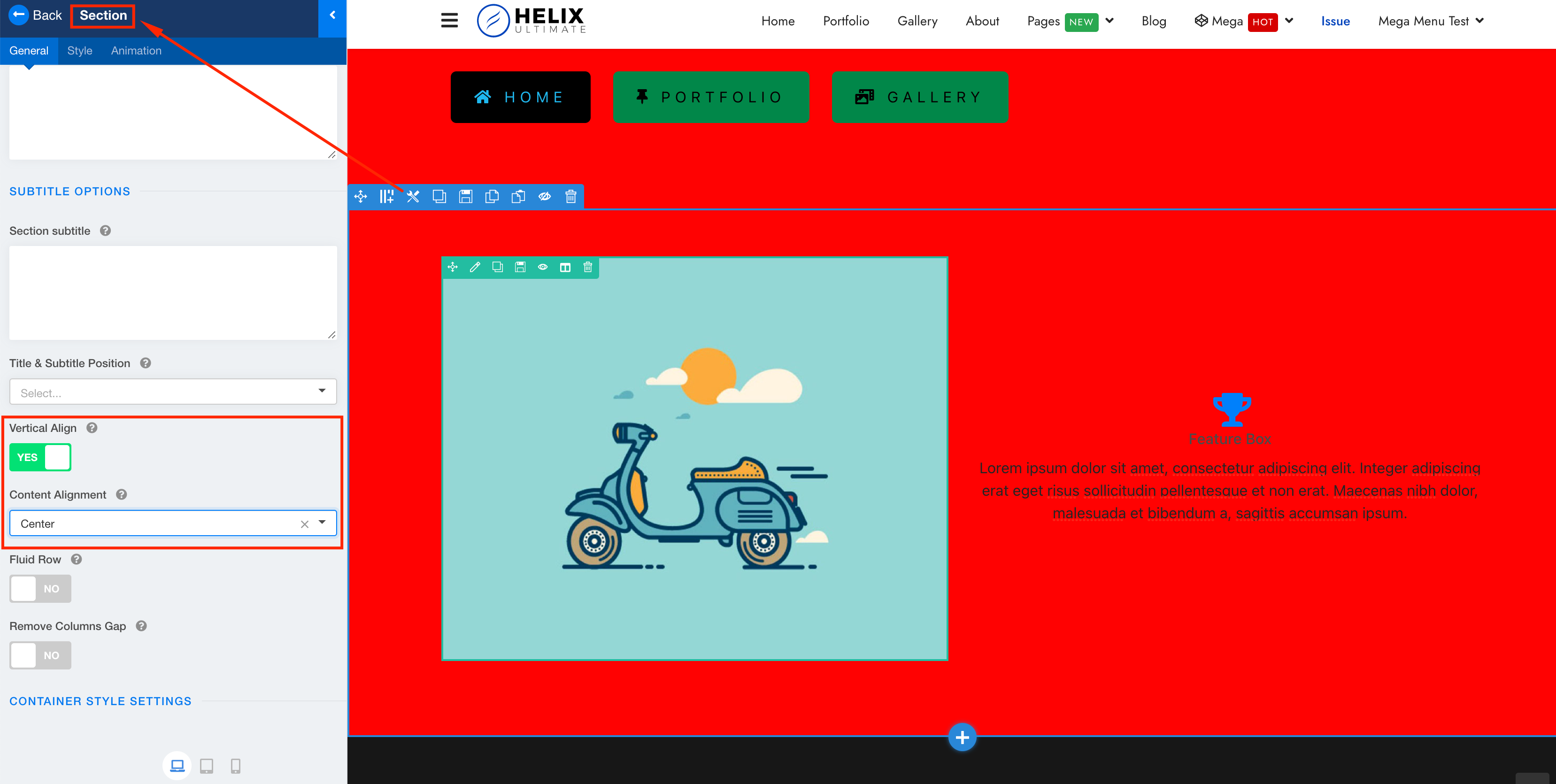
Best regards
Hello,
I do not understand why getting support is so diffcult.
I'm not talking about sections or rows.
I'm talking about when you use a feature box and set that feature box to display an image on the left and text on the right.
Your example is not even using an image, it's using an icon. The image on the left is not a part of the feature add-on.
Apparently this is not possible. I give up.
This is really getting frustrating.
Regards,
John
Hi. If there are no options for something, in any case it can be done through CSS. If you show the screenshot of what you want or a public link to your site, then I can help you. I am not an employee of the Joomshaper support, so I can not access the hidden content.
There is only one option to align both the text and image. If you want to align only the image, then you need to write Custom CSS for it.
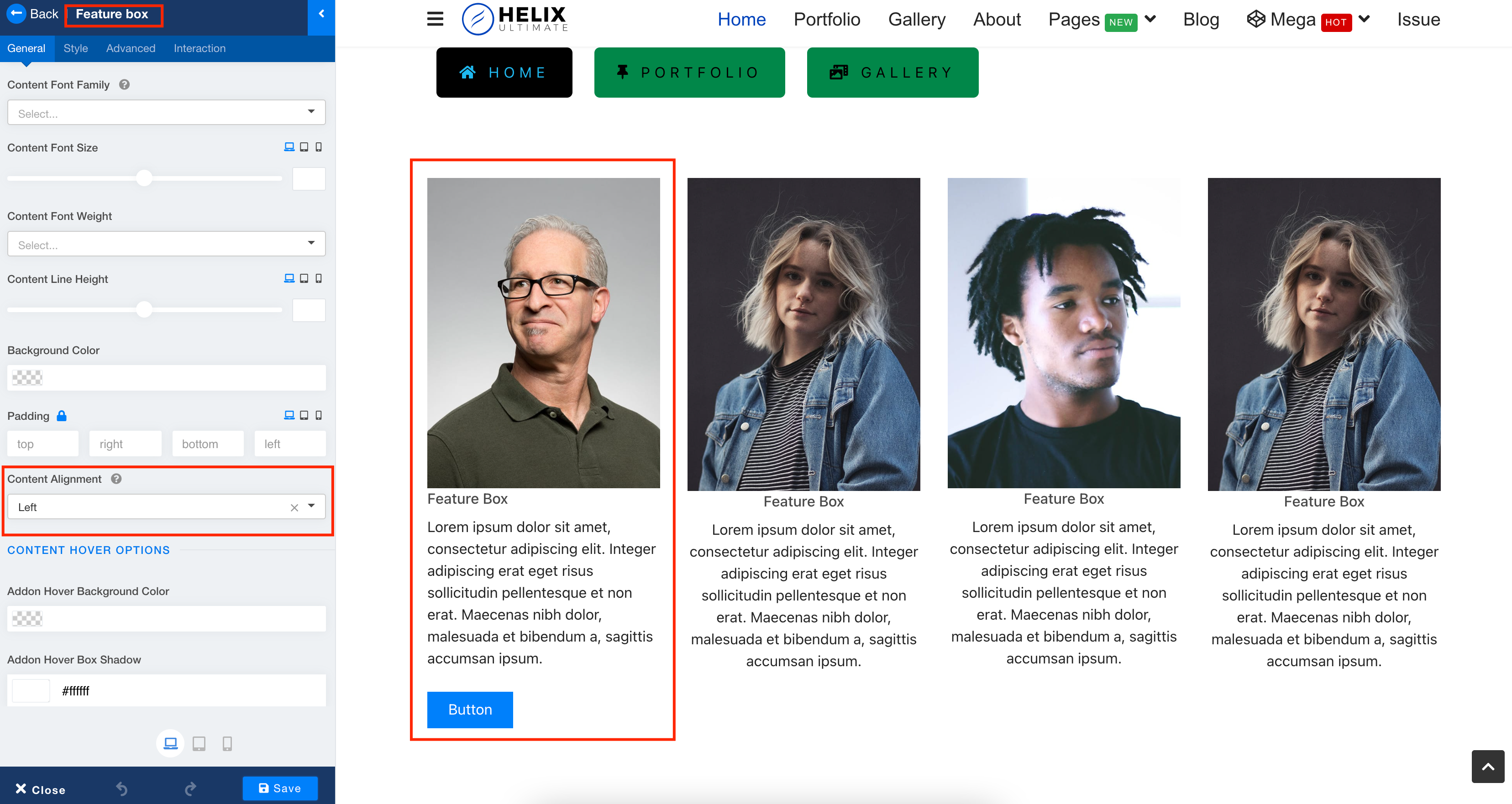
Hi Pavel,
Any help would be greatly appreciated, I've tried writing some CSS but I seem to be having trouble getting the correct order specificity.
Here's the link to the page: https://www.stateinsurancegroup.com/connect
I'm trying to vertically align the image with the content on the right. Was hoping to do this with the Feature Add-on to make it easier for the client to update the content on their own.
To the Joomshaper team, it would be great to have a vertical aligment option added to the Feature Addon. I know for a fact that I'd use it on every website build.
Kind regards,
John
Hi Pavel,
You just made my day!!!!
Thank you so much for this, I hope I can return the favor one day!
Kind regards,
John
You are wellcome


