how to set a component to 3 columns SP Easy Image Gallery - Forum | JoomShaper
Solved Extensions

how to set a component to 3 columns SP Easy Image Gallery

Asked by Marek N 5 years ago Last activity 5 years ago

Accepted answer

Marked as the solution
Ofi Khan Staff

Hello

Marek N

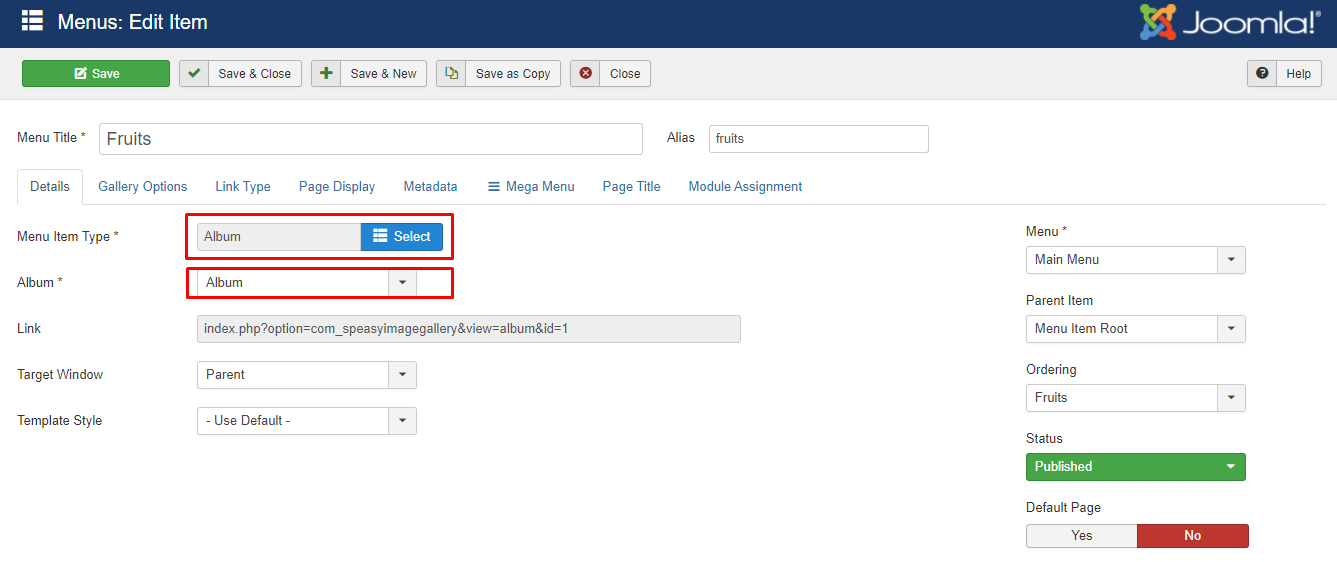
Please add a new menu item and select SP Easy Image Gallery -> Album and select your album to show the photos.
Screenshot_576.png

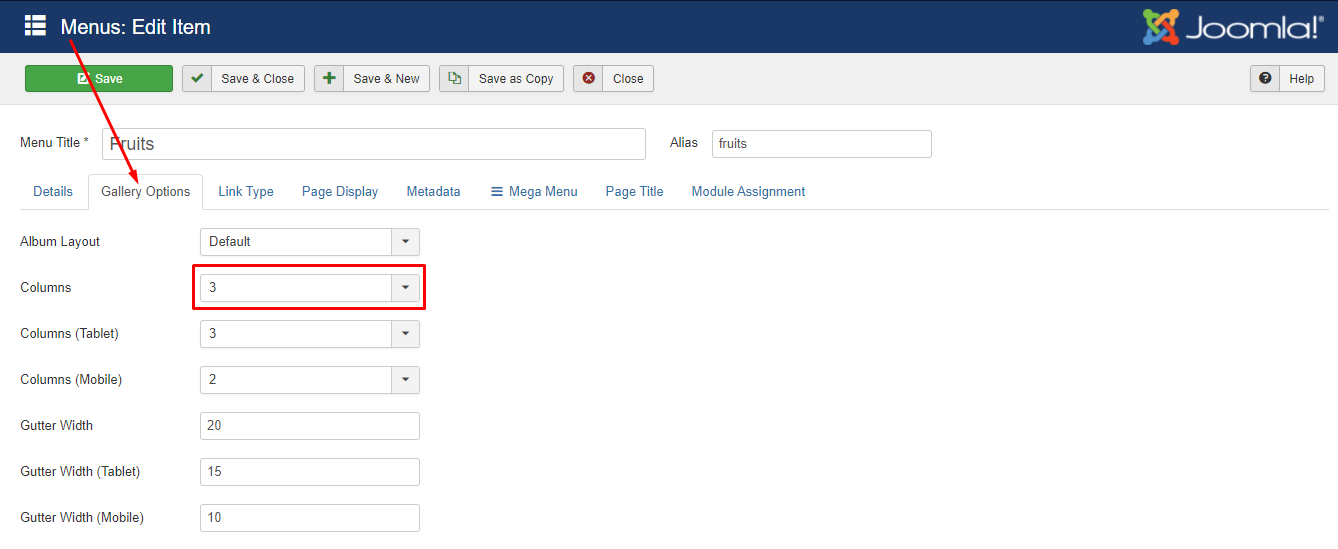
Then in the gallery options, set columns to 3.
Screenshot_577.png

Best regards

Log in to reply.