-
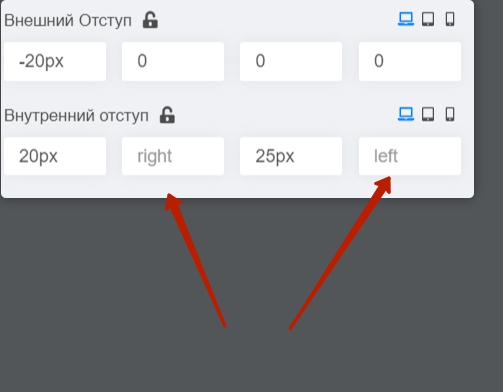
I do this setting http://joxi.ru/BA00lp3fMQ7PwA here should be indented, and on the site there is no indentation http://joxi.ru/4AkoRpBiogEXlA
-
why is there one color in the desktop version and another in the mobile version? Website: http://jm1.bethoven-nn.pjqom.spectrum.myjino.ru/index.php/home-2
-
I don't need a doctor search bar http://joxi.ru/bmozXWZS38v9gr, but after I delete it, the button styles below are removed http://joxi.ru/D2PYoDbfq9zknA .
The button styles are saved in the admin panel http://joxi.ru/1A5xkzNfD3yGB2
Staff replied
Templates
some difficulties with medico
9 replies

Pavel
Hi. Fields should not be empty. Enter 0 If you do not need other values.
Pavel Asked this
thank you, and another 2 and 3 questions can you help me
Pavel
5 years ago
· edited
Hi.
- I don't understand what you mean.
- Removing the doctor search bar shouldn't affect this. Perhaps you did something else. As far as I can see in demo template, the styles for these objects are in the template presets. You may have disabled the preset and are using custom color settings.
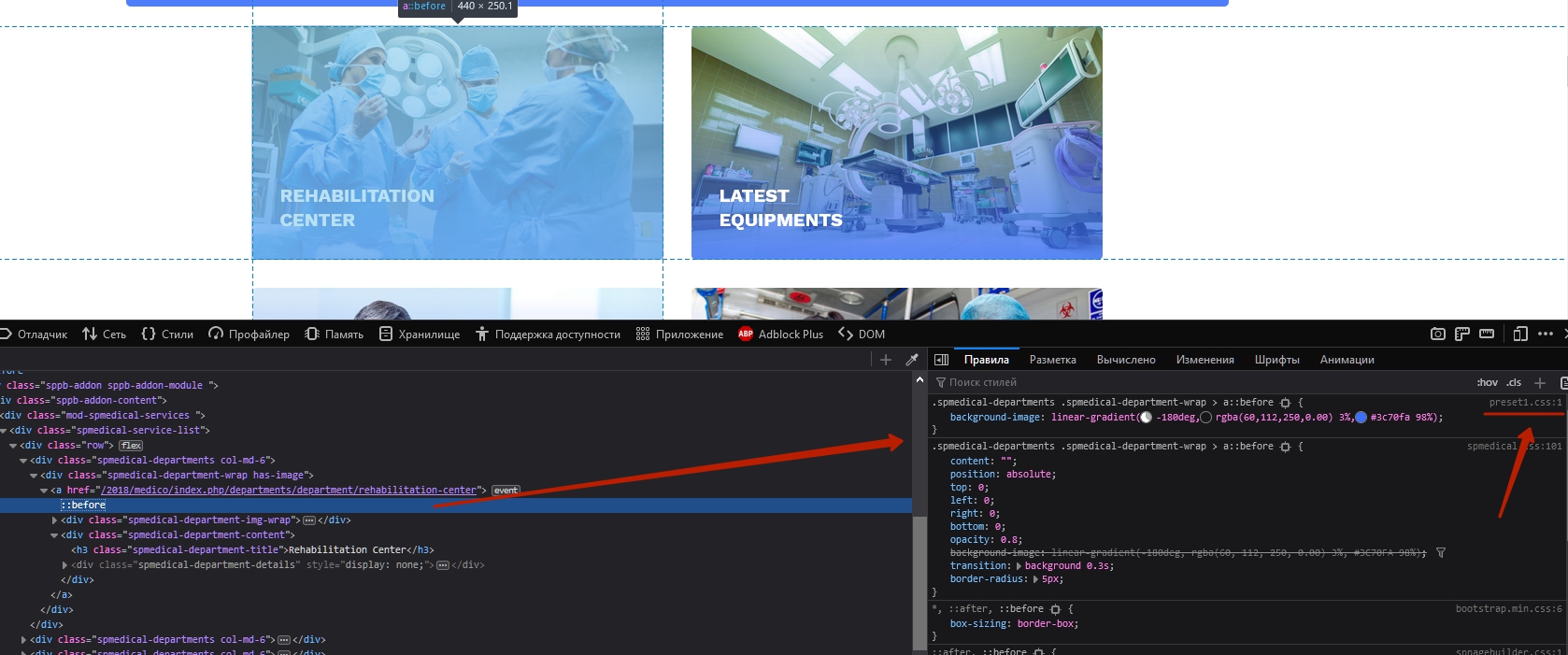
Tip: Commercial templates are designed to be used as is. You just change the content and that's all. If you need a lot of customization, then it's better to use the basic Helix Ultimate. It takes more work to customize the commercial templates. And of course you need html / css skills. With these skills, you could quickly fix 2 and 3.
Perhaps someone from the team will clarify questions 2 and 3 by gaining access to your site. I am not a member of the team. Just a user like you.

Mehtaz Afsana Borsha Staff
Hi,
You can follow Pavels instructions
Thank you
Pavel Asked this
5 years ago
· edited
Can you help me with this? The last time I had this difficulty, I gave access to the site and your employee helped solve it
I don't need a doctor search bar http://joxi.ru/bmozXWZS38v9gr, but after I delete it, the button styles below are removed http://joxi.ru/D2PYoDbfq9zknA . The button styles are saved in the admin panel http://joxi.ru/1A5xkzNfD3yGB2
Pavel Asked this
- why is there one color in the desktop version and another in the mobile version? Website: http://jm1.bethoven-nn.pjqom.spectrum.myjino.ru/index.php/home-2
to understand what we are talking about, please view the site from your computer and from your phone
Pavel Asked this
I want to change the main color, I change it in the control panel, but the color is generally different, why?http://joxi.ru/YmEaonRtwKXzQm

Ofi Khan Staff
Hello Pavel
Please use this CSS to Template Options -> Custom Code -> Custom CSS to change the color of the top bar and header section.
#sp-top-bar .container-inner{
    background: red !important;
}
#sp-header .container-inner{
    background: red !important;
}
And how did you delete that search option. Bring it back. Then I will solve it.
Best regards
Ofi Khan Staff
Thanks Pavel. I got your message from the Support Team. I have used Custom CSS to hide the search section. Hopefully, it is okay now.
Log in to reply.