Timeline (Modal Popup) - Forum | JoomShaper
Solved SP Page Builder

Timeline (Modal Popup)

Asked by Steven Gourlay 5 years ago Last activity 5 years ago

Hi im looking to see if there is anyway that you could add a link into the timeline feature that instead of opening in a new window would load in a pop up window so your not leaving the page?

I really like the timeline feature but you are always really limited in how much content you put in.

Accepted answer

Marked as the solution
Pavel

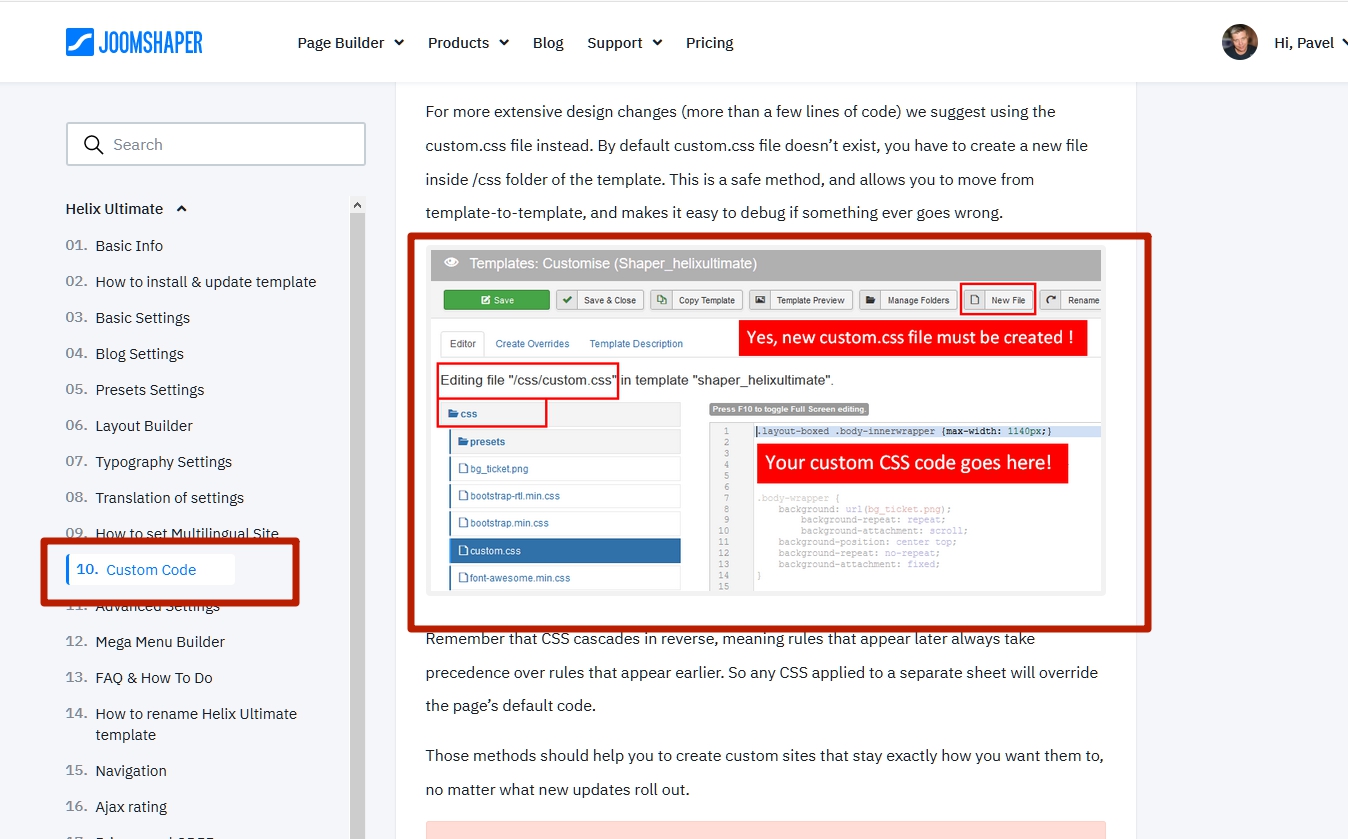
Perhaps these are some features of your template. You can stylize it as you like, through CSS, I gave you a starting point, and then everything is in your hands.

17 more replies

Pavel
5 years ago · edited

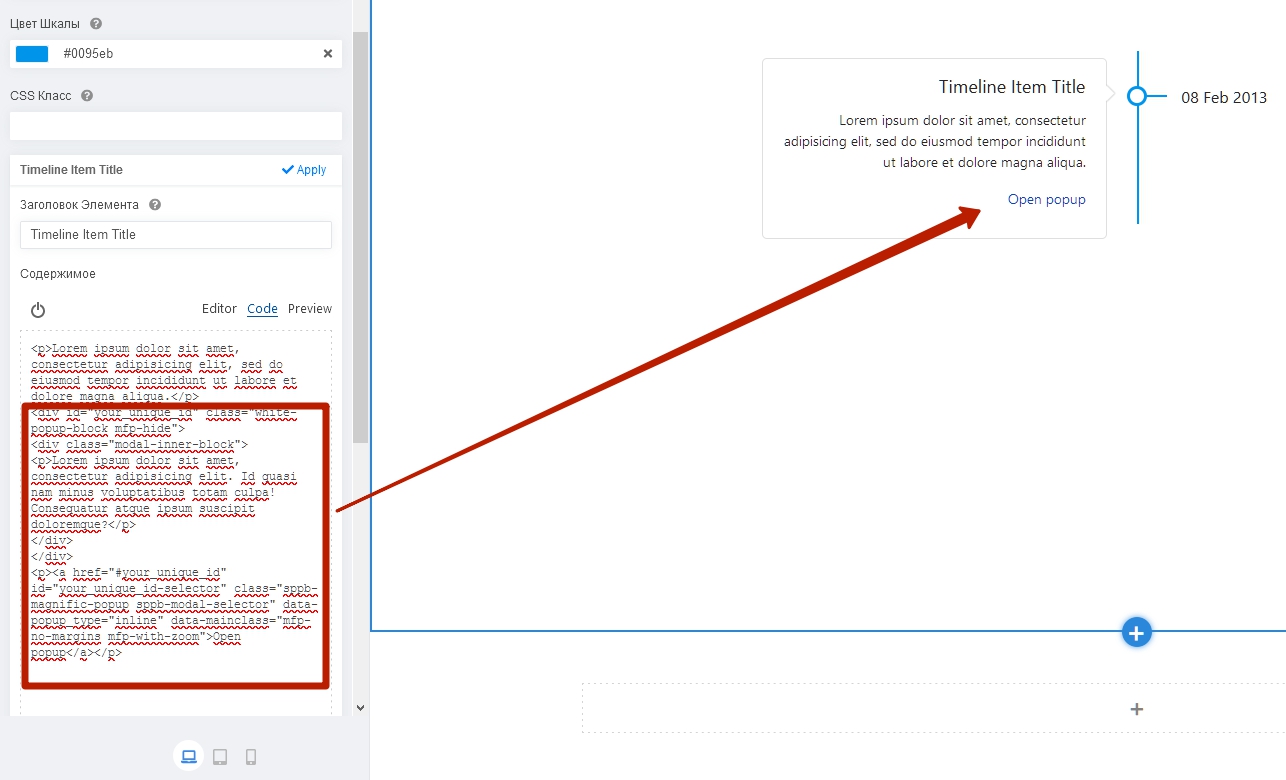
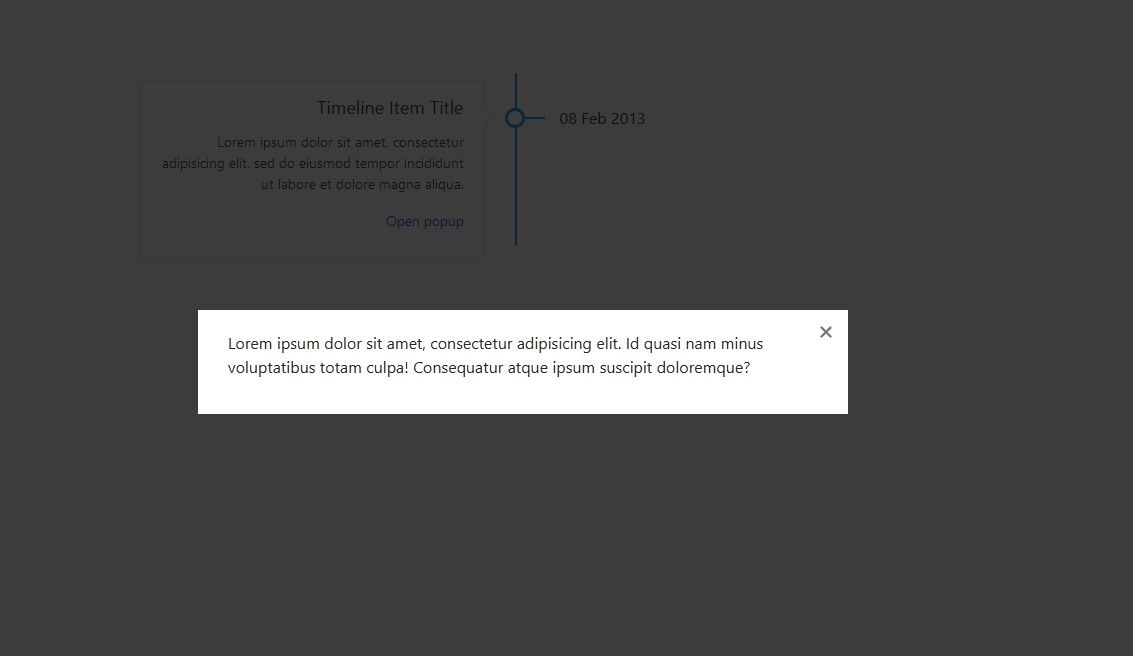
Hi. This can be done with the help of the trick. SP PB has on board Magnific Popup JS. You can use it. You will need the JCE editor to be able to insert the code.
Use the following structure:

<div id="your_unique_id" class="white-popup-block mfp-hide"><div class="modal-inner-block"><p>Lorem ipsum dolor sit amet, consectetur adipisicing elit. Id quasi nam minus voluptatibus totam culpa! Consequatur atque ipsum suscipit doloremque?</p></div></div>
<a class="sppb-magnific-popup sppb-modal-selector" data-popup_type="inline" data-mainclass="mfp-no-margins mfp-with-zoom" href="#your_unique_id" id="your_unique_id-selector">Open popup</a>

Replace your_unique_id to your. This should be unique for each individual Popup. Insert it while in code mode, after your text.
Steven Gourlay Asked this

Thanks very much will give that a go, appriciate the speedy reply

Steven Gourlay Asked this

I get the circle appearing behind the popup text, is there away to disable this just for this page? I notice its the same icon that appears on the hompage modals.

Muntasir Sakib Staff

Hello Steven,

Please, give us a screenshot of which exact popup text you are talking about.

Whatsoever, thank you very much Pavel for your response.

Steven Gourlay Asked this
5 years ago · edited

Hi thanks
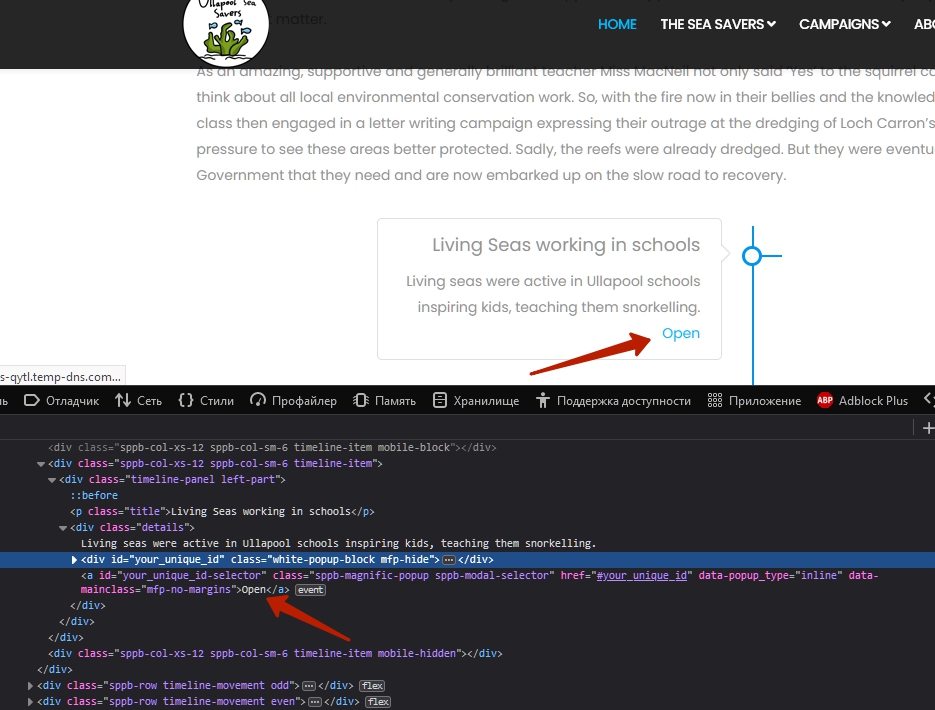
http://ullapoolseasavers-qytl.temp-dns.com/media/Screenshot.png

I removed the read only text as i was seeing what i could do in the code, bit it would just be the text i would want. This seem to be the same circle that is used in he modal popup on the homepage videos, i need the circle for to remain there as it works well but on the timeline it just eats into the space.

Pavel was very helpful with the information.

Muntasir Sakib Staff

Hello Steven,

Undoubtedly Pavel is a helpful fella.

Pavel
5 years ago · edited

This seem to be the same circle that is used in he modal popup on the homepage videos

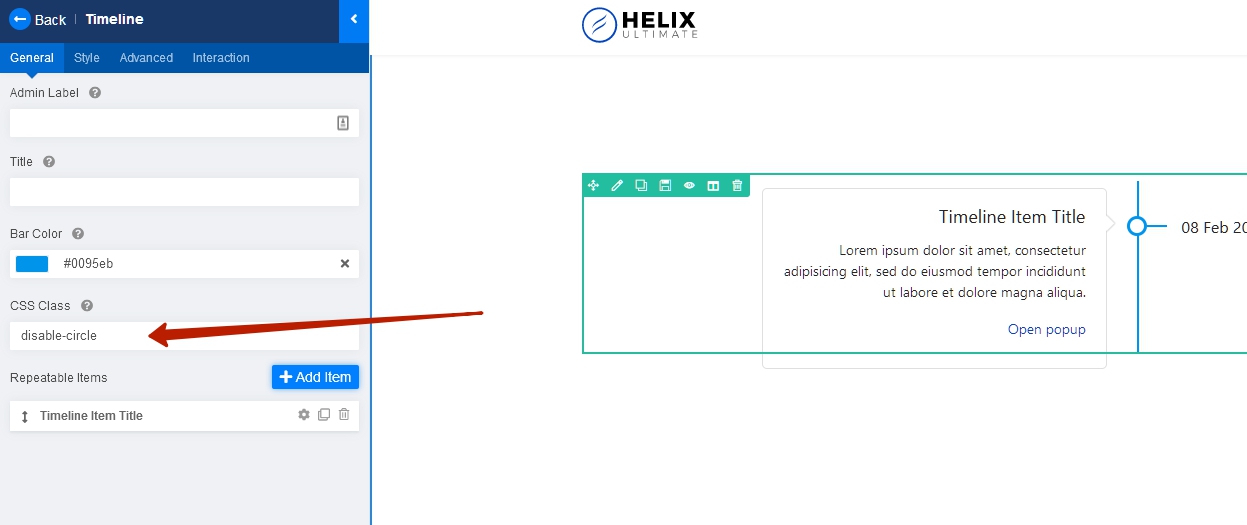
Most likely your template has a unique style for this. Add your unique class to the addon,
determine via browser code inspector, which style creates this circle and override it using your unique class.

Steven Gourlay Asked this

Pavel you make it sound easy, its easy if you know how :-)

Steven Gourlay Asked this

Has my question been deleted?

Pavel

Pavel you make it sound easy, its easy if you know how :-)

If you provide a public link to your website or link to the demo template where there are these circles, I can help you.

Log in to reply.