SP Property - Sqft

Accepted answer
Marked as the solution
Hello Aslam Ahamed
I have edited this file:
templates/shaper_estate/html/layouts/com_spproperty/properties/property.php
and removed the square feet next to pricing. Also, removed the additional CSS added earlier since it is not needed now.
Best regards
12 more replies

Hi
Thanks for contacting us. Use this custom CSS
.spproperty .sp-properties-wrapper .property-details .property-price .price-tag {
    display: none !important;
}
Path towards custom CSS: Extensions>Templates>Styles> Click on your current default template name then choose Template Options. Then find custom CSS within the custom code.
-Regards.
Hi
This is included with your price, so it will not be possible to remove it separately. If you want to remove it then your price will also be removed.
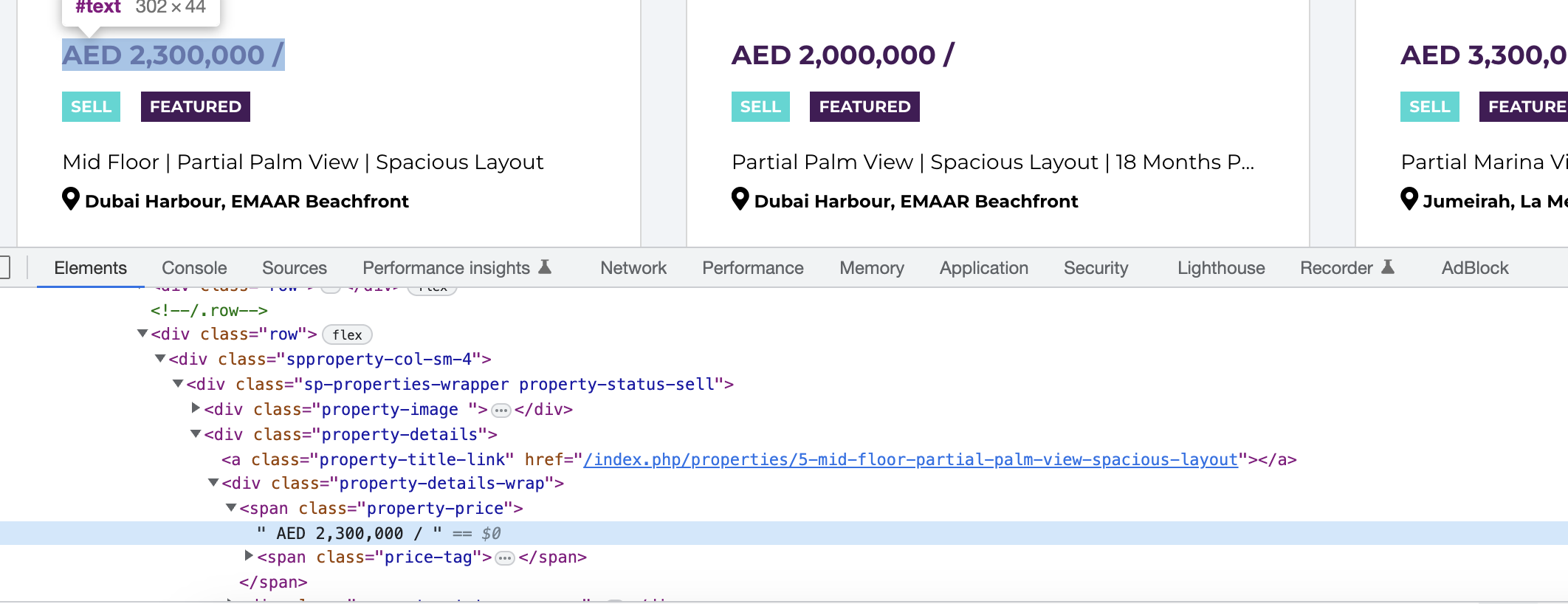
But pleae check this page
Give me that specific page link please I need to check again.
Sorry it is included with price, but I think this forum posts will help you. Could you please check this?
https://archive.joomshaper.com/forums/how-to-remove-the-sqft-in-the-price-of-property-in-sp-property
These forums are older version. Please can you give me updated version
Thanks
Great Thanks ALot
You are welcome 😊
I have a humble request. It would be very kind of you if you can manage some moment to give us feedback on
This will inspire us to improve.
Done
Thank you so much for your feedback 😊