changing widths of content area - Forum | JoomShaper
Staff replied General

changing widths of content area

Asked by Dina Abramson 5 years ago Last activity 5 years ago

15 replies

Toufiq Senior Staff

Hi there,

Thanks for contacting us. I have solved your issue first in my localhost. Then replaced the code in your site. But, nothing impact in your site. Did you use any caching service?

My localhost
https://prnt.sc/10se5hp

-Thanks

Dina Abramson Asked this

Thanks but I haven't used a caching service

Toufiq Senior Staff

What i have changed in your site. But, nothing impact in your site details page.

https://prnt.sc/10t6cz1

Even, I have try to switch Shopin template to Joomla default template protostar. But, nothing changes displayed there.

-Thanks

Dina Abramson Asked this

My apologies, I gave you the wrong live URL. Please ignore the domain https://tandryardcare.ca - Sorry, I was developing on that one, but should have closed it down.

It looks like your changes were working on the domain you were altering. Here is a screen shot of what it looks like now.
https://spacewaxrecords.com/images/space.png

Would it be possible to alter the width of the two elements, the Product Image and the Description so the white space was reduced? I would try myself, but I don't see what you changed yet.

Could the Back to Products button be moved to below the Product Image? If so, the Product Image and the Title could be at the same level on the page.

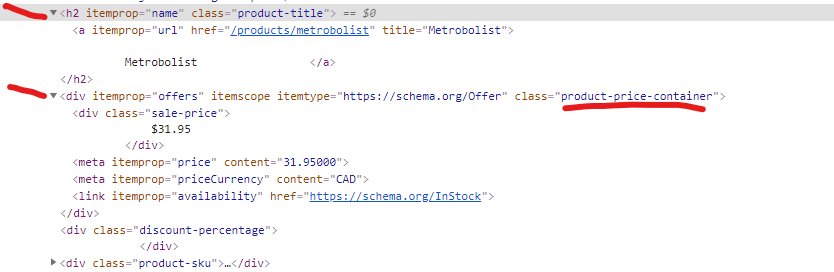
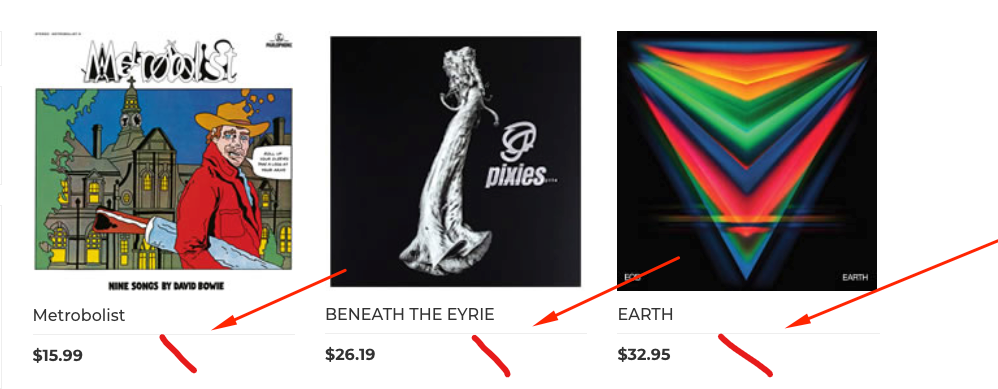
Also, adding a line to the store layout to add the Artist name as I show in this image
https://spacewaxrecords.com/images/space2.png

Again, I am sorry for the confusion.
Thank you

Toufiq Senior Staff

Give me the administrator access of your new site

Dina Abramson Asked this

I updated the Admin URL

The UN & PW are correct

Thanks

Toufiq Senior Staff

Please check & let me know. Thanks

Dina Abramson Asked this

That is great. The space between the description and image is perfect.

Is it possilbe to add a line to the store layout to add the filter item "Artist" as I show in this image with the red line? So the left item in the image will read

Metrobolist
David Bowie

https://spacewaxrecords.com/images/space2.png

Thanks

Toufiq Senior Staff

Hi there, Thanks for your feedback. I have added this css code inside the custom.css file. Please check & let me know.

.j2store-products-row .j2store-single-product .product-title {
    font-family: Montserrat, sans-serif;
    font-weight: normal;
    border-bottom: 1px solid #eee;
    padding-bottom: 10px;
}

-Thanks

Log in to reply.