remove decimals and thumbnails with same size - Forum | JoomShaper
Solved EasyStore

remove decimals and thumbnails with same size

Asked by Davide 2 years ago Last activity 11 months ago

Hallo i have two questions:

  1. how can i remove decimals from the price?
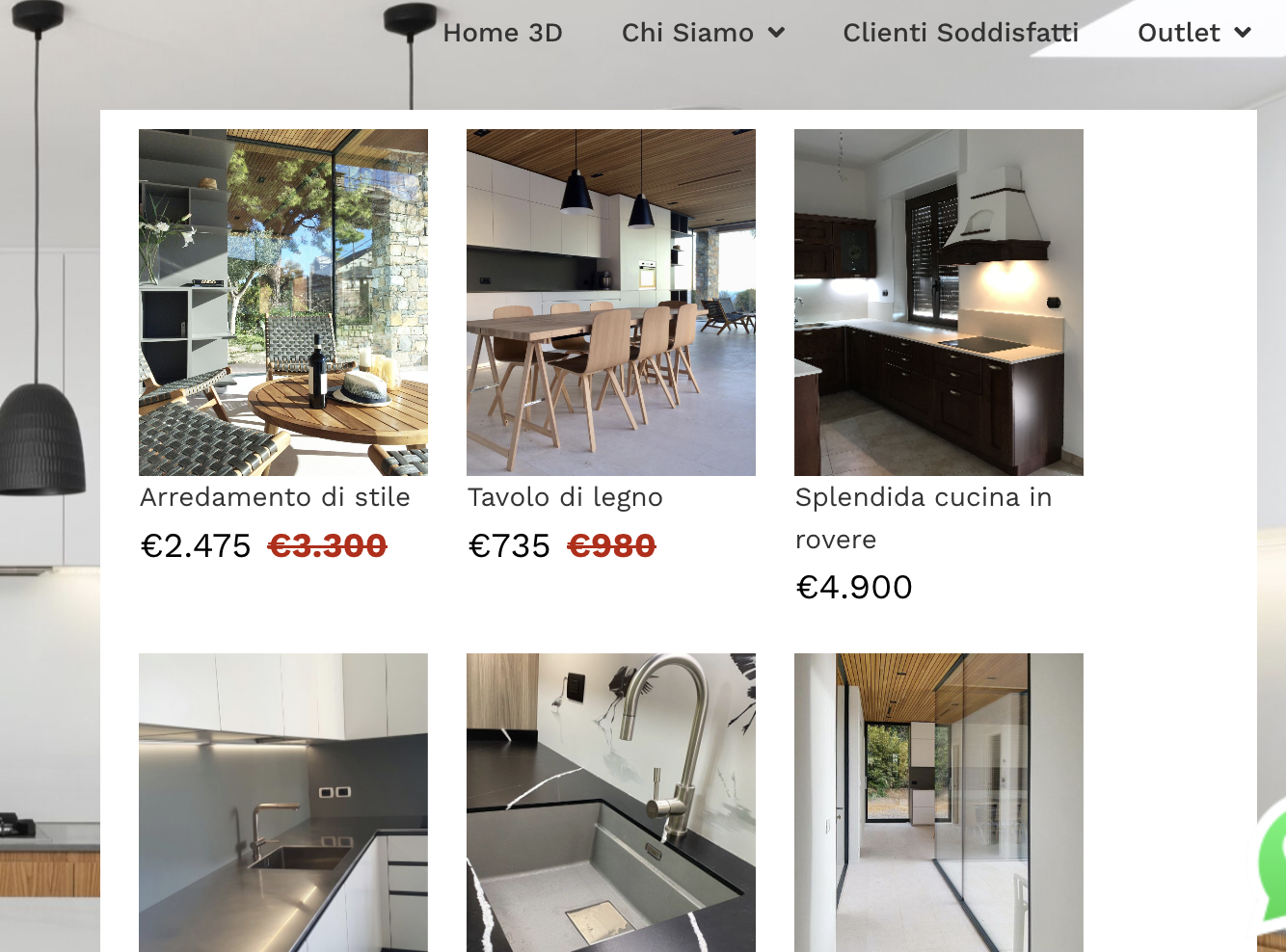
  2. i put a module with some products list in the megamenu but the thumbnails aren't the same size. How can i force them to resize all the same. I also tried resize the width of the megamenu but didn't help.

Thank you

Accepted answer

Marked as the solution

9 more replies

Mehtaz Afsana Borsha Staff
2 years ago · edited

Hi

Thanks for contacting us.

1: Could you please explain your issue a bit more? If possible give me a screenshot of your issue please.

2: Use this CSS in your custom.css file

.sppb-collection-item .easystore-product-image {
    padding-bottom: 100%;
    width: 150px !important;
    height: 180px !important;
}

-Regards.

Davide Asked this
2 years ago · edited

Thanks for answer

  1. i'd simply need prices are shown, ie: $490 and not $490,00.

  2. If I put custom css in the Custom css of the module settings I have no effects.
    Is the right place to edit?

If i put it in the template custom css it works but i don't want to override all the template because i have many different formats in the pages.
I cleared cache but didn't work.

Thank you

Davide Asked this

Yes, that's what i did but i override all the template and i mess up other pages.

I want to change only the module css but if i insert that custom.css in the module i have no effect.

Mehtaz Afsana Borsha Staff

Give me your super admin access please so that I can check.

Davide Asked this

For those about 1) (remove decimal from the price) i solved with:

.easystore-price-decimal {
display: none;
}

But i still have thumbnails of different sizes on megamenu module.
Thanks if you can help

Yofie Setiawan

Thanks, was looking for this...

Davide Asked this
2 years ago · edited

Thank you.
As you can see also colors and other customizations of the module in the megamenu has no effect.

PS: megamenu with Helix Ultimate is editable from template style only? No more from the Joomla Menu items? Or maybe i have to enable it?

Mehtaz Afsana Borsha Staff

Don't you want it like this?

Screenshot 2024-03-07 at 3.22.58 PM.png

Then use my CSS which I provided.

Davide Asked this

Yes, but then i see my other pages like this, ie:,

instead of this

and i i said that the code has no effect if i put it in the custom css of the sp page of the module

Davide Asked this

I still have this issue. It's more than a week i'm working on it. Anyone can help? Thank you

Mehtaz Afsana Borsha Staff

Hi

Use this CSS in your custom.css file

#sppb-addon-bcf174bb-3d8c-4150-801c-fb67fc8f4e7c .sppb-collection-item .easystore-product-image {
    width: 150px !important;
    height: 180px !important;
}
Davide Asked this
2 years ago · edited

Thank you very much. This solve my issue!

I would appreciate if you could share how to find the correct ID for any future need.

Log in to reply.