I am trying to add a new section/row to place an ad below my logo on the Newsberg template. But I can't seem to find how to center it.
Any help would be greatly appreciated!
Solved
Helix Framework
How to center a helix 3 row?
Accepted answer
Marked as the solution
Ofi Khan Staff
Please use this CSS to Template Options -> Custom Code -> Custom CSS
@media (min-width: 426px){
  #top-ad{
    padding: 0 25% !important;
  }
}
This will apply to screens bigger than mobile. You can also use Paul's CSS. Then you do not need to specify the screen size.
#top-ad img {
    text-align: center;
    margin:0 auto;
}6 more replies
Ofi Khan Staff
Hello luis
Please share a screenshot of your issue to understand it better. Which addon you will use in the section/row? Share the details.
Best regards

Paul Frankowski Senior Staff
Hi,
probably you have to use custom CSS or only margin setting in the row option.
But as Ofi said without URL --- hard to help.
luis Asked this
5 years ago
· edited
Hello, thanks for the reply, here is a screenshot of what I mean. the top large banner is what I am talking about. https://ibb.co/MDhrTtK https://ibb.co/PNBfdb5
Ofi Khan Staff
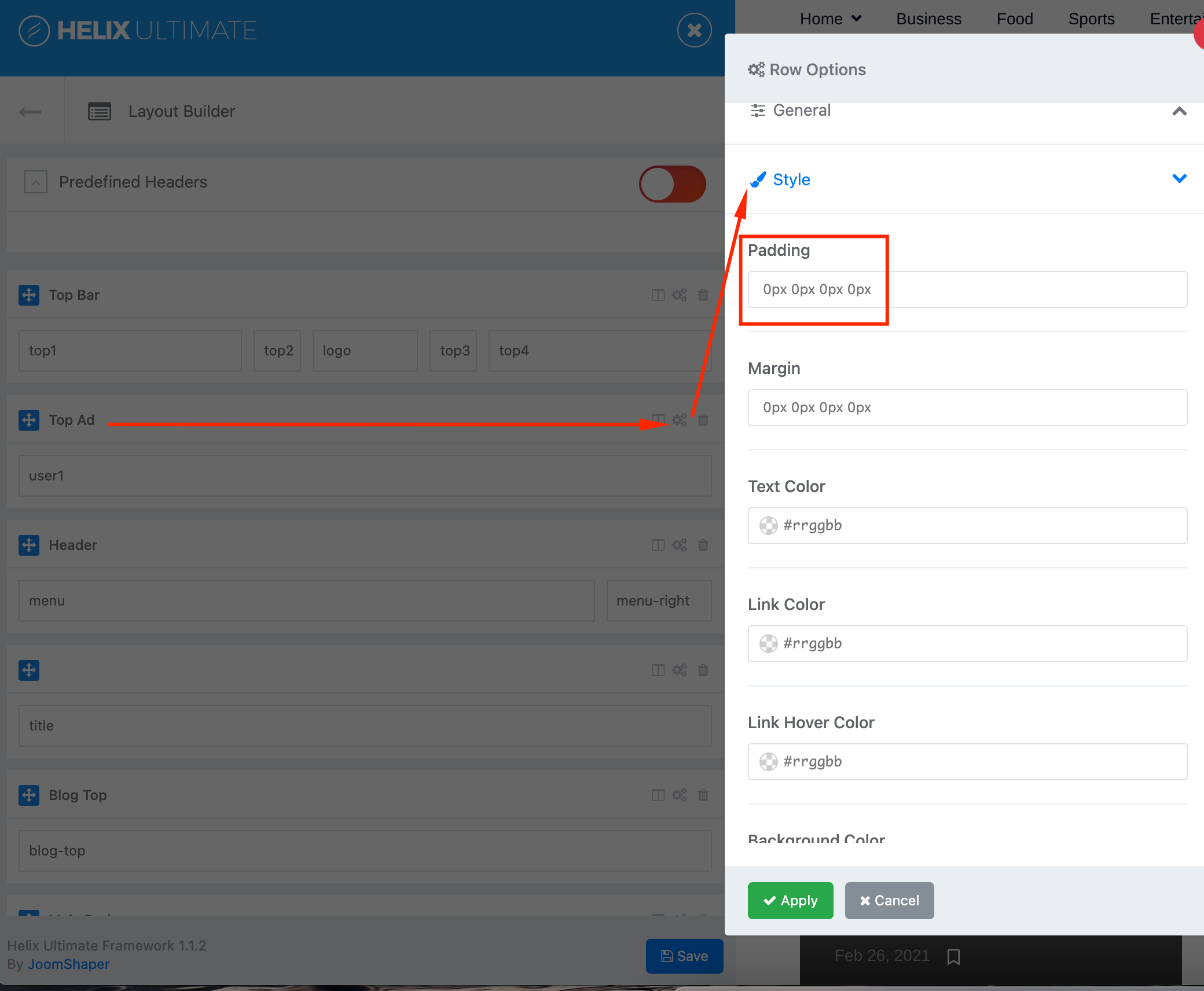
Check the Top Ad section settings -> Style -> Padding. There set the left and right padding. Try setting the padding value 0 25%
Paul Frankowski Senior Staff
5 years ago
· edited
I hope you know the main rule: you can center img only INSIDE column.
May help:
#top-ad img {text-align: center; margin:0 auto;}
luis Asked this
Thank you Ofi,
0 25% did center it, but the problem is it applies on mobile also and the ad becomes very small.
Paul,
I am sorry this is the first time I am using the helix framework, where would I paste that code to try it out?
Thank you
Log in to reply.