Hi - I would like to add a custom URL with a desktop or custom Font Awesome icon to the social media links in the Person add-on of Page Builder - similar to the team carousel where a URL is an option by default for each team member. How does this work?
Solved
SP Page Builder
Adding a custom URL with custom logo to the social media links in Person add-on
Accepted answer
Marked as the solution
Ofi Khan Staff
Hello Jochen
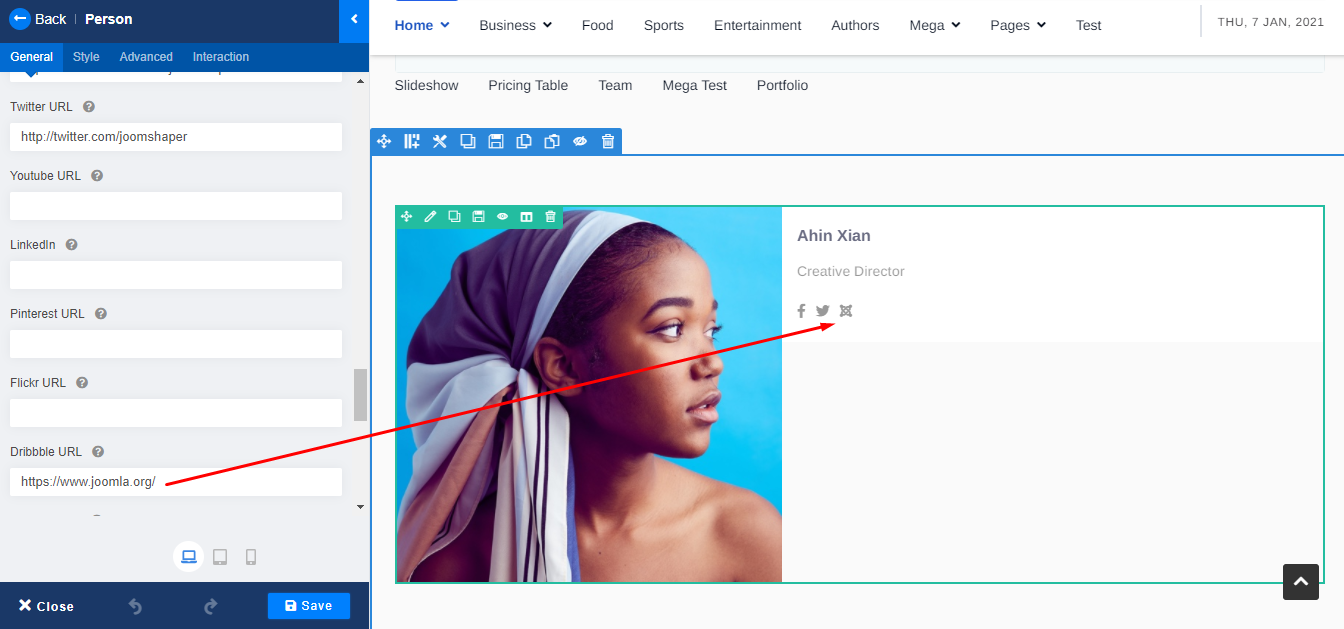
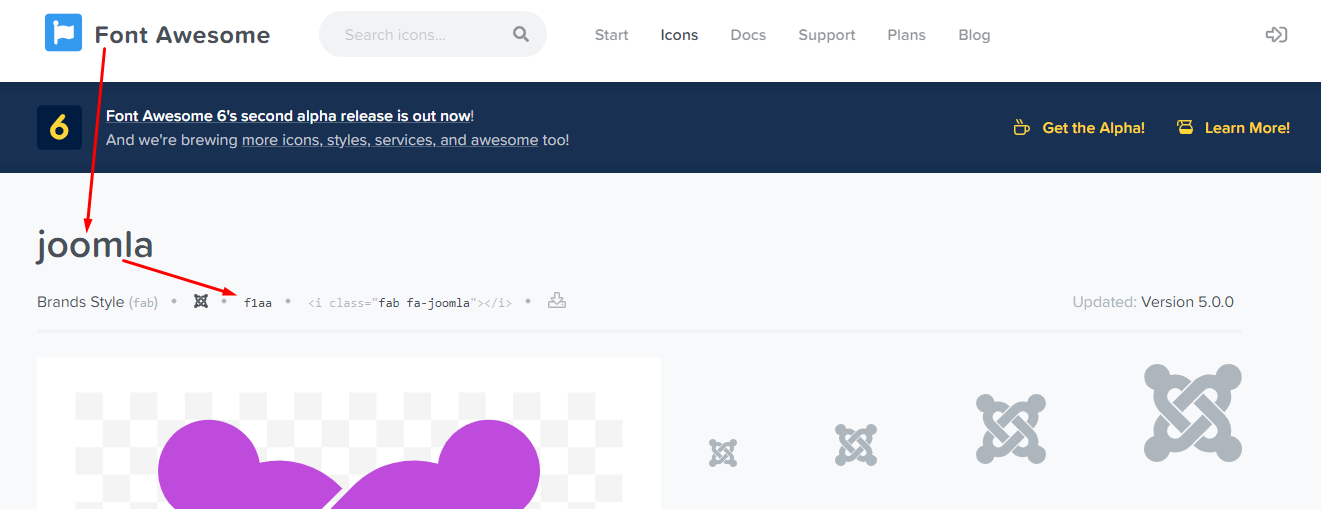
Yes, it is possible. Take one social media from the given list that you do not need. For example, I have taken Dribble and paste there joomla website link. Then added Custom CSS to change the Dribble icon to Joomla icon. In the CSS, the content property value is the fontawesome Unicode value of the Social Media.
.fa-dribbble::before {
    content: "\f1aa";
}
Best regards
4 more replies
Jochen Asked this
Great, thanks for you help!
Ofi Khan Staff
You are welcome
Jochen Asked this
Hello Ofi -
I have a follow-up question on this one. This method seems to work for Fontawesome icons from the brands range only. Is there a way to tweak this to use an icon from a different range? Specifically the fa-desktop icon?
Also, is there a way to change the order of the icons other than changing the component code (which gets overwritten with the updates as I figured out)?
Many thanks in advance,
Jochen
Ofi Khan Staff
When you update the template, it will not be overwritten. The CSS written in Custom Code section will be the same. So no issue about it. If you want to use fonts other than fontawesome, then it is not possible from the system. You have to find a other way. For example, you can use icon image through CSS.
Log in to reply.