
Hello,
I use the flipbox addon, on the flipstyle, I have an image that appears and I would like to give it a link to another page, I did not find the option, what to do?
Thank you
Solved
SP Page Builder
Flipbox link
Asked by stq74
5 years ago
Last activity 5 years ago
Accepted answer
Marked as the solution
Pavel
Hi. Add your classes to the link and to the addon.
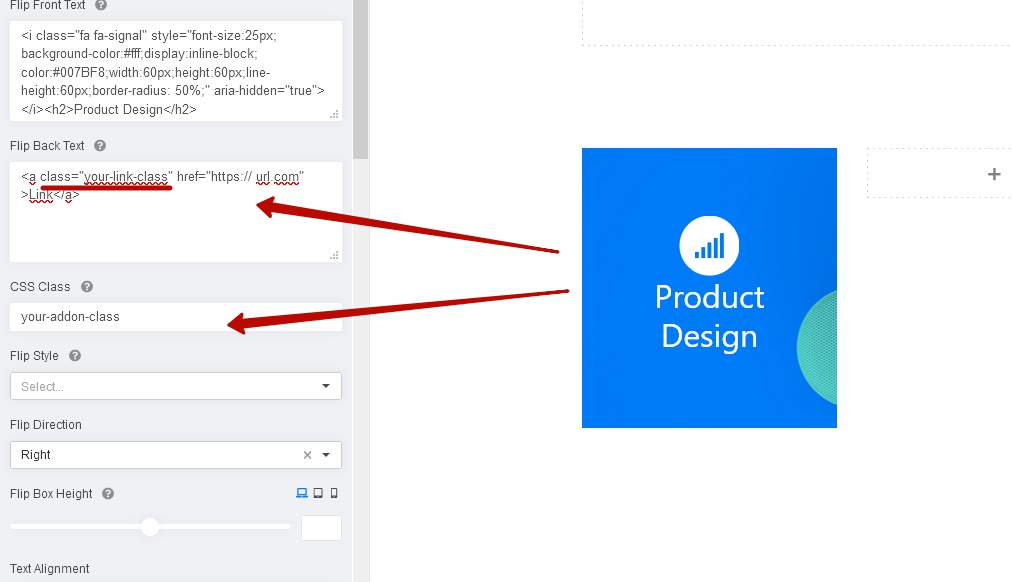
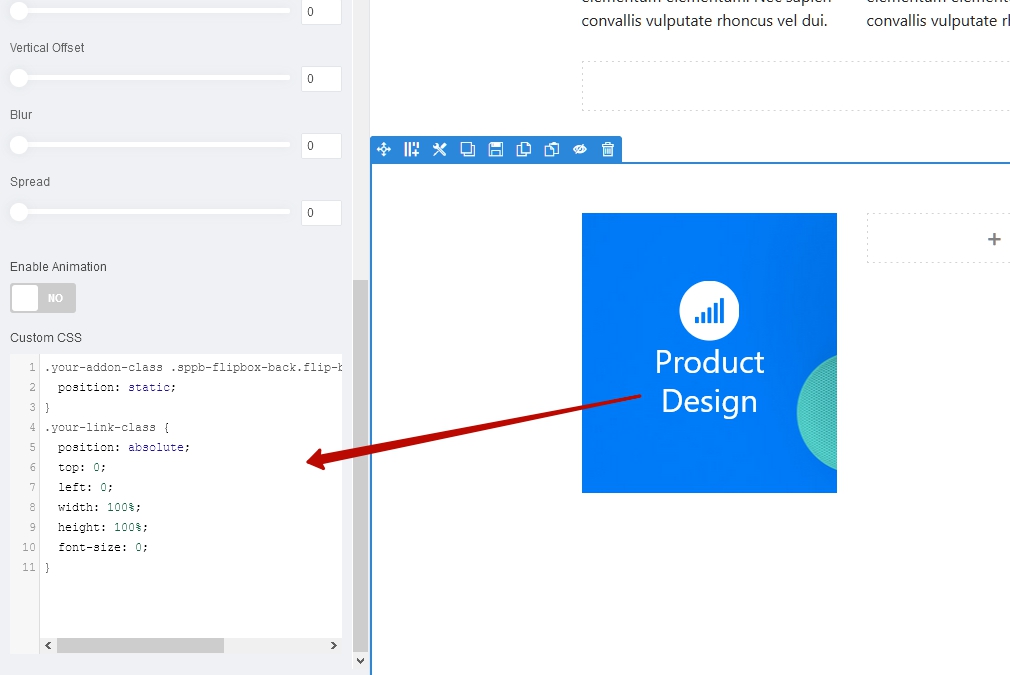
Use the following css code.
.your-addon-class .sppb-flipbox-back.flip-box .flip-box-inner {
    position: static;
}
.your-link-class {
    position: absolute;
    top: 0;
    left: 0;
    width: 100%;
    height: 100%;
    font-size: 0;
}
6 more replies

Rashida Rahman Staff
Hi there!
There is no default option to add a link to that image.
But you can always add a link to your flipbox text using the HTML <a> tag as follows:
Hope this helps!
Best Regards
stq74 Asked this
Hi Rashida,
I have no text but only a background image.
How to do it?
thank you

aletfox
Hi ! I had the same problem! The only option I found was to create this code to be able to solve the link, It is not the most elegant option but it can help you
<a href="https:// url.com" >
<br><span style="opacity:0;"> sometext- sometext- sometext- sometext- sometext sometext- sometext- sometext- sometext- sometext sometext- sometext- sometext- sometext- sometext sometext- sometext- sometext- sometext- sometext sometext- sometext- sometext- sometext- sometext sometext- sometext- sometext- sometext- sometext sometext- sometext- sometext- sometext- sometext sometext- sometext- sometext- sometext- sometext sometext- sometext- sometext- sometext- sometext sometext- sometext- sometext- sometext- sometext sometext- sometext- sometext- sometext- sometext sometext- sometext- sometext- sometext- sometext</span>
</a><br>
<a href="https:// url.com/" class="btn btn-primary btn-lg btn-block" role="button" >go to link </a>
stq74 Asked this
Hi aletfox,
thank you very much, i will test
Stephane
stq74 Asked this
Hi Pavel,
awesome, that's exactly what I wanted.
thank you very much.
Stephane
Pavel
You are wellcome
Log in to reply.