Hi, i recently installed the Manufacturer template. The client deals with car parts and i wanted to find out if i can Change the SKU number to read 'Part number'?
Solved
Templates
SKU
Accepted answer
Marked as the solution
Ofi Khan Staff
My mistake. The file name should be en-GB.overirde.ini. Add all your translations in this file. I have renamed the file. All okay now.
13 more replies
Ofi Khan Staff
Hello Douglas Kirimi
Please go to Content -> Articles -> J2Store Cart and edit SKU there.
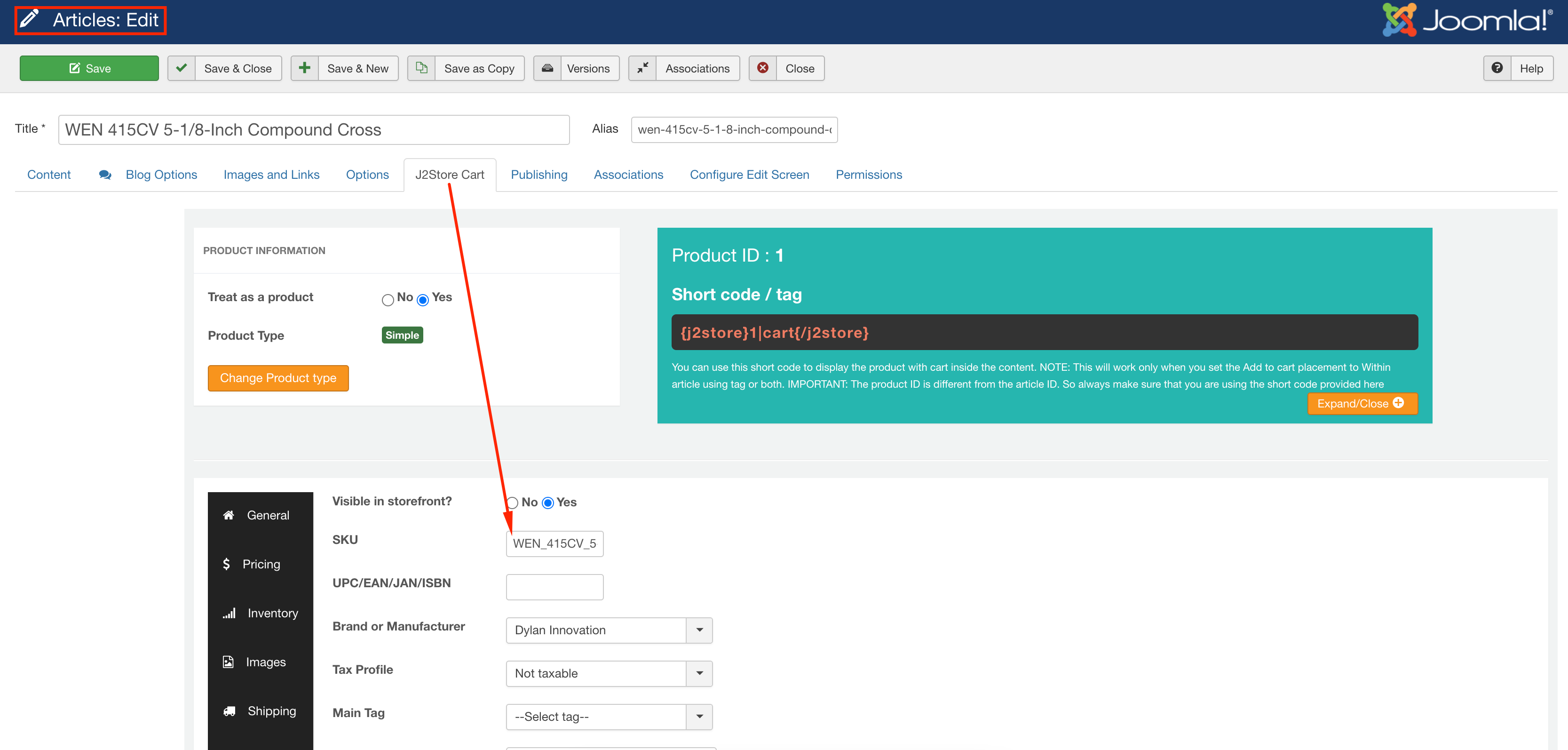
Best regards
Douglas Kirimi Asked this
Thanks, i have seen it but i wanted to change the label SKU to 'Part No.' because we shall be dealing with car parts
Ofi Khan Staff
Please follow this documentation and translate J2STORE_SKU="Part No"
Douglas Kirimi Asked this
Thanks but i cannot seem to locate this file on my directory; language\en-GB\en-GB.tpl_shaper_helixultimate.ini
Or is there a different one?
Douglas Kirimi Asked this
Hello Ofi, kindly assist in identfying which exact file i need to edit? language\en-GB\en-GB.tpl_shaper_helixultimate.ini is not available in my directory
Ofi Khan Staff
Please create a folder overrides in Languages folder and then create a file en-GB.overrides.ini in the overrides folder. Then add this translation in the file: J2STORE_SKU="Part No"
The final location will be languages/overrides/en-GB.overrides.ini
Douglas Kirimi Asked this
Okay, let me try..
Douglas Kirimi Asked this
It hasn't worked!?
Ofi Khan Staff
Please share your administrator access and FTP Details here to check the issue. Use the Hidden Content box to share the credentials.
Douglas Kirimi Asked this
Done..
Douglas Kirimi Asked this
Hi Ofi, any progress yet?
Douglas Kirimi Asked this
Thank you very much, confirmed!
Ofi Khan Staff
You are welcome
Log in to reply.