Jewels template
I don’t see a place where I can modify the size of the Jewels template thumbnail?
https://drive.google.com/file/d/1RSNSgDFjSCCDJF-ghfV7Z7TBJ2F1kooH/view?usp=sharing
Jewels template
I don’t see a place where I can modify the size of the Jewels template thumbnail?
https://drive.google.com/file/d/1RSNSgDFjSCCDJF-ghfV7Z7TBJ2F1kooH/view?usp=sharing
Hi,
Product Photos used on your website are not square-shaped (they are rectangular to the top), so yes only additional CSS can help. A Small tip, class names used there:
.easystore-product-gallery button  {  }

.easystore-product-gallery button  img { }
Choose the Right CSS method, those are the options:
`overflow: hidden`: Best for static cropping with full control over placement.object-fit: Ideal for responsive designs with consistent aspect ratios.clip-path: Use for creative shapes and advanced cropping.For example
.easystore-product-gallery > button  {
  clip-path: inset(5% 0% 5% 0%);}
After using it
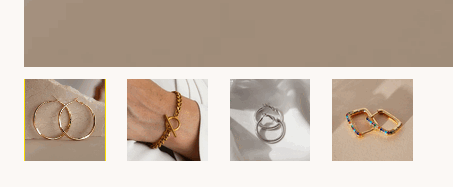
Whole rest is on your hands & keyboard.
