
Hi,
In the backend at template versions there is the Finion template. The indication is version 2.1.0 and a green block with the text 'Up-to-date'. But there is a new one, version 2.1.1
Why this is not showing? Even the date is version old.
Surely it would be good that this update is displayed, how else do you know?
Regards,
Erik
Awaiting an answer
Templates
Update template indication
Asked by GrafiekCC
1 year ago
Last activity 1 year ago
9 replies

Toufiq Senior Staff
Hi there,
Thank you for reaching out, and I apologize for any inconvenience caused by this oversight. Can you tell me the template name exactly?
Best regards,
Toufiqur Rahman (Team Lead, Support)
GrafiekCC Asked this
Hi, I told you; Finion
Toufiq Senior Staff
Could you kindly grant me access to your Joomla administrator area so that I can investigate the issue you're experiencing? Prior to providing access, please ensure that you have backed up your site. Additionally, it's important to note that providing login credentials is entirely voluntary on your part; we respect your decision either way. However, if you do choose to share the login details, it would greatly expedite the resolution process. Thank you for your cooperation.

Paul Frankowski Senior Staff
You can update template manually, just download and install it.
Probably the problem is (might be) with update path that you have.
GrafiekCC Asked this
I already manual updated the template to 2.1.1 and it seems okay. The sign is green with up-to-date.
But the last version was 2.1.0 and there was also the green sign with up-to-date, but it was not... That's my point.
Another point is that always the date is (in this case) is sept 2019. Is 6 years ago ...
This issue is at more templates.
Login in hidden.
Toufiq Senior Staff
This not updated date. It displayed template creation date.
GrafiekCC Asked this
Okay, Then i know. Thanks.
And green sign up-to-date issue? You don't answer that.
Toufiq Senior Staff
Can you share a screenshot about the green sign up-to-date issue?
GrafiekCC Asked this
Hi, you get the credentials, so take a look at yourself.
You will see it at the right in the screen.
Toufiq Senior Staff
Where should i check? Please help me find out the issue. I need your assistance.
GrafiekCC Asked this
System > website templates. there you see at the Finion template on the right site the green square with the text Up-to-date. Version 2.1.1. So again; with version 2.1.0. there was also the green up-to-date, but is was not. In my opnion there is always that green sign, even the template is not up to date.
Once again, credentials in hidden section.
Paul Frankowski Senior Staff
It's what I see there 2.1.1
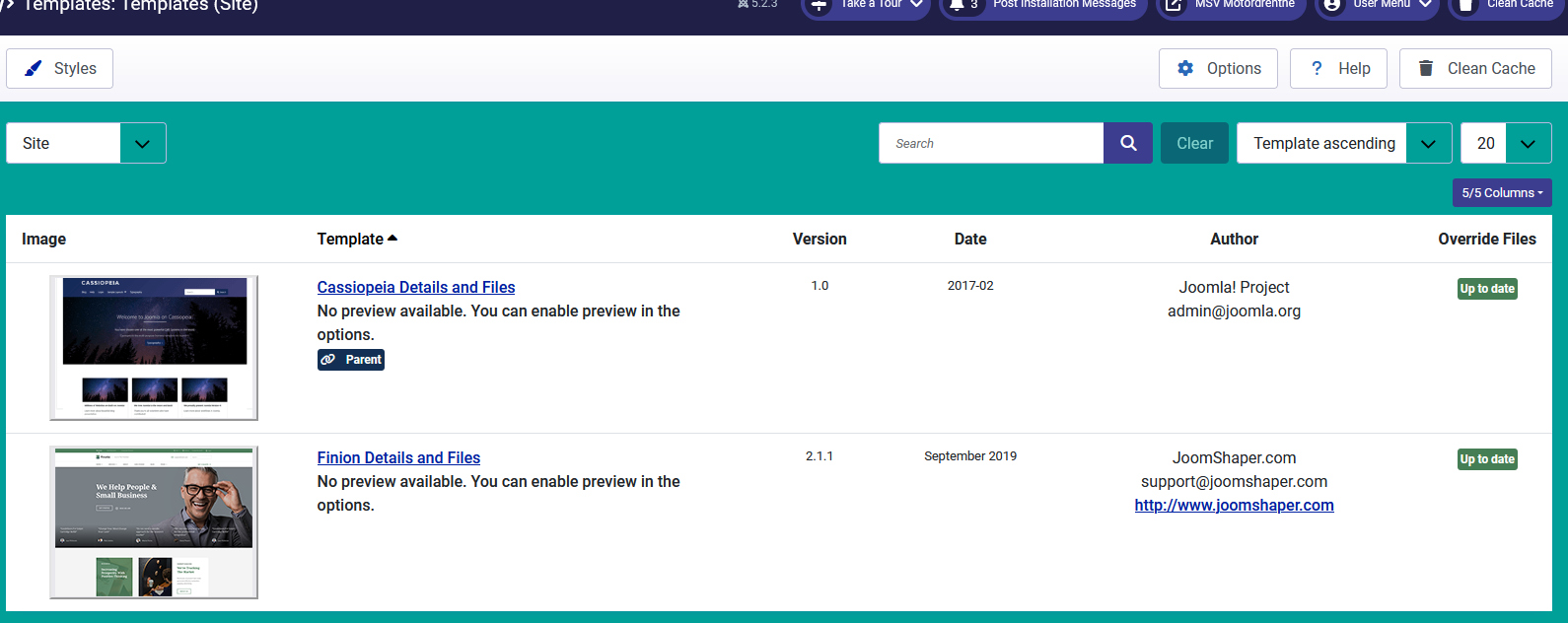
GrafiekCC Asked this
Paul, yes. Correct. But when there was version 2.1.0 installed it was also the sign 'up-to-date'... So it's always green.
Point is, is there some notification in the back-end that a new template update is available..?
Log in to reply.