Hi,
Whenever I install templates on a new web host, such as Finion or Gazette, or on a newly installed Joomla, I get this error and can't fix it. I tried uploading the webfonts.json from the forum, but it gives me an error and won't load it. On all my other sites, I've never installed Google Font API, and everything works fine. How can I fix this?
Can I also grant private access to the site? Thanks.
https://prnt.sc/PmfPXPJY9uoM
Solved
Templates
error: danger Missing webfonts.json file. Please go to advanced > Font Settings and add Google Font Api and update.
Accepted answer
Marked as the solution
Paul Frankowski Senior Staff
Mark topic as solved, in case of other questions create a new topic.
7 more replies
Paul Frankowski Senior Staff
1 year ago
· edited
Hi.
Sorry for trouble, but please read Helix documentation tip, and upload missing file using FTP or File Manager.
In all problems always start from "FAQ & Troubleshooting " ;) and webmaster life will be eaiser.
Raffaele Viola Asked this
I know, I entered it with file manager, but it doesn't work
https://prnt.sc/GjZMVUdBbMe5
Raffaele Viola Asked this
can you help me?

Mehtaz Afsana Borsha Staff
HI
Thanks for contacting us and sorry for your issue. You can follow this documentation below:
-Regards.
Paul Frankowski Senior Staff
Sure, I can but it's a very simple process.
Momento :)
Paul Frankowski Senior Staff
1 year ago
· edited
File was there, maybe it was a browser or Joomla cache. All is OK.
I also correct body font, becuase you set "12" as Line Height for Body, Oh!!!
Raffaele Viola Asked this
I know, I did both.... :-) but it still doesn't work, I also cleared the cache from the web hosting
Paul Frankowski Senior Staff
1 year ago
· edited
I don't see any warning message, look. Check from 2nd browser.
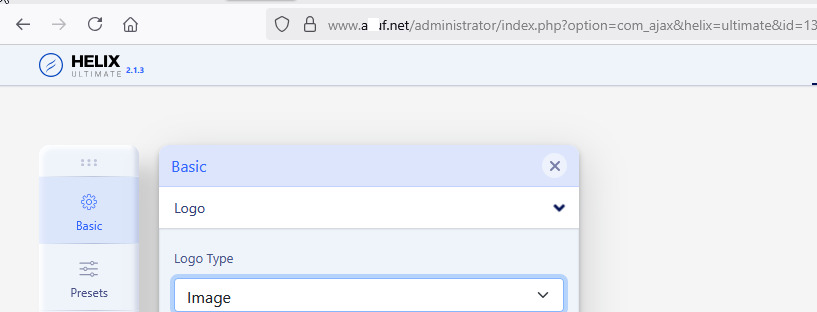
And also I can use Google Fonts, it means that all is OK. Otherwise I wouldn't be able to choose font or see working OpenSans (GF) on your website!
Raffaele Viola Asked this
but why doesn't the menu, header and footer appear?
Paul Frankowski Senior Staff
1 year ago
· edited
Maybe it will be easier for you installing QuickStart, Template is EMPTY.
Header enabled
Raffaele Viola Asked this
I know, on this new web hosting they forced me to use, using your QuickStart gave me installation problems. So I had to use their application from the helpdesk, but it only installs the most common CMS installers without being able to customize my own QuickStart. Anyway, you almost did it! Only the menu aligns horizontally and not vertically. Goodnight!
Paul Frankowski Senior Staff
Look now ;)
Raffaele Viola Asked this
thanks!
Mehtaz Afsana Borsha Staff
You are welcome and thanks for accepting the answer.
Log in to reply.