In the menu, the items with submenu close when I scroll down the mouse, it is necessary to scroll down the page a little to be able to select an item from the submenu.
the site is
What I need to do to solve this.
In the menu, the items with submenu close when I scroll down the mouse, it is necessary to scroll down the page a little to be able to select an item from the submenu.
the site is
What I need to do to solve this.
sorry typo mistake
http://tiempodederechos.mx
regards
Hi there!
Sorry for your issue.
Your site seems unreachable. Would you please check this matter?
https://share.cleanshot.com/r49zlrFB
Best regards,
Hola,
Becuase that mess in Menu was done by using image for the first menu item. WIthout it looks like that
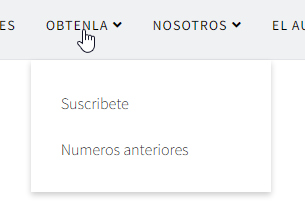
Anyway, please use that Custom CSS that should help you even with that red logo in menu item
.sp-megamenu-parent .sp-dropdown .sp-dropdown-inner {padding: 5px;}
.sp-megamenu-parent > li > a {line-height: 65px;}Hi Rafael Barba,
Please let us know if that does solve your issue.
Thanks!
didn't solve.
Regards
I change for text and solve.
Regards
Now is OK, everyone should be able to click submenu items.
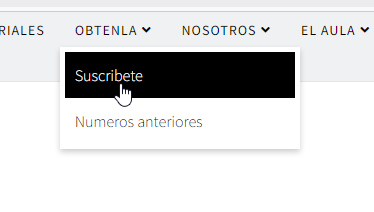
Correct Desktop logo, remove white background. And set transparent, save as .png file.
From Settings or inside Custom CSS correct line-height value from 35px to 65px
for class .sp-megamenu-parent > li > a
Now without red icon, that will help.
Hi Rafael Barba,
If there is no more issues left, you may accept the most useful answer in order to close the post.
Have a nice day!

