[Locked] Helix Ultimate v2.2.3 Beta with fixed Missing Off-Canvas Menu - test it - Forum | JoomShaper
Staff replied Helix Framework Locked

Helix Ultimate v2.2.3 Beta with fixed Missing Off-Canvas Menu - test it

Asked by Paul Frankowski 9 months ago Last activity 9 months ago

Hi,

If you noticed issue with the previous version of Helix Ultimate manifested by the lack of the offcanvas menu, please try this version. Of course, first make a backup of your website files, or simply try it on a copy of the website on a subdomain.

Helix Ultimate v2.2.3 template (stable) >> https://www.joomshaper.com/downloads/template?search=helix

After installing, and cleaning Joomla cache check offcanvas on 2-3 different browsers in the Mobile view.


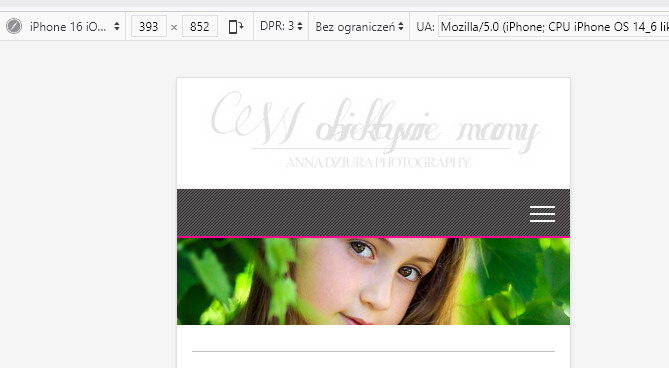
Leave a comment if helped to solve missing [=] icon & wrong heading html tag in Blog view. This version does not add any new features. Thanks.


25 replies

Milan

Hello,

It's a tragedy that the mobile menu doesn't work these days when updating the template! From Google Analytics measurements it is clear that websites are accessed from mobile 80% and from PC 20% - why doesn't anyone from the Jomshaper team check this properly?

Milan

PS: I confirm that the helixultimate_template_v2.2.3 version displays the menu on mobiles.

clements radenborg

Thnx, this works!

Neil Robertson

I have tested on a few of my affected websites on Chrome and Firefox and the mobile menu is working fine now.

Thank-you!

Łukasz
9 months ago · edited

On one page, this fix doesn't fix the menu for me. It still doesn't display. I have to switch to mega menu mode and off canvas for the menu to work.

Paul Frankowski Senior Staff
9 months ago · edited

Łukasz, you have Custom Header or Preset header?

Use that:

@media screen and (min-width: 992px) {
#offcanvas-toggler.offcanvas-toggler-right {display: none !important; visibility: hidden;}
}

UPDATED / ZAAKTUALIZOWANE

Łukasz
9 months ago · edited

Menu mam utworzone w layout na obu stronach. Presetów nie używam bo nie działają tak jak powinny.
Twoje rozwiązanie nie działa.

Wszędzie gdzie mam menu w niestandardowy sposób utowrzone menu na telefonach nie działa.

Paul Frankowski Senior Staff
9 months ago · edited

Above Code CSS is fully OK (updated), it hides [=] from Desktop view if you have both MegaMenu + Mobile Menu.

Także włącz oba MM+Offcanvas na razie.

Łukasz

Tam gdzie jest ustawione tylko Mega menu i jest menu utworzone poza standardem to menu na telefonach się nie wyświetla. Coś po aktualizacji się rypło. Włączając Mega menu i of-canvase pojawia się menu na telefonach ale rozwala mi menu na monitorach jak jest długie.

Łukasz

Tyle że on nie działa na żadnej stronie. Wstawiłem go na samą górę custom css.

Paul Frankowski Senior Staff
9 months ago · edited

Godzinę temu na stronie szkoły miałeś oba menu w widoku desktop. Więc było prawie dobrze. Teraz nie masz [=]. Prosiłem cię tylko o zostawienie ustawienia które miałeś i dodane CSS. KPW?

This question is locked, so it takes no new replies. Have a similar problem? Ask a new question.