Hi,
I have made a custom preset for body and all and also for Footer, but it wont change at all.
Hi,
I have made a custom preset for body and all and also for Footer, but it wont change at all.
Hi Daniel.
Go to Template Options > Layout > Footer > Row Options and in Style tab choose custom colors > Apply > Save & Close
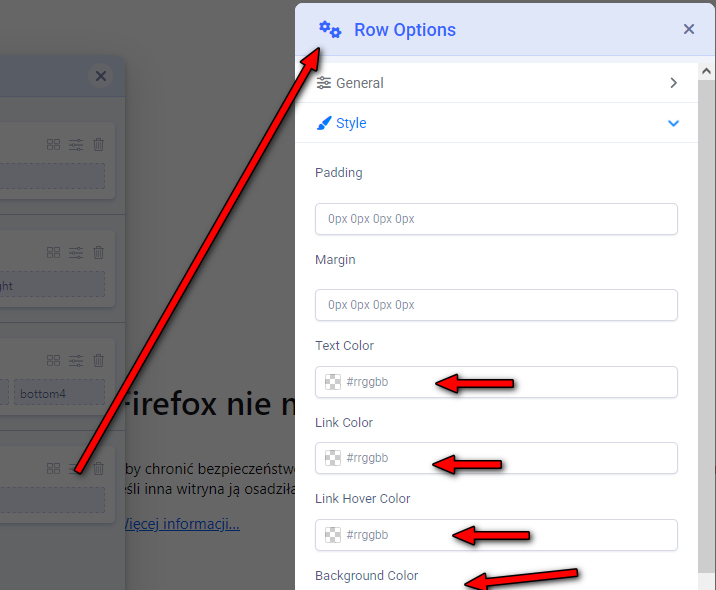
In Helix Ultimate this is FOOTER

Glad to know that its solved and thanks for accepting the answer.
Hi
Thanks for contacting us. Could you please give me a screenshot of your issue? And please mention what kind of changes do you want.
-Regards.
check my page https://www.ramklodronarfoto.se
What do you want to change in the footer? Do you want to change the color?
i wanna use custom preset as i wrote but it wont change the footer at all
Okey, but why do the Preset even exist if it is not being used? It is in Helix Ultimate...
Good question, but I don't know the anwser yet. Please use above method that works.
it worked

