Change background image - Forum | JoomShaper
Solved Templates

Change background image

Asked by CCT 4 months ago Last activity 4 months ago

Hi Guys
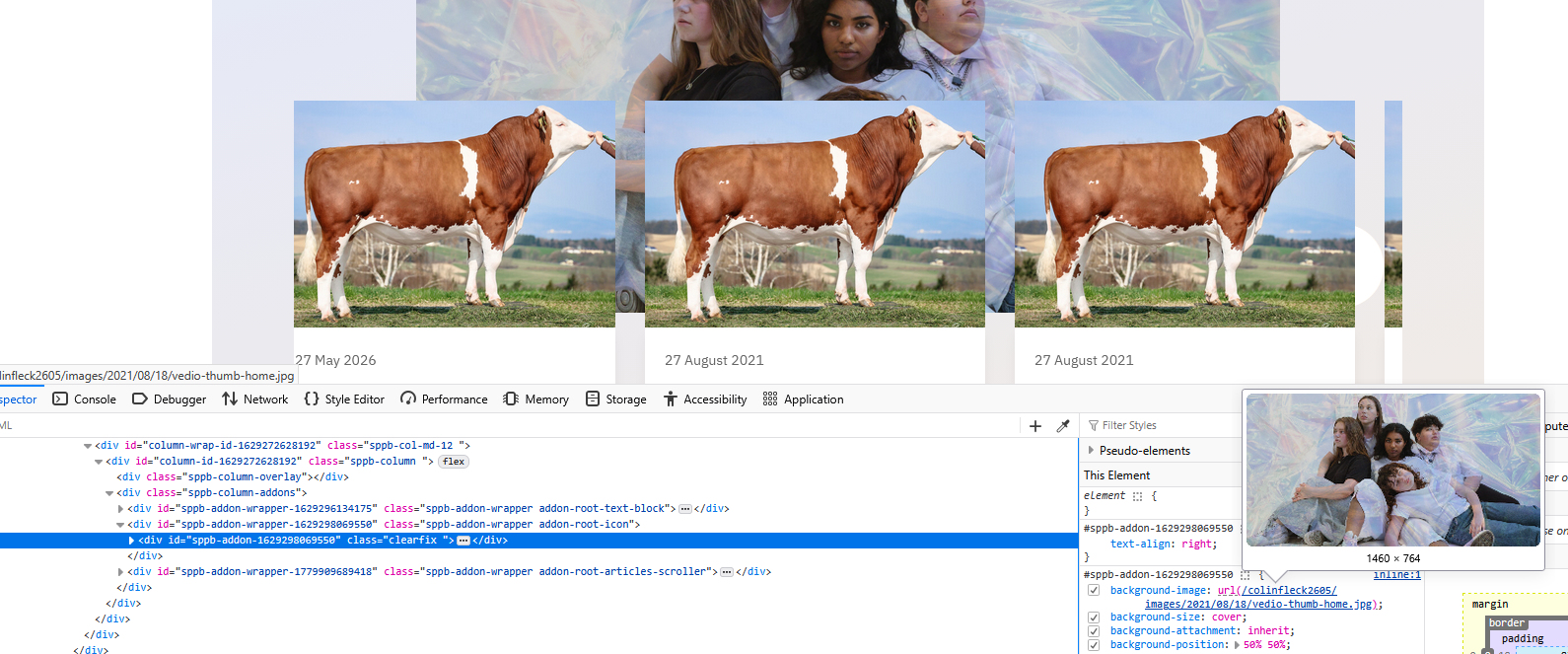
Using Helix Ultimate Template and on the home page default menu there is an images of some kids, I want to change this image to my own.

It appears to be listed as an icon addon but I can't see any way of changing it. The icon itself doesn't show, neither does the icon title, I'm confused with this one. See attached screenshot.

Can you help please.

Thanks
CT

Accepted answer

Marked as the solution
Paul Frankowski Senior Staff
4 months ago · edited

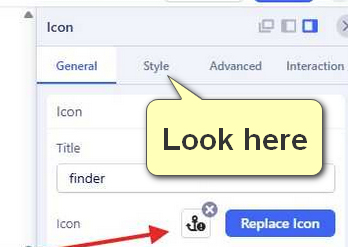
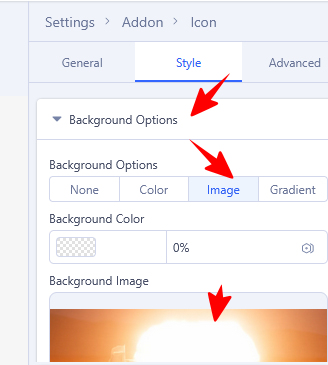
As you can see, its background image for Icon addon > in "Style" tab.

info__189.jpg

You were very close to solve the puzzle, one click more and... (my help wouldn't be needed)

info__191.jpg

Example settings

info__190.jpg

Why it was set like that, I don't know but it was creative idea.

You're welcome :)

8 more replies

Paul Frankowski Senior Staff

Hi.

It can be image set as Section background. Without URL to that page I cannot tell more.

CCT Asked this

Hi Paul
It is the image that comes with the helix ultimate template, it is on the default home page of this template. I have included a link to our vesrion of the template.

Thanks
CT

Paul Frankowski Senior Staff
4 months ago · edited

The template doesn't display any image from itself, execpt logo. I can also prove it in court ;]

This is part of premade layout (SPPB), right.


Thx, for link.

CCT Asked this

Hi Paul
I will give you a login.

it's background image set for one of Addons (in Style tab), probably Icon addon. Check it settings deeply.

I thought this too but when I click on style in settings it actually disappears from the page, and I don't see any option to add new image or change it.

Thanks
CT

CCT Asked this

I have found it, see screenshot link.

I created a duplicate test page, went to Style as suggested, where you add the image background it was at "none" option but was still showing. When I clicked on "image" option the image was there, I changed it to a new image which is what I wanted to do.

All good now, but perhaps there is some bug with the "none" option??

Thanks for pushing me in the right direction.

CT

Paul Frankowski Senior Staff

If "None" is set current image is not removed, but I agree that is easy to miss. I have to compare how it works in Elementor (WP) and others Page Builders just for my own purpose.

Paul Frankowski Senior Staff

Please mark topic as solved, thx

4 eyes is better than 2 eyes ;]

Log in to reply.