Hi! I am using the Nexio template with Joomla 6 and SP Page Builder.
I have uploaded the Trueno font through SP Page Builder → Settings → Typography. However, when I go to the Nexio/Helix Ultimate template Typography settings, Trueno does not appear in the font selection list, as you can see here:
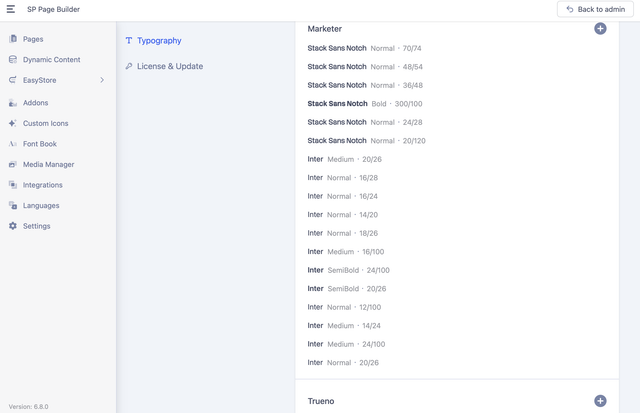

What I would like to achieve is to use Trueno as the default font for the entire website, including native Joomla articles, menus, headings, modules, buttons, and other template elements.
Is there a way to make a custom font uploaded through SP Page Builder available in the Nexio/Helix Ultimate Typography settings? Or is there a recommended way to set Trueno as the global font for the entire Nexio template?
I would prefer to configure this globally rather than manually setting the font on individual articles or SP Page Builder elements.
I watched your old videos and tutorials in what regards to this, but it didn't work. https://www.youtube.com/watch?v=MfAIT8cMuv4 https://www.joomshaper.com/documentation/sp-page-builder/typography-settings
Thank you.
