hello, may i know why i cant remove the black background of the countdown module ( from the vocal template) and why when i try to resize the height doesn't save it? i dont find any info about this withing the documentation
I'm trying to make the background totally transparent
Solved
Extensions
Countdown Module from Voval Template
Accepted answer
Marked as the solution
Ariba Staff
Thank you
I have added the custom code, you can check the screenshot below kindly:
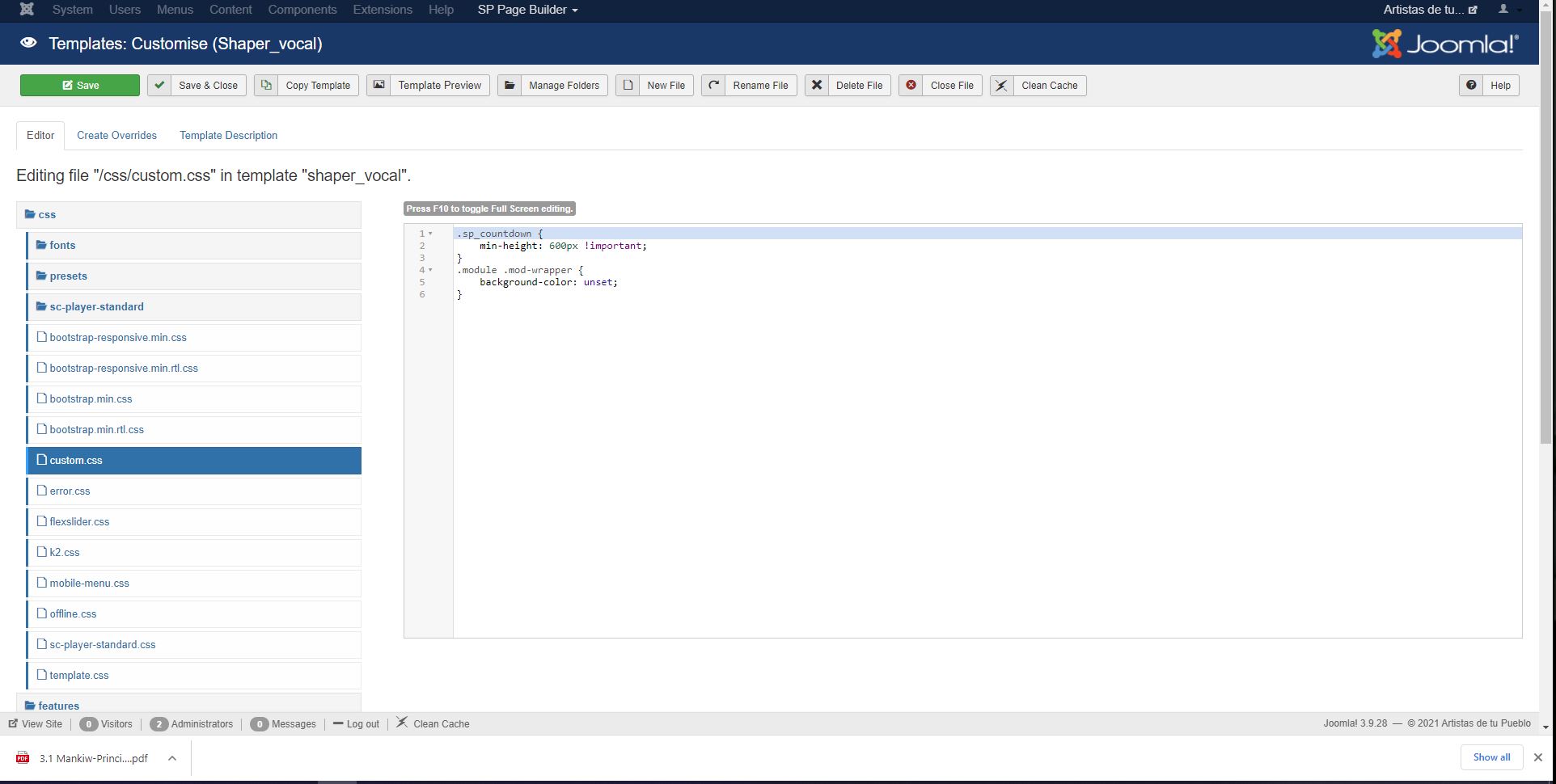
Now the black background is gone, and for the height i have reduced the value to 600 px. You can adjust it as per your convenience.
You can check your site now and please do let me know if that's alright now.
12 more replies

Rashida Rahman Staff
Hi,
Can I have your site URL here, please?
Ariba Staff
Hello
Thank you for your query. Could you provide your site URL please?
Luis Asked this
ok look at hidden content
Thanks
Ariba Staff
5 years ago
· edited
Please use the following code in Custom CSS section to adjust height & background color.
.sp_countdown {
    min-height: 600px !important;
}
.module .mod-wrapper {
    background-color: unset;
}
Please go to Extensions -> Templates -> Styles, then click on Template Options. From there you can go to Custom CSS and add the code
Kindly let me know if that works.
Luis Asked this
The Vocal Template dosent have a Custom CSS section
Ariba Staff
Can you please provide your administrative access? Use the hidden mode to share the log in credentials.
Luis Asked this
ok here is
Rashida Rahman Staff
You are supposed to have a custom.css file there in your template:
Best Regards
Luis Asked this
5 years ago
· edited
Thank you
Ariba Staff
Can you kindly share a screenshot of which background of the module do you want to show?
Luis Asked this
I only needed to make the countdown module transparent. I already did it
Thanks for your help !
Ariba Staff
I understand. Thank you for notifying.
You are most welcome.
Log in to reply.