Sp Property: sqf instead of Mq and its missing icon - Forum | JoomShaper
Solved Extensions

Sp Property: sqf instead of Mq and its missing icon

Asked by gemmajoom 5 years ago Last activity 5 years ago

In the sales announcements the square footage of the houses is indicated with the abbreviation sqf, but it would become Mq; its icon is missing.
See screenshot: https://ibb.co/rt3DtZy

Please tell me how you will solve the problem, I wouldn't want it to come back at the next component update.

Accepted answer

Marked as the solution
Ofi Khan Staff

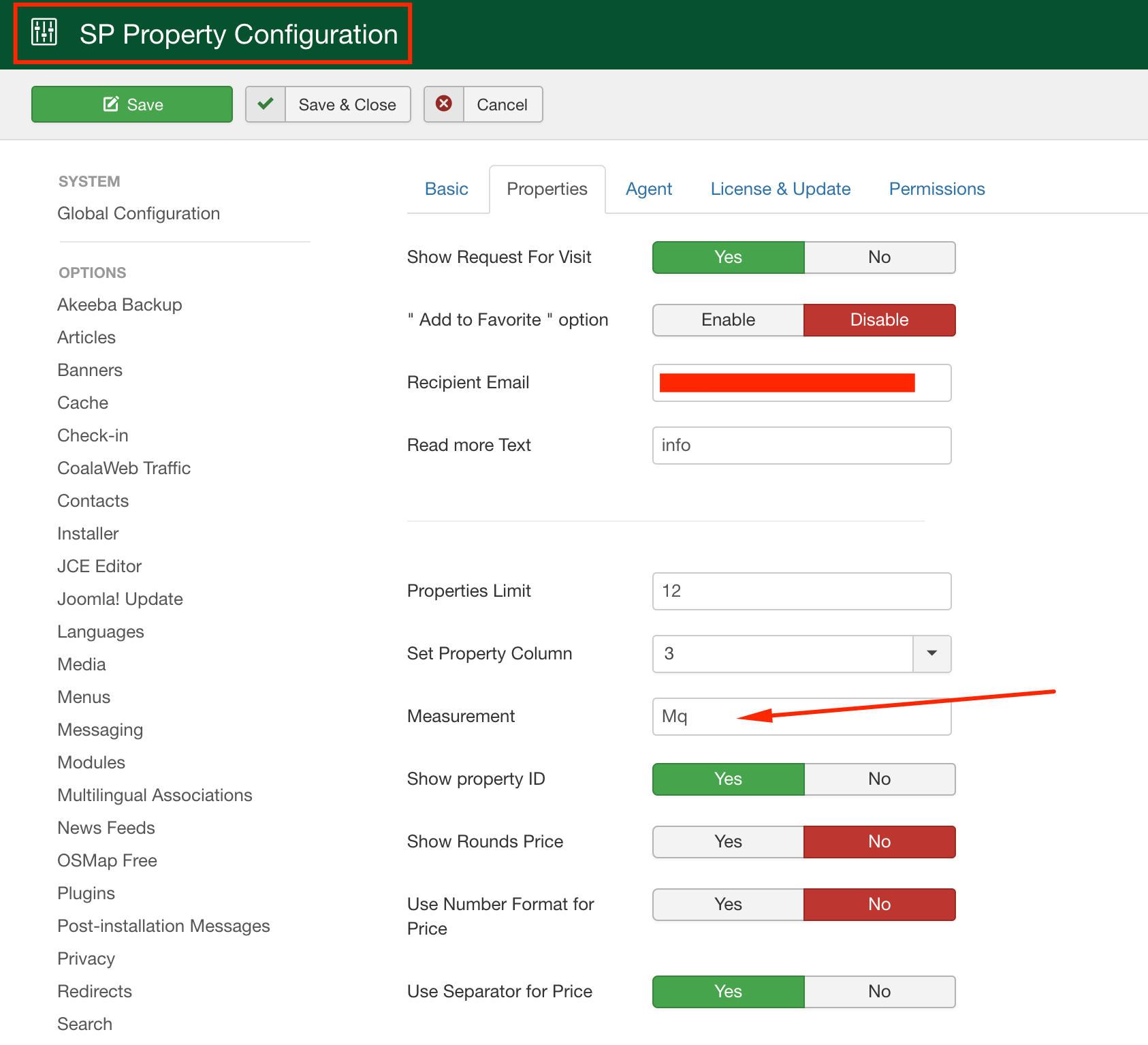
Thanks for the access. I am checking the icon issue. Your code was modified. I have set the sqf to Mq. Next time, if you need to change it, just change in SP Property settings.

Screenshot at Aug 09 16-06-17.png

7 more replies

Muntasir Sakib Staff

Hello there,

I am afraid to say I ain't pretty clear what exactly you want to change. If you would like to change the word sqf to Mq , then please go to the following files and change sqft accordingly. It will solve the issue.

1. Find out this code COM_SPPROPERTY_PROPERTIES_SQFT="Sqft" below file
en-GB.com_spproperty.ini
2. Find out this code MOD_SPPROPERTY_PROPERTIES_SQFT="Sqft" below file
en-GB.mod_spproperty_properties.ini

Please check at your end by changing those file names and let us know.

Thanks!

Ofi Khan Staff

Hello gemmajoom

Please share your FTP details here to check the issue. Use the Hidden Content box to share the credentials. The icon is missing from your site and the language prefix needs to be changed.

Best regards

gemmajoom Asked this

@Ofi Khan

Ofi Khan Staff

Your icon missing issue is fixed now. Please check your site.

gemmajoom Asked this

Thankyou Ofi Khan, now it's OK

Ofi Khan Staff

You are welcome.

Ofi Khan Staff

I have a humble request. It would be very kind of you if you can manage some moment to give us feedback here:

  1. JED
  2. Trustpilot
Log in to reply.
