
I just upgraded to Helix Ultimate 2.0
In doing so, the off canvas menu has dissapeared from the site.
I have checked the template settings and it appears set correctly.
Any help or thoughts?
https://www.omniaauctions.com/
Thank you.
I just upgraded to Helix Ultimate 2.0
In doing so, the off canvas menu has dissapeared from the site.
I have checked the template settings and it appears set correctly.
Any help or thoughts?
https://www.omniaauctions.com/
Thank you.
Hello:
Thank you for checking back with me.
I was able to resolve the issue. One of your other support representatives mentioned I enable the Font Awesome in the advanced settings of Helix.
Once font awsome was toggled on, the issues corrected.
I am all set.
Hello malm76
For maximum Tab screen resolution, offcanvas menu is shown. Please check it agian.
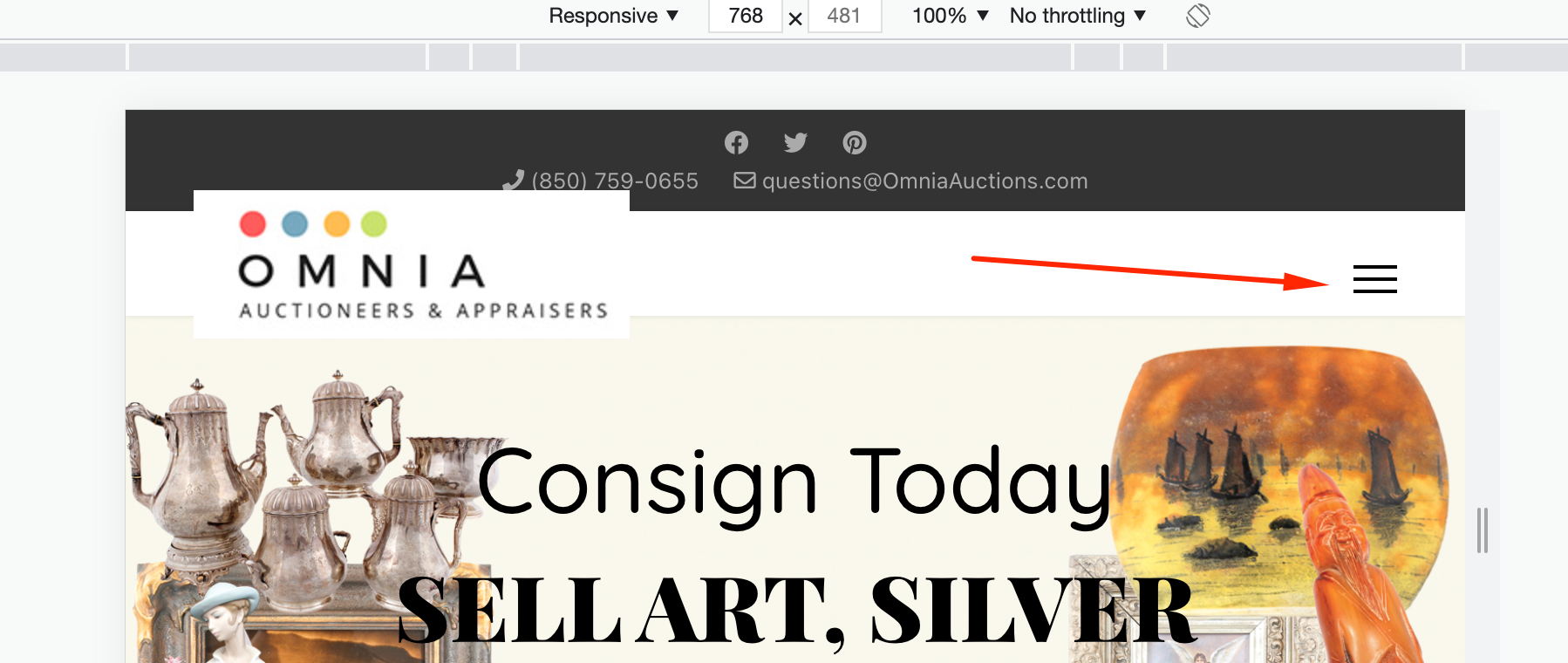
Best regards
Thank you for your reply.
I had neglected to clear the cache of the browser and this was the issue.
Once cleared, it was then there.
I do have 2 other menu issues that I am not able to see where to resolve:
Off Canvas Menu: I have the "Search" box toggled off in the settings, yet it is showing on the off canvas menu.
Prior to upgrading to Helix 2.0, the main menu had a little downward caret net to the 2 menu items with sub-menus unders them. On the home page, there is still the little down caret icon next to them: "buy" and "sell"
https://www.omniaauctions.com/images/Down_Caret.jpg
Yet, once off the home page, all of the other pages display a small box instead of the down caret. Where is the setting to change this? I do not want the little box but rather the down caret as it is on the home page and was prior to the upgrade to Helix 2.
https://www.omniaauctions.com/images/Little_Box.jpg
It appears the down caret is only appearing on the menu of those pages within the site where SP Page builder is linked to the menu item, but not the others.
Thank you.
Please share your administrator access here to check the issue. Use the Hidden Content box to share the credentials.
Thank you. Please see the requested information in the Hidden Content box.
Also, one other small issue I noted:
In the very top bar of the page, I have the facebook, twitter, and pinterest icons setup and displaying.
With this said, they do show on the home page, but dissapear if you navigate to any page on he site that is built from a native joomla article. The icons do display on pages linked to pages created within SP page Builder.
Here is an example of a page linked to a joomla article where they do not show:
https://www.omniaauctions.com/sell-buy-appraise-value-jewelry-diamond-watch-coins-art-estate-asian-antiques
And here, you can see they show on a page created and linked to SP Page Builder:
https://www.omniaauctions.com/contact-omnia-auctioneer-appraiser
Thank you for having a look.
Please share your administrator access here to check the issue. Use the Hidden Content box to share the credentials.
Hello:
I have already provided the login details within the hidden box in a previous comment. I have provided it again here.
To confirm the 3 issues being discussed here that have appeared since upgrading to Helix 2.0 ~
With this said, they do show on the home page, but dissapear if you navigate to any page on he site that is built from a native joomla article. The icons do display on pages linked to pages created within SP page Builder.
Here is an example of a page linked to a joomla article where they do not show: https://www.omniaauctions.com/sell-buy-appraise-value-jewelry-diamond-watch-coins-art-estate-asian-antiques
And here, you can see they show on a page created and linked to SP Page Builder: https://www.omniaauctions.com/contact-omnia-auctioneer-appraiser
Off Canvas Menu: I have the "Search" box toggled off in the settings, yet it is showing on the off canvas menu.
Prior to upgrading to Helix 2.0, the main menu had a little downward caret net to the 2 menu items with sub-menus unders them. On the home page, there is still the little down caret icon next to them: "buy" and "sell"
https://www.omniaauctions.com/images/Down_Caret.jpg
Yet, once off the home page (this includes both the main menu and off canvas menu), all of the other pages display a small box instead of the down caret. Where is the setting to change this? I do not want the little box but rather the down caret as it is on the home page and was prior to the upgrade to Helix 2.
https://www.omniaauctions.com/images/Little_Box.jpg
It appears the down caret is only appearing on the menu of those pages within the site where SP Page builder is linked to the menu item, but not the others.
Thank you for your help.
Please update to the latest Helix and check your issue again.


