Megamenu messed up after last update - Forum | JoomShaper
Solved Helix Framework

Megamenu messed up after last update

Asked by Francois Barnard 5 years ago Last activity 5 years ago

Hi

I use the Mega Menu on two websites. After the last updates the menu shifted the the left with part of it out of view. My users cannot reach certain option on the menu.

On "Menu" in the Joomla Administration, Mega Menu is no longer an option - so I do not know where to look to update it?

Regards,

J. Francois Barnard

Accepted answer

Marked as the solution
Francois Barnard Asked this

Hi

I found the settings, thank you. But it is extremely cruel to make changes in a system and expect of the users to look for answers this way. Also, the MegaMenu "Save" button sits right at the bottom of the screen out of sight on a 14" laptop monitor. How should I know it is there? I cannot smell it.

To say the least, I am pissed off. Nobody will reimburse my time wasted on this issue.

Regards,

J. Francois Barnard

6 more replies

Ofi Khan Staff
5 years ago · edited

Hello Francois Barnard

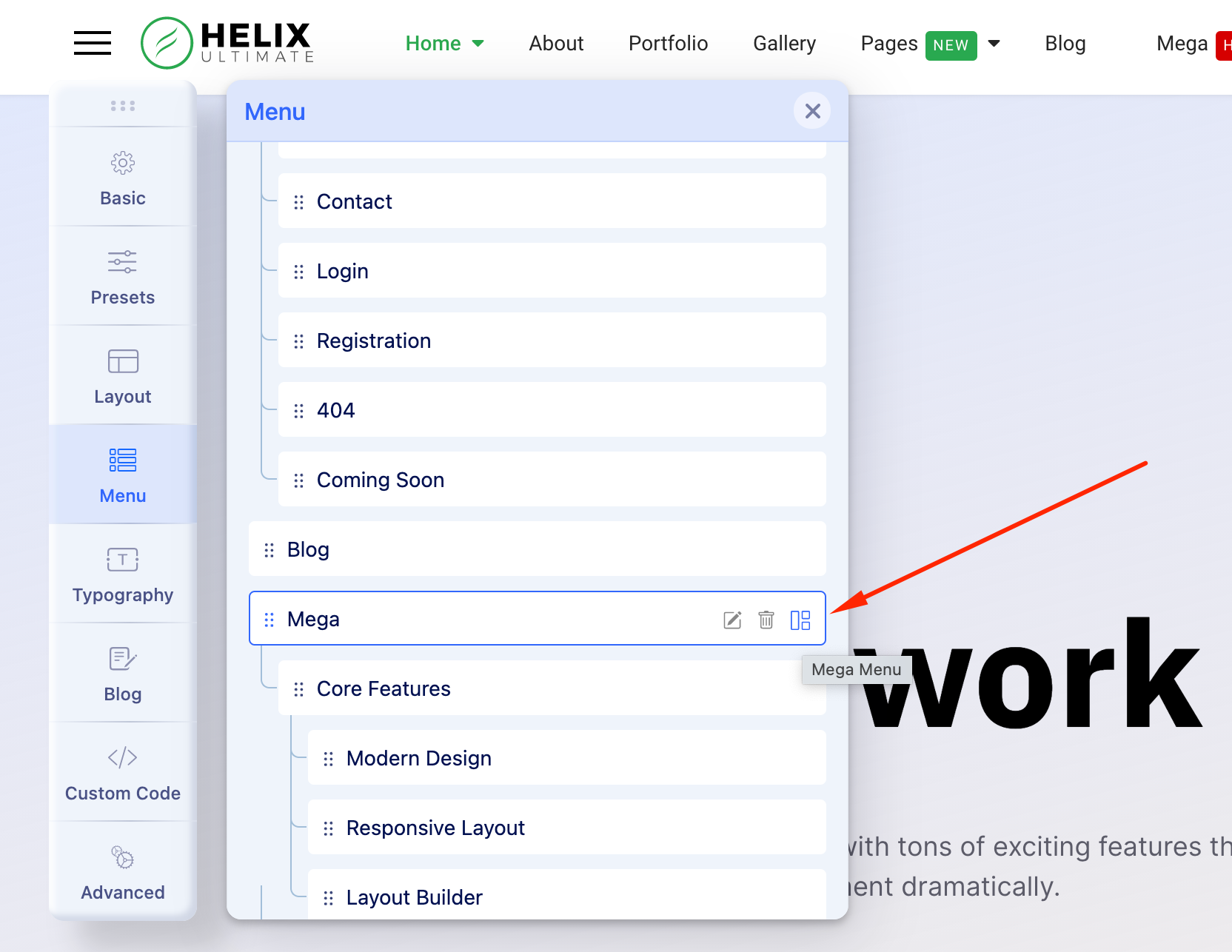
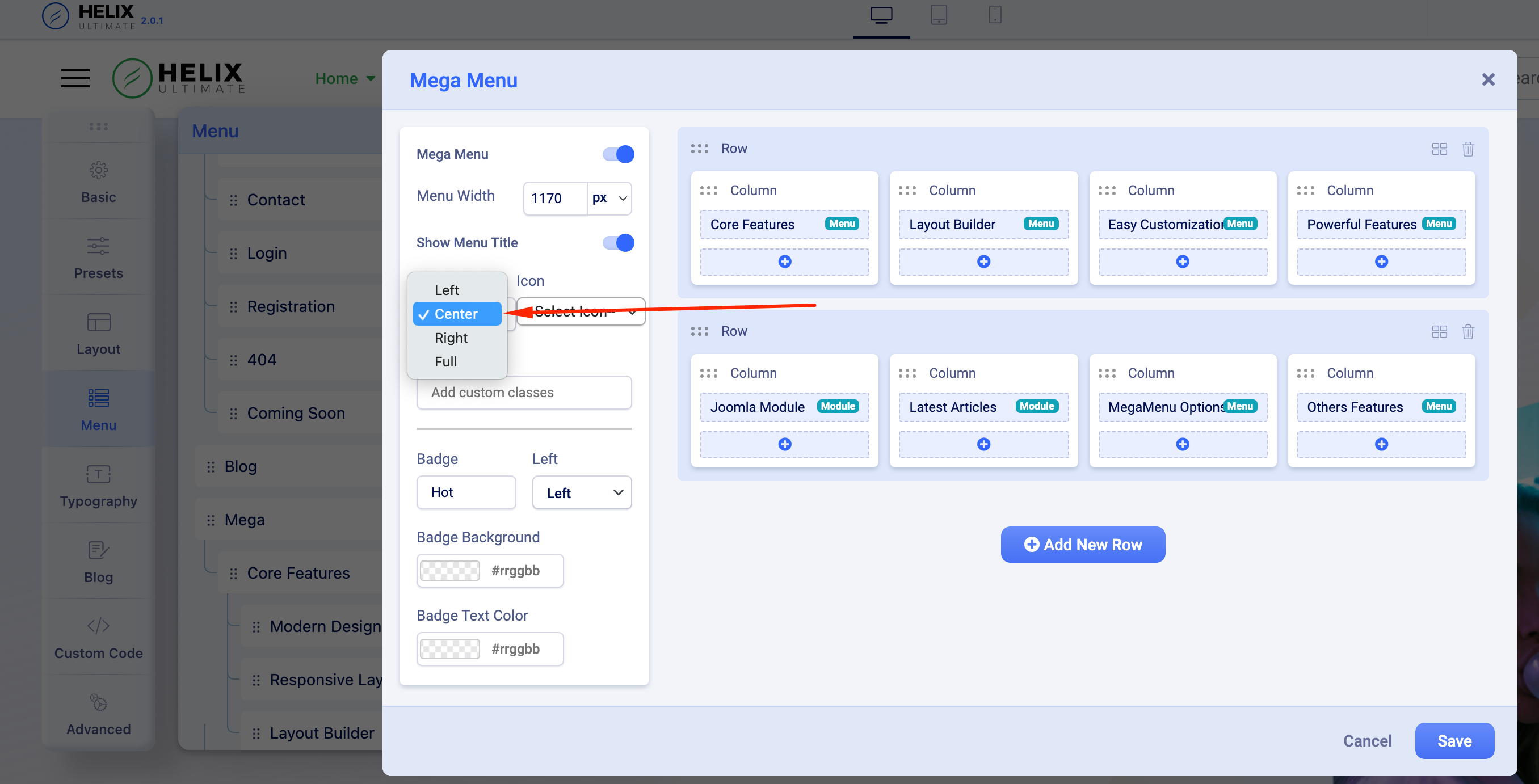
Have you updated to Helix 2.0.1? If not, then please download the latest version and install on your site. Then go to Mega Menu and set alignment to Center.

Screenshot at Aug 23 16-51-07.png

Screenshot at Aug 23 16-51-59.png

Best regards

Francois Barnard Asked this

Hi
Thank you for your reply. I have installed Helix Ultimate 2.0.1 on my Joomla 3.10.0 (latest update) website, but "Mega Menu" has disappeared from the Menu Tab List.

Francois Barnard Asked this

On my other website, I restored back to a previous version of Joomla 3.9.28 and the old Helix Framework, and the Megamenu reappeared. I do not think Helix 2.0 and Joomla 3.10 gives you a Megamenu option.

Allen

Nope, it's not about Joomla 3.10. I was carefull not to update Joomla until I tried the HU and PBP update first. My menu on the front end is hosed (but kind of works), the off-canvas menu disappeared, and I no longer have access to administer the mega-menus that are still kind of working on desktop view. The megamenu tabs are gone from the menu administration in the back - just like your screen cap. I am still running Joomla! 3.9.28.

My site's main menue has plenty of Megamenu running - but I can't get to it in the back end at all. www.certifiedinfosec.com.

Francois Barnard Asked this

Hi
I loaded Helix 2.0 again on my other site, and it messed the Mega Menu up again. There are no alignment options available.

Francois Barnard Asked this

Hi Allen
Yes, the MegaMenu disappeared from the Joomla Menu options, but reappeared in the Helix Ultimate template - IF you know where to search for it.
I have 28 websites to maintain on top of my job as IT Manager for an international church group, plus I am doing my MBA now. I really do not have the time to search for these answers as our coders intend us to do.
If you cannot get into the backend of your website, I hope you would have a backup to restore? I routinely backup my websites on the first of every month (CRON Job), also before every Joomla version upgrade (Backup on Update) and manually before I make any structural changes. I automatically download my backups to my GoogleDrive with SyncBackPro on the first day of each month after the CRON jobs completed.
Making more than enough backups helps if you get unwanted and unclear changes from coders who believe your only job is to run their code.
All of the best with getting your website running again.
J. Francois Barnard

Log in to reply.