Is there a way to use Adobe Fonts in the Helix Ultimate template?
Staff replied
Helix Framework
Adobe Fonts
10 replies

Ofi Khan Staff
Hello Matt Hunt
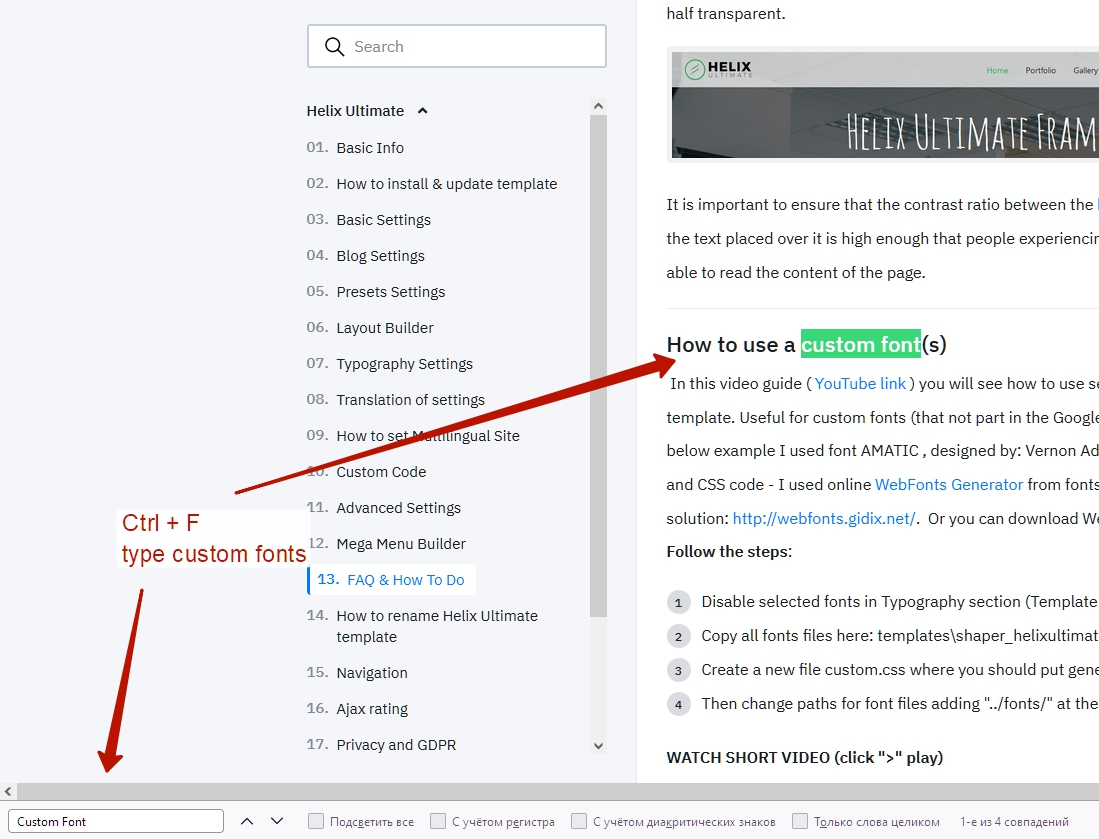
Please follow this documentation and search for Custom Font on this page. This could be a way.
Best regards
Matt Hunt Asked this
Nothing comes up when searching on "Custom Font"

Pavel

Paul Frankowski Senior Staff
4 years ago
· edited
Thanks Pavel & Ofi
As I author of mentioned guide, I can assure you that it works with Helix3, Helix Ultimate 1.x and new 2.0.
Not only me, but also many users here used it to load custom fonts on their sites.
Extra tip!
Sometimes it's better to use full path to font file inside custom CSS, example below, to reduce not loaded font problem:
Matt Hunt Asked this
Hi Pavel,
Thanks I did find it the 2nd or 3rd time I tried. But for some reason the 1st time the search feature on the site didn't come up with any results.
I placed the URL for the Adobe Font in the Custom Code Section "Before < /head>" such as < l-ink rel="stylesheet" href="/https://use.typekit.net/ndp6ozi.css"> then the selectors in a custom.css file per your instructions and it works great. However I'm having a hard time finding the right selector for the menu font, any suggestions?
http://a2zpreview4.com/
Pavel
4 years ago
· edited
Hi. Try this
.sp-megamenu-parent a,
.sp-megamenu-parent span,
.offcanvas-inner a,
.offcanvas-inner span {
    font-family: "Athelas","Georgia", sans-serif;
}
Paul Frankowski Senior Staff
For MegaMenu only add this:
.sp-megamenu-parent > li > a,
.sp-megamenu-parent > li > span {
    font-family: "Athelas","Georgia", sans-serif;
}
and remove from custom.css (!) this line if it has to be different font
.sp-megamenu-parent {
    font-family: "Astoria-Sans","Arial", sans-serif !important;
        ...
Paul Frankowski Senior Staff
4 years ago
· edited
BTW
If you have RsFirewall there please change it settings, right now it damaged your < link code < l-ink that's why browser cannot load css file.

Matt Hunt Asked this
Hi,
Thank you for the quick responses, but it still isn't working for the menu. this is what I have in the custom.css. The only thing that is working from this is the 'text-transform'
.sp-megamenu-parent > li > a, .sp-megamenu-parent > li > span {
font-family: "Astoria-Sans","Arial", sans-serif;
font-style: normal;
font-weight: 300;
font-size: 32px;
text-transform: uppercase;
}
Paul Frankowski Senior Staff
On my eyes it works now. And Yes, I know how Astoria Sans looks like.

Log in to reply.